


lqstuart
Members
-
Joined
-
Last visited
Everything posted by lqstuart
-
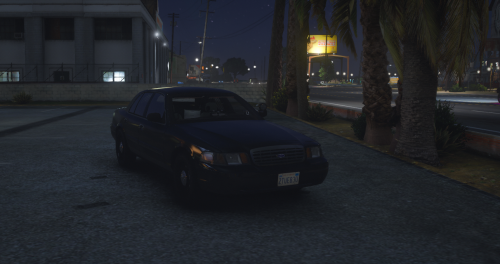 ELS is well done but the model is not a CVPI, it has a chrome grille/trim so it looks like a grandma car. And you locked it so it can't be fixed, even though this is clearly not original work and was just taken from another game.
- 4 comments
- 4 reviews
-
 The key to bring up this menu is F11. Why is that not mentioned anywhere on this page or in its documentation?
- 635 comments
- 72 reviews
-
-

- 1
-
-
 A lot of care and attention to detail, but the UX isn't great, e.g. trying to wrangle 8 suspects running in different directions gets pretty tedious
- 546 comments
- 103 reviews
-
 These are by far the best non-real-world skins out there, you all have exceptional talent
- 95 comments
- 32 reviews
-
 Outstanding assembly of ELS vehicles, skins are a really innovative idea--I think the Ft. Worth logo really works well for San Andreas--but leaving the Texas flag on the rear windshield is pretty lazy. Also "Where the west begins" sounds a smidge elitist when you're on the Pacific coast 🙂
- 283 comments
- 95 reviews
