Fabione
Members
-
Joined
-
Last visited
Everything posted by Fabione
-
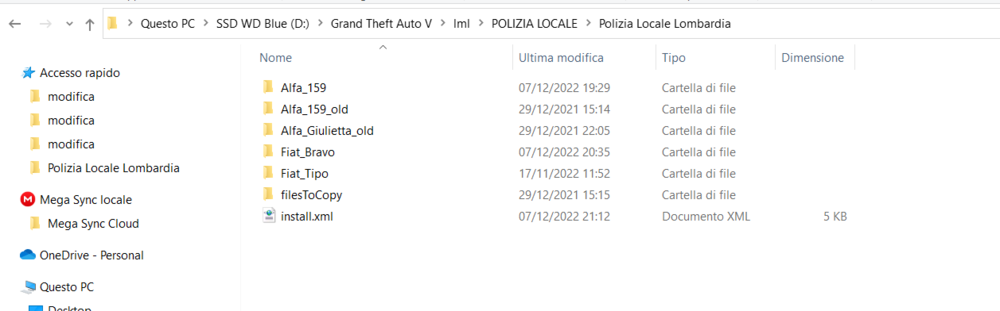
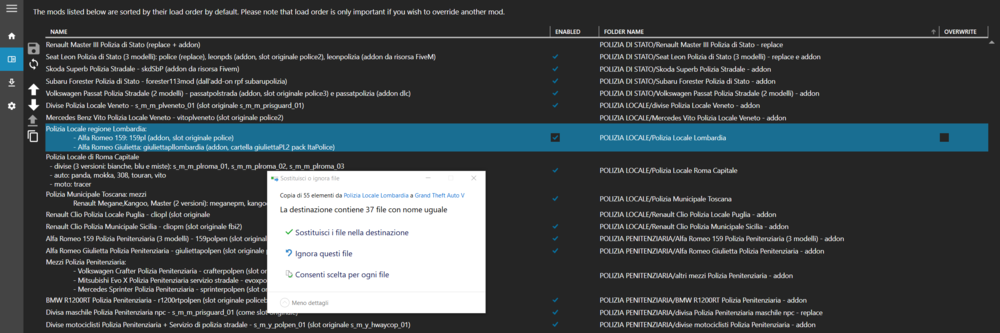
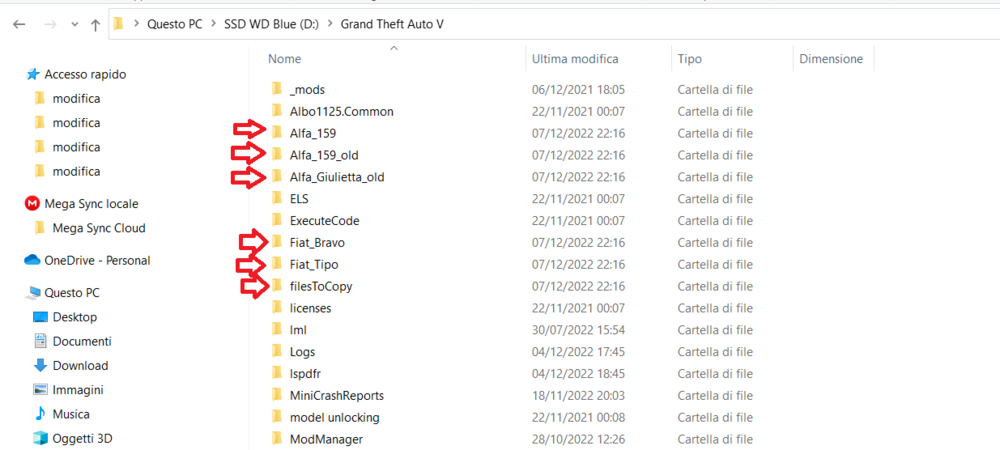
I made some screenshot to help you understand better the situation. install.xml
-
Of course, instead of copying the specif els file put into the "filesToCopy" folder the button also copies the others folders "stream" and "data" inside the gta5 main directory.
-
Yes exactly, it's a problem of the last two versions.
-
Thank you, I look forward to hearing from you.
-
Good evening @LMS, In the latest version of LML the Mod Manager button "Copy files to game" doesn't seem to work correctly: it copies in the main gta5 directory every file and folder present in the subfolder where there is the install.xml - for example it copies all the data and stream files of a particular vehicle in the GTA5 main directory. Since I only want to copy the ELS file, till now I put in the install.xml the following code: <ResourceFolders> <GameFolder>filesToCopy</GameFolder> </ResourceFolders> and by pressing the button "Copy files to game" in the Mod Manager it copied only the els file present in the "filesToCopy" folder. Now it copies everything. 😭 Can you restore the previuos behavior please? Thanks as always
-
@LMS I have tried to load FiveM maps with <ResourceLua> but they don't work.
-
Hello, sorry for my long absence. @LMS The feature I mean is taken from here: https://www.lcpdfr.com/lml/index/ -> Support to load individual textures into existing YTDs. For example: I want to replace decl_diff_001_a_uni in s_m_y_hwaycop_01.ytd. (or other single textures in ytd files) I have another question: In the latest update of LML is it possible to load MLO maps (ready for Fivem) with ymf files? Thank you so much!
-
Hi everyone, How can we load individual textures into an existing YTD file? I read this feature in the home page and I would like to try it. Can you provide an example? Best regards, Fabio
-
@LMS Have you tried the single entry replacement for DLC vehicles, for example the ones added in The Cayo Perico update? For me it only works with the base vehicles. For example, if i apply the single entry replacement to stalion, dubsta3 or alpha the games crashes during the loading.
-
@LMS No, it also happens with stalion and dubsta3. I observed that the single entry replacement doesn't work with the vehicles that Rockstar added in the updates but I don't know why and how to resolve this problem.
-
@LMSI tried both single entry replacement and the entire vehicles.meta with the path you wrote for alpha but still no luck, nothing happens. The entry is not edited. Any ideas to solve? I really need to modify the vehicles.meta to use liveries for alpha and set specif extras to spawn.
-
Hello everyone, I was wondering if there is a way to set the ELS cruise lights always on for the npc police patrol cars of lspdfr, so that when they spawn around the map they have the steady cruise lights activated as happens in the reality in my country. I tried to search in the ELS user guide or other forums but I didn't find anything of interest. Thanks in advance to all those who will help me!
-
Hello everyone, I was wondering if there is a way to set the ELS cruise lights always on for the npc patrol cars of lspdfr, so that when they spawn around the map they have the steady cruise lights activated as happens in the reality in my country. I tried to search in the ELS user guide or other forums but I didn't find anything. Thanks in advance to all those who will help me!
-
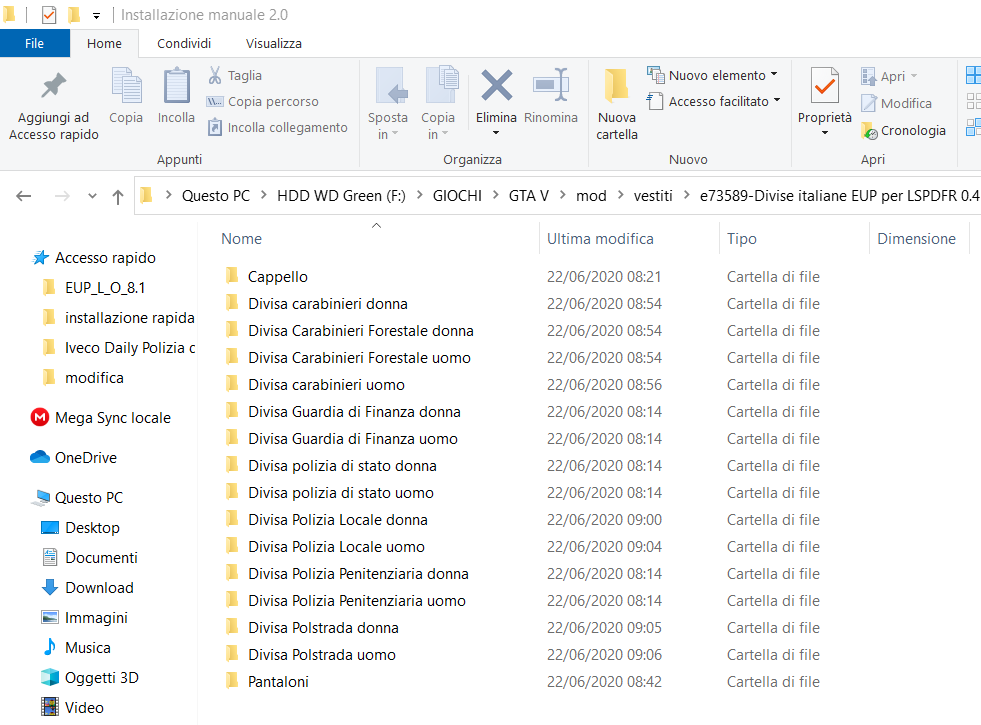
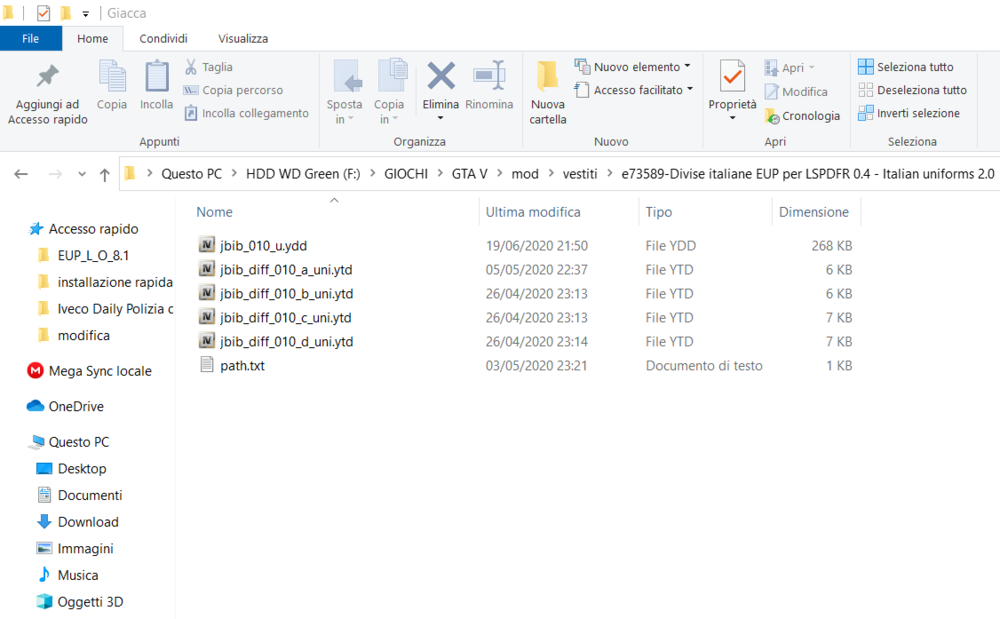
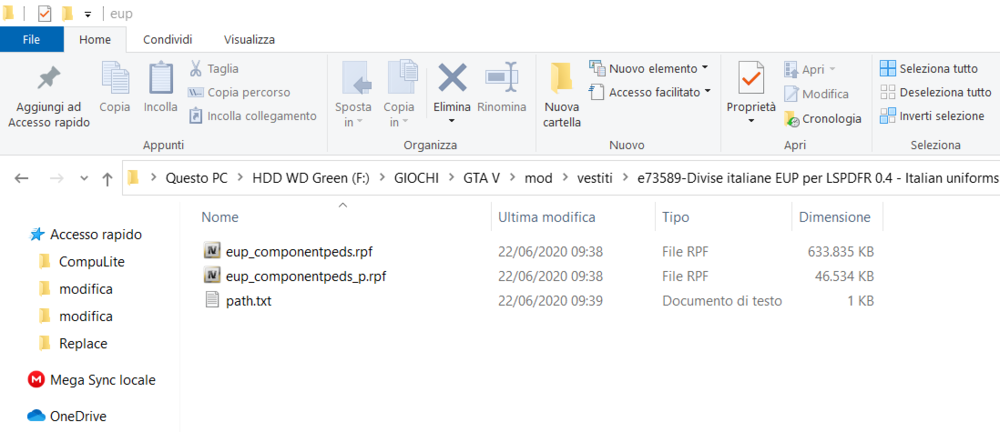
I understand but I want to install the version 8.1 because the italian uniforms (https://it.gta5-mods.com/player/divise-italiane-eup-per-lspdfr-0-4-italian-uniforms-daniele1) have not been updated yet for 8.2 (and probably never will be). Are there significative changes from 8.1 to 8.2? I can try to install EUP 8.2 with LML and replacing the files with the custom ones provided for 8.1 but I'm not sure the slots are the same. I forgot to say that the author of the italian uniforms also provided the single files without having to extract them from the eup_componentpeds.rpf (attached images). Thanks for the help!

-
ok and what about the first question?
-
Good morning, I would like to install EUP Emergency uniforms pack (Law & Order and Serve & Rescue) with LML without using the package installer of OpenIV, so I can enable and disable it with a click in ModManager as can be done with the other mods. The problem is that I don't know how to convert the .oiv package to a suitable xml file for the install.xml. Has anyone a solution or tried to do this operation? Another question I have is if I can load a custom eup_componentpeds.rpf and eup_componentpeds_p.rpf already prepared with the uniforms I want.
-
Thanks for the moment, I will try deleting the folder and providing a new install.xml, if I have more questions I will tell you.
-
ModManager.log vfs.log
-
I have changed the subfolder name with a simpler name without spaces but still doesn't work. Are you sure the problem is the name of the directory?
-
I have changed the subfolder name with a simpler name without spaces but still doesn't work.
-
Ok thanks, in case it may helps you the name of the folder where I have the install.xml is 'file carcols.ymt personalizato', inside it there is a subfolder called 'replace' with carcols.ymt inside. ModManager.log vfs.log
-
Hi, I tried to replace the file carcols.ymt put inside the folder called 'replace' as I do with the other modded files using the following line: <FileReplacement>replace/carcols.ymt</FileReplacement> or <FileReplacements>replace</FileReplacements> but it doesn't work. I also tried to specify the game path: <FileReplacement> <GamePath>update:/x64/data/carcols.ymt</GamePath> <FilePath>carcols.ymt</FilePath> </FileReplacement> but no luck. Any ideas to solve this problem?
-
I experienced that the single entry replacement only works for the main vehicles of the game, for example for dubsta3 or alpha in my case it does not changes the vehicles.meta correctly, so the unique possibility would be to replace the whole file .meta in the custom location. Can you help me to specify the file path correctly in LML? x64w.rpf/dlcpacks/mpbusiness/dlc.rpf/common/data/levels/gta5/vehicles.meta Thanks a lot!
-
Thank you very much for your help!