


CrazyPanda1234
Members
-
Joined
-
Last visited
Everything posted by CrazyPanda1234
-
Its looks like a hummer on steriods.
-
I was looking for an unmarked van aswell and found this 1 - http://gtapolicemods.com/downloads.php?do=file&id=944
-
I was planning on buying a monitor from amazon ;)
-
The FIB/FBI dont use the voice aswell :)
-
I am getting a 600 watt power supply...I editied it.And sorry its just I want other people opinions aswell. PC specialist.Theres a link in the 1st post ;)
-
Sorry im not quite sure what you mean by SLI/CrossFire?
-
The website only has 610 upwards :( and the rest are too expensive. Just had a look at the 560 and its £200...this is to expensive for me but thanks anyway :)
-
Thanks Tom :)
-
Nice video :) But what sirens are you using...I think its the ingame one but not sure because I like them :D
-
Thanks.But could you maybe tell me why it will lag? Thanks.Im getting 600 watts +1TB hard drive + Different graphics card.I forgot to edit it :)
-
Click browse in the top left hand corner Then using the scroller on the left go right down to the bottom where you will see - cdimages Yeah sure
-
no open spark IV the one with the Spark IV logo as an administrator
-
Everything goes in apart from the readme and changes file
-
No you put them in the main directory :)
-
Yeah sure....Google.com :) just joking http://code.google.com/p/gtaivtools/downloads/detail?name=SparkIV%200.6.9.zip&can=2&q
-
You need to use Spark IV and replace it as "bus.wft and bus.wtd" NOT pstockade.Its not in your scripts folder either.
-
So at last ive found a pc which im going to get.Please tell me what you think of the parts or what I should go for. :) Link : http://www.pcspecialist.co.uk/results/ What im wanting to do :D Play LCPDFR along with other mods such as traffic flow/police helper etc. Record with Fraps or another recorder. Use ENB's Video Editing (Low amount) So will it be able to do all of these? Specs Processor (CPU) Intel® Core™i5 Quad Core Processor i5-3570K (3.4GHz) 6MB Cache Motherboard ASUS® P8Z77-M: MICRO-ATX, USB 3.0, SATA 6GBs, ATI®CrossFireX Memory (RAM) 8GB KINGSTON HYPER-X GENESIS DUAL-DDR3 1600MHz, X.M.P (2 x 4GB KIT) Graphics Card 1GB NVIDIA GEFORCE GTX 650 - DVI, HDMI, VGA - 3D Vision Ready Memory - 1st Hard Disk 1TB GB 3.5" SATA-III 6GB/s HDD 7200RPM 16MB CACHE 1st DVD/BLU-RAY Drive 24x DUAL LAYER DVD WRITER ±R/±RW/RAM Memory Card Reader INTERNAL 52 IN 1 CARD READER (XD, MS, CF, SD, etc) + 1 x USB 2.0 PORT Power Supply 600W Quiet 80 PLUS Dual Rail PSU + 120mm Case Fan Processor Cooling INTEL SOCKET LGA1155 STANDARD CPU COOLER Sound Card ONBOARD 6 CHANNEL (5.1) HIGH DEF AUDIO (AS STANDARD) Network Facilities 10/100/1000 GIGABIT LAN PORT - AS STANDARD ON ALL PCs USB Options 6 x USB 2.0 PORTS @ BACK PANEL (MIN 2 FRONT PORTS) AS STANDARD Operating System Genuine Windows 7 Home Premium 64 Bit w/SP1 - inc DVD & Licence (£79) Office Software
-
 This is my new desktop background :) lol
 -
 "Be right back" *runs to counter* lol :P
 -
 "What ya'll looking at?" lol
 -
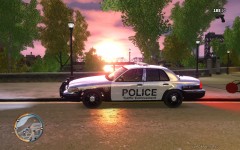 I like that car do you have a link :D
 -
People will do that if they want more traffic on their website.Like the guys above said, only trust R* :)
-
What one would you reccomend?
-
£680 reduced from £850 sorry I dont know what this is in dollars and sure that would be greatly appreciated :) PM me if you have found one or if you have skype feel free to add me : Scott.Young.98 :)
-
The system above is the one im planning on getting ;)

