VenomReaper
Members
-
Joined
-
Last visited
Everything posted by VenomReaper
-
-
-
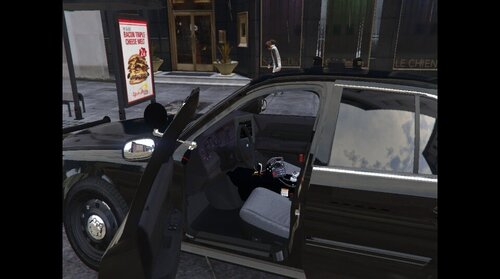 My takedown lights are pointing backwards. Is there anyway how I can fix it? But otherwise it's a great mod!
- 12 comments
- 2 reviews
-
-

- 3
-
-
-
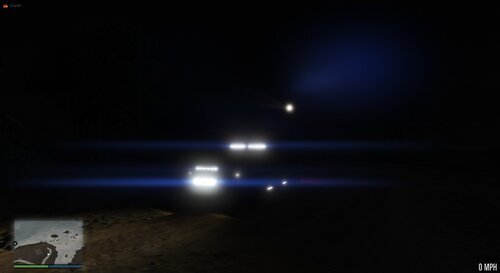 If I turn on the takedown lights on the CVPI the lights point to the back of the car. Is that a bug or do I do somthing wrong? But I really like the rest of it. Sorry for the bad english 🙂
- 12 comments
- 2 reviews
-
-
- 1
-
-
 Just a little question. My Car accelerates a little bit to slow for me. What do I need to change in the xml to make it accelerates faster? But otherwise I love the mod. Sorry for my bad english I'm German but I'll try my best.
- 330 comments
- 24 reviews