


Stickbug813
Members
-
Joined
Everything posted by Stickbug813
-
 After being a beta tester for the better part of a year (on and off) I can say proudly say that I have seen the devs work tirelessly to get this plugin out. After seeing every bugged worked on and tested by multiple people in vastly different setups with FR, I am extremely happy for Marcel and the other devs. This is an amazing plugin that can finally end Bejoljo.
- 737 comments
- 58 reviews
-
-

-

- 4
-
-
 You care correct, I redacted the statement. It's weird and not sure the purpose of the Ultrawide fix. Because, after uninstalling the fix, I realized I didn't need it and am a 21:9 user. So I am not sure what that is about, whether I am not reading that right or what. But it works perfect.
- 557 comments
- 28 reviews
-
-
- 1
-
-
-
 This pack is fantastic for numerous reasons—great models, textures, a good selection of cars for every department, etc. This dev has earned 5 stars. I have always used ELS, but if this back were non-ELS and had .xml's for DLS, this pack would easily have double the download, 16k+. But I couldn't imagine the work that would need to go into that. I have never had an issue with any of these cars and I will continue to support this pack and recommend this pack to everyone.
- 359 comments
- 26 reviews
-
-
- 1
-
-
I appreciate the design and functionality of the mod, which has garnered positive feedback from numerous users. However, I am unable to utilize it due to my ultrawide monitor setup. The speed limit icon does not align with my minimap's placement, rendering it impractical for the look of my game. It would significantly enhance my experience if there were options to customize the X and Y coordinates of the speed limit icon. Given this capability, I would readily rate this script with a 5/5. Furthermore, I have previously provided feedback on this matter without receiving a response. In discussions with other ultrawide users, I have found that many share the same concern about the icon's positioning. This oversight is causing a segment of potential users to opt out of using the script altogether. After the 1.2.9 Update, everything works well. No issues.
- 557 comments
- 28 reviews
-
Is there a future update that will add X & Y values for the Limit? I run Ultrawide 21:9, and my postal doesn't sit on my map. Before and after the update. PLD is still on in this photo, but you can see what I mean.
- 557 comments
- 28 reviews
-
-
 This is not working for me. I have checked maybe 10 times. Nothing. I still have the default GTA V minimap and big map. The zoom worked in the data files though. Not sure what else to do..
- 107 comments
- 8 reviews
-
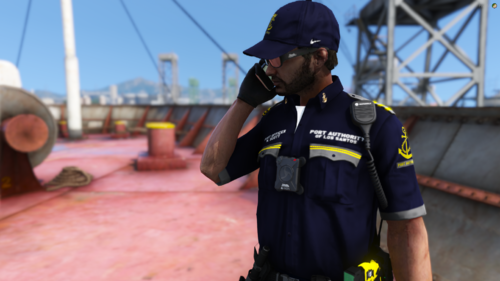 Where did you get that shoulder radio??
 -
-
-
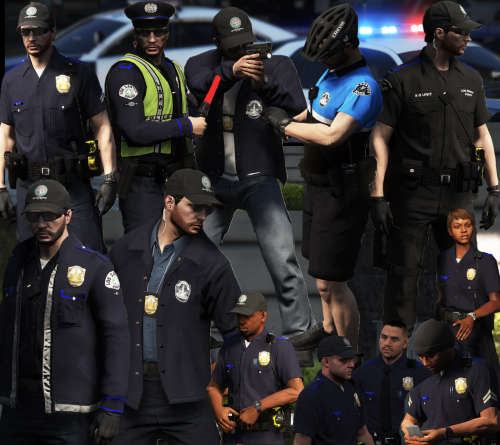 @GrandTheftPD I would love to have this pack in my game! If you could link me to the website you use most with this pack on it, that would be great! Aslo your Discord link doesn't work anymore. Could I also have that? Thank you for the reply as well!
- 18 comments
- 8 reviews
-
@GrandTheftPDI might be installing this wrong but I am almost 100% sure I am not. I know that in the description of this pack you said you were updating to EUP 8.1 so I dont know if this effects anything. Everything I list here, I could be wrong, and I am not trying to insult the creator at all! The file path is wrong in the install instructions and the presets in the wardrobe you provide aren't bring out the correct components and textures. I have installed everything here (GTAV > mods > update > update.rpf > x64 > dlcpacks > x64 > eup_compentpeds.rph, eup_componentpeds_p.rpf, & script_txds.rpf.) LIke I said before, the file path you provide doesn't work and my EUP is not located there.
- 18 comments
- 8 reviews
-
-
-
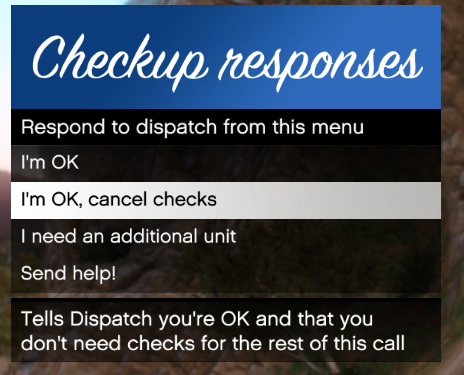
 Will there be integrations with other plugins for example Office Status and Officer Check-Up?
- 1,365 comments
- 87 reviews




7PKVVKMDUYH7P7.thumb.png.a66a92c6be646e352c249e955133ea40.png)
