THEPASS
Members
-
Joined
-
Last visited
Everything posted by THEPASS
-
-
👍Would defs use this. Id suggest creating sudden death reports. (basically a report on the death of a person) and you could even go to the peds address for death message. its morbid but realistic
-
As it stands we receive callouts at a frequency that we set, we then press a button to either run that callout or let it disappear. A far more realistic approach would have them queue up. The idea is this. You go on duty and calls start coming in. But instead of them disappearing after a few seconds, they appear on a queue in a CAD system. While your busy with a callout, more can slowly come through. This is good for immersion because when you take a callout, the world doesn't hold still for you until you put yourself available again. The longer you take on a call, the longer the queue gets giving a sense of urgency to the shift. It makes the player balance efficiency and thoroughness and gives a sense of accomplishment when you properly complete the queue. But it’s not all up to the player. Callouts disappear slowly as other units take them, causing them to disappear from the queue. For example, the player is attending a callout that’s at the top of the queue or is highest priority. As the player works, the second callout he would attend gets taken by another unit and the player would take the callout after that. A plugin or some other way of implementing this concept would make a shift far more interesting.
-
Problem solved. Thank you both for your help.
-
Thanks for this. I did as you said and started with the ELS.asi and it seems to be whats causing the crash. Ive tested the rest of the files and they all work. Do you know how to fix the file? Heres the ELS log. Looks like faulty VCF files.
-
This has prevented the crashing but now nothing in the mods folder loads.
-
Same problem when launching without RPH Same problem when trying to launch without RPH
-
I have tried renaming mods folder to _mods and it makes no difference. I start the game and after about 30 seconds of loading screen it crashes. I suspect its something to do with allocated memory? Here is crash report.
-
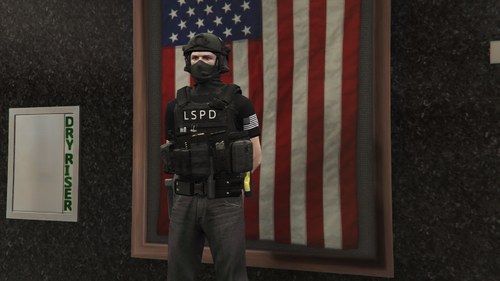 Is the duty belt available to public?
 -
Love your work @OfficerChris1 I checked the .ini and my callout multiplier was blank for some reason. Gave it a value and no more crashes. Wouldnt have known to check it otherwise. Cheers mate.
-
Can anyone smarter than me figure out why I keep getting crashes? Ive been using lspdfr for a few years so im pretty savvy but i cant figure out what it might be. See crash report below.
-
Any mod like stop the ped where you can search individual sections of a vehicle instead of the whole thing at once?
-
I’m having the same issue and yet to find a solution. Try deleting your mods folder and see if it fixes it. Then you know it’s an issue with your mods folder. (Make sure you copy it somewhere so you can put it back in)
-
 Feature suggestion. The ability to operate one of the many security gates across the map and maybe a system to check if the person is listed as staff or visitor. I don’t know anything about scripts and modding so I don’t know if it’s possible but it could be a pretty unique feature.
- 174 comments
- 13 reviews
-
-

- 2
-
-
 Is this a callout pack?
 -
-
Is there somebody talented enough out there that can make a plug-in that allows for all the things from story mode that keep me wanting to live in los santos while off duty? I’m referring to things like buying properties, the stock market, playing sports, buying cars and boats and clothes. These things made the city interesting when you have money to spend and things to spend that money on and things to do. Similarly to when you wanted to take a break from doing the main story and going out to see if you can afford that new yacht or blow some money at a strip club, you could go off-duty and do what ever instead of going on patrol, getting burnt out after 45 minutes then turning off the game.
-
-
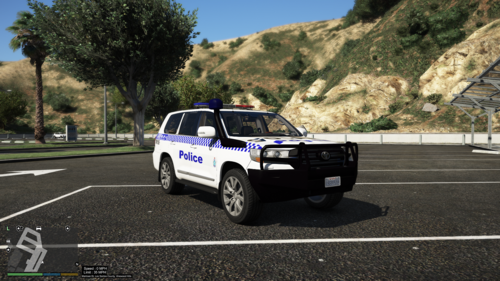
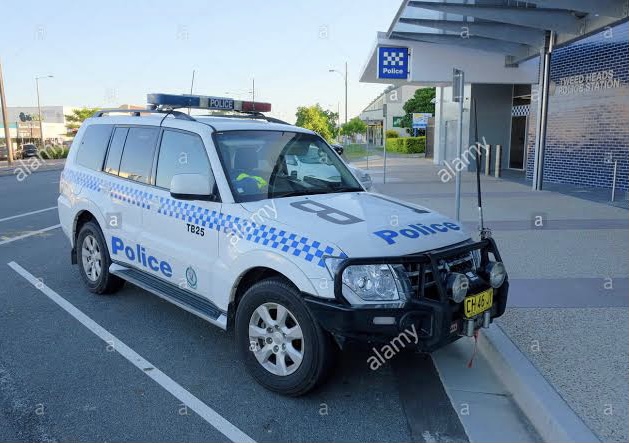
NSWPF PAJERO VEHICLE REQUEST The most common police car I see used in my area is the Mitsubishi Pajero. If any creators could make this it would complete my set of GD cars.
-
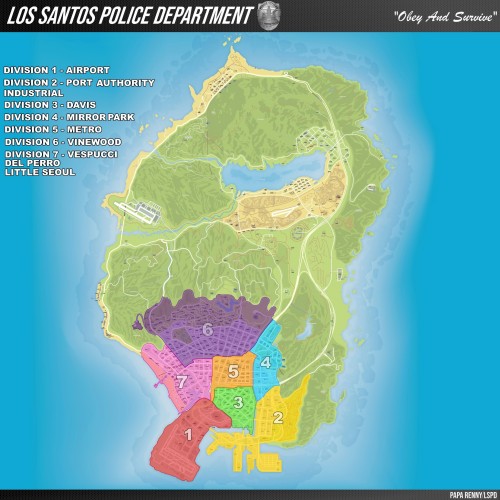 Hey yea same issue here. The pause menu map works fine and looks great but the mini-map looks the same.
- 26 comments
- 3 reviews
-
Thanks for trying all this out. It’s helped me out a lot. My ideal scenario is to be able to use all the single player features such as buying properties and cars and playing sports and such while off duty. And funding all this through your job as a cop. Hopefully we can achieve this somehow. I believe it would make the LSPDFR rp experience feel 100x more alive and just enjoyable
-
Any aussie lspdfr players left out there?
-
-
 Can anybody say if this affects frame rate/ loading times? My PC is on the lower end.
- 633 comments
- 57 reviews
-
I’ve used the system for a while now. Made a few changes but I do it all from my notes in my phone which makes it very annoying to punch in especially when the game is moving on quick like after a pursuit and you gotta clear traffic. Sometimes you just don’t remember to pause and put in all you got. So for it to be implemented as a feature I think is the only way it can work. However, I totally agree with you that some people would not agree with this. That’s why it would be great as a plug-in for people to download as they wish.
.thumb.png.656f907bc2febc81911b0b821cb502c8.png)