




Officer Tuna
Members
-
Joined
-
Last visited
Everything posted by Officer Tuna
-
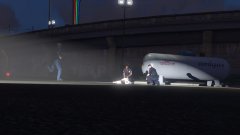
From the album: Holding the blue line (random on-duty pics)
-
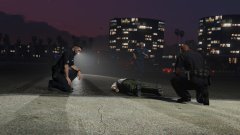
From the album: Holding the blue line (random on-duty pics)
-
 If someone wants to use both drop down models at once (with and without taser) with CopHolster here are the lines for the one with taser to make it compatible with CopHolster. Add them to CopHolster.xml in <Weapons> section for MP Male (obviously, install the taser one in the location pointed in mod's archive) I'll edit later to include MP Female lines Edit: Here are the MP Female lines for the CopHolster.xml file. Obviously they go into <weapons> section in MP Female section I hope someone finds those lines useful 🙂
- 47 comments
- 13 reviews
-
-

- 1
-
-
That's because .xml file does not have "Item WeaponSet" entries for stunguns or nightsticks, only for handguns. And that's because there are no such things in EUP like animated holsters for stunguns and nightsticks. My guess is it's an unused/old leftover feature or something made for modding community to mess with but I have never seen a holster or duty belt mod that would make use of taser and nightstick feature. (which would be kinda cool to be honest) I hope that answers your question quite clear. Cheers!
-
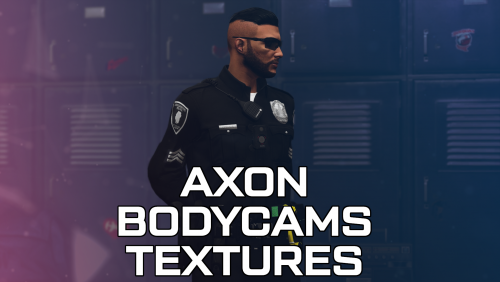 It's number 91 in mask section. I have a feeling like 95% people don't even realize there's also Body 3 in EUP lol
- 14 comments
- 2 reviews
-
-

- 1
-
-
A mod probably nobody asked for but everyone wanted. Thanks ❤️ What about the texture for the Body 3 though?
- 14 comments
- 2 reviews
-
-
- 1
-
-
-
This was added to StopThePed a little back, you can still see it in the changelog. To do a traffic stop on foot you need to press G and choose "slow down traffic" or "stop traffic" Then you can double click E (like with a normal stop) and then your character will raise that stick and pull the nearest vehicle over. From that point everything will work like a normal traffic stop with STP
-
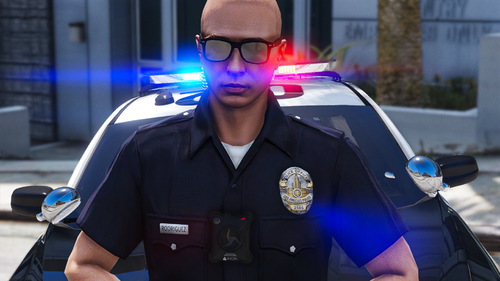 I am also having this issue. It seems like there's no model file in there. @LSPDFR Officer Rodriguez Mind telling us what is the issue here?
- 43 comments
- 2 reviews
-
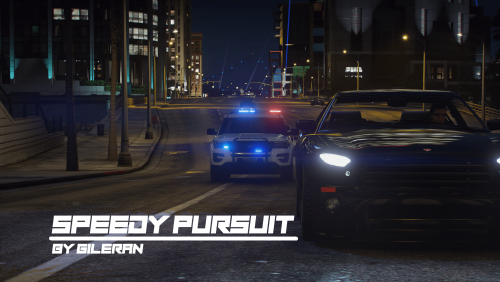 Hey it looks cool, I'll be trying it out soon, some of those callouts sound to be something I don't usually see in callout packs or probably haven't seen at all before. Also may I ask what is that pack with the FPIU and Charger from the screenshots?
 -
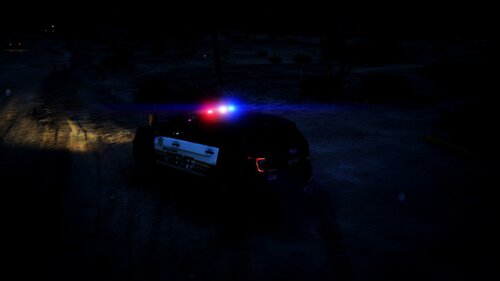 Maybe, but also wrong. This certain livery is from Douglas County of Nevada.
 -
 Hey, I don't know what's up with that, but when I unload the mod through the menu, my LSPDFR character suddenly changes like this. Also I noticed the name in pause menu somehow completely changes to something random. Am I doing something wrong, or...?
- 658 comments
- 28 reviews
-
Check the last post on the first page of this thread. Looks like they are. It's also difficult not to notice something's going when forums get flooded with crash threads. I sure hope it gets fixed quite soon
-
Hmm... weird indeed. I checked the log again and looked at the files contained in XScanner download. Mind searching for Khorio.Common.dll in your game's folder? It's one of the files that comes with this mod and log also says something about it. If you find it, delete it and try again. If the file is not there or if the problem still continues then I have no more ideas.
-
I am no expert, but bottom part of your log seems to indicate at some problem with RAGENativeUI. Are you using most recent version? (1.8.2.) Edit: I have also noticed you are using very outdated plugin (XScanner) Which according to its page on this site was created back in 2018 for LSPDFR 0.3b. I'd recommend removing that plugin as it might be the issue as well.
-
I wish I could use vanilla animations related to detaining myself. Unfortunately with StopThePed it's impossible to switch. It can happen at times that you grab and so on with vanilla LSPDFR animations and I had that happen few times myself, however it happens only when StopThePed does not take over properly, and that's not too often.
-
Current version should be 1.8.2.
-
Have you updated RageNativeUI? It's needed with most recent version of the game and the version included with eup menu download is outdated
-
I also seem to have this issue, couple days back I made a post where I mentioned how I tried to investigate this problem. My conclusion after all this is that it's LSPDFR issue. I tried running the game with absolutely only LSPDFR (no LSPDFR plugins, no other RPH plugins, deleted scripthook and renamed mods folder) and it still crashed under perfectly same circumstances. I really hope we get a fix for that.
-
GTA V Received an update about 2 days back. That's why you have unsupported game version. Nothing you can do about it but wait until Rage Plugin Hook gets updated which usually takes a few days. Second thing. I'm not sure what you mean by multiple crashes but if you mean LSPDFR crashing as a plugin, the most common reason for that is using outdated LSPDFR plugins (e.g. callout packs) or sometimes their improper configuration. First thing I'd try in that case is checking if your plugins comply with LSPDFR Version 0.4.9. and remove any that does not. The info about LSPDFR version that a plugin supports is stated on its download page. For the future, remember to attach ragepluginhook.log file from your main game's folder to your post if you need help with this kind of issue. It gives a better insight on what's happening and don't worry, it won't contain any volatile info.
-
Yes, also having that issue. Did you revert the game version with RPH by any chance? Because that's when it happens to me no matter if I start it with RPH or just normal launcher. Putting it back into current version seems to solve the problem for me but then there's no mod support. Definitely dropping a follow on this topic.
-
Ohh... Yeah rockstar launcher version seems to be really tricky about reverting game version from what I heard. I don't know how to avoid that since I always owned steam version. To me it seems least problematic if it comes to modding and messing with game files. Maybe someone else here will be able to help you since I have no idea about Rockstar Launcher version. For the future I guess it's good to give information whether game comes from Steam, Rockstar Launcher or Epic Games when it comes to certain modding issues
-
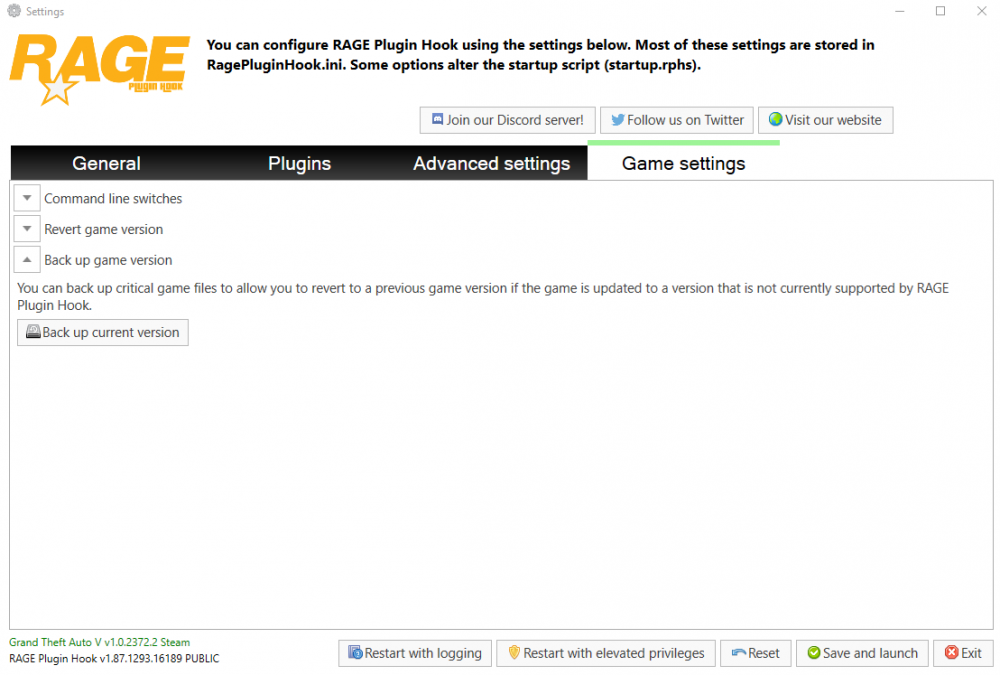
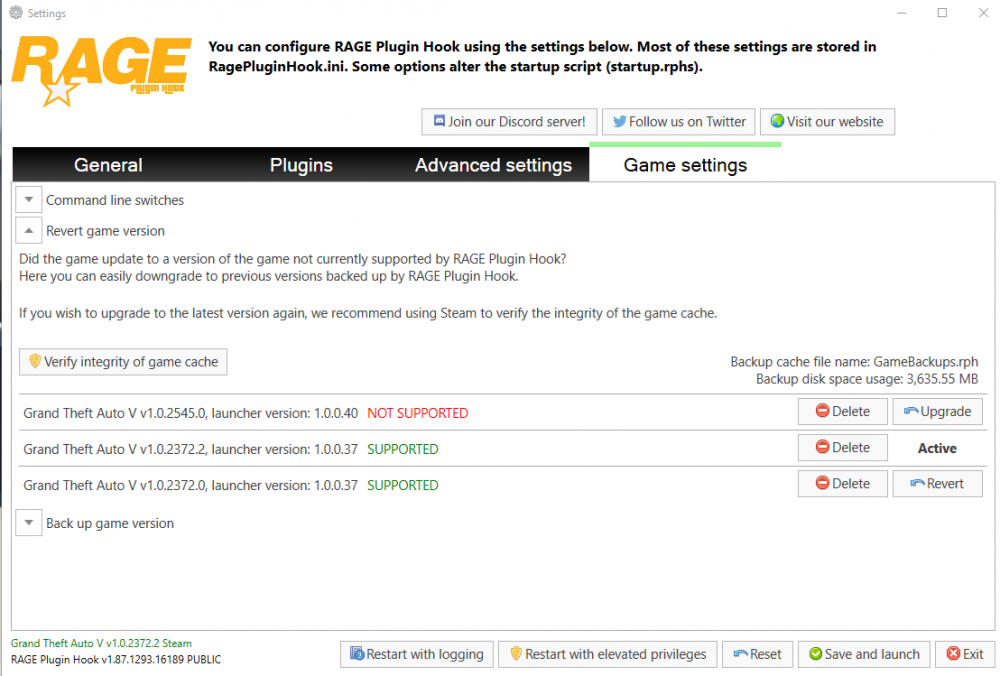
Well, if your GTA V has updated already and you didn't make a backup prior to it, you are out of luck. To create a backup of game version you need to start ragepluginhook.exe like normal, and when you get popup as usual, click a gear icon while it's still there, or hold down shift on your keyboard. This will stop game launch and open settings window. Go to game settings tab there and open "Back up game version" drop down menu Click "Back up current version" A window will pop up and it should do the rest by itself. Note that each backup requires about a 1.2GB of free storage space on your disk. If you do already have a backup and want to use it open the "Revert game version" drop down menu. From there you should be able to see and choose the game version you want to revert to, RPH will also tell you which version is "Active" (meaning which backup version you are currently using) and if certain version is supported, or not. If you want to use a backup of any version just use "Revert" button there. Or "upgrade" if backed up version is newer than the one you have in use. From there RPH should do the rest by itself. Please also note that if you use mods folder you will need to replace update.rpf file within that folder after version change. If you use OpenIV for modding it will ask you about it. If you have done any changes to that .rpf file they will be lost but you can always do them again. I hope that's enough info you need. Cheers!


-
 I do have EUP menu, always had since I'm using those packs. What I said is that updated .ini was missing. I didn't found it in neither of the downloads, the LML download seems to have the .ini though Had same problem. LML package version has the .ini with it so you can download that one and just take the file from there. That's worked for me.
- 2,341 comments
- 236 reviews
-
I don't know how that went unnoticed, but .oiv install didn't give me an updated presetoutfits.ini and from what LCPDFR tells me the .oiv download does not seem to even have such file in its contents. Great.
- 2,341 comments
- 236 reviews


