DeputySpines
Members
-
Joined
-
Last visited
Everything posted by DeputySpines
-
 The callouts are good. I also would like to see some more locations in the future. My only critique: The code 3 responses for this callout bug me a little bit. Realistically speaking, an emergency response should only be used in situations where there is an imminent threat to life or property. Running code 3 to a car leaking oil with the fire department on scene, or even an accident etc. with other units on scene really should not (and would not) be done.
- 221 comments
- 63 reviews
-
-

- 1
-
-
Most agencies have various 'levels' of unmarked units. The ones they really don't want you to know that are police cars, you won't ever notice. An agency near me uses two of these 4 cars I'm about to list as undercover units, neither of which have any visible antennas, lights, or license plates that would differ them from any other civilian vehicle on the road: 1) PT Cruiser, 2)VW Bug 3)Smart Car 4)Nissan Leaf
-
You're posting in the wrong topic, this is support for LSPDFR not LCPDFR.
-
Are you running fraps by chance? That'll crash it in the opening.
-
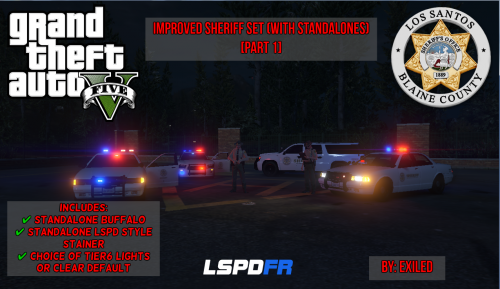 Looks okay, however just noting that "Sheriff" should be "Sheriff's" if you're using it with the word department. It'd also technically be "Sheriff's Office" since county police agencies aren't a department of anyone, but plenty of people still say department so that's not a big deal.
- 8 comments
- 2 reviews
-
Looks great, can't wait.
-
 I got it figured out, it's a ragehook issue with the version included in the last LSPDFR so if anyone else comments something like that, it's not your mod. Good mod though, thank you :)
- 35 comments
- 4 reviews
-
I like this idea. for accuracy purposes, it'd probably only work for conceal carry because open carry is not licensed and anyone can do it (in most states) so when I call names into dispatch, I only find out if they have a conceal carry permit. That said, this is a fictional city and I'm sure few would oppose having all both open and conceal permits.
-
The latest version of ragehook (updated yesterday) is posted, that seems to have fixed it. EDIT - Forgot to add, this is downloading from the ragehook website, not LSPDFR. It comes as a .zip file.
-
Hilariously though, I've called code 2 and code 3 backup at the same time and the code 2 backup often gets there first
-
Any other mods installed? I'm having the same problem, I've been at work and haven't had time to pinpoint the issue.
-
It appears that the default hotkey "J" for sirens/no sirens in LSPDFR no longer works after I installed this. Known bug?
- 35 comments
- 4 reviews
-
It's ragehook, I was playing around with it before the release of LSPDFR. You can't start at all if fraps is running and you try to run ragehook. When I started the game first and then started fraps, I was able to get it to work. Some bad lag spikes though.
-
I am still blown away by the initial release, I can't think of words to express my gratitude in your commitment to development Sam and LMS. A couple things I'd like to see; as much as I love the mod so far (and I'm aware it's still in alpha), I think the player-initiated events could use some spicing up. What I mean by that is that there's no real gain from spending time roaming the back roads/mountain roads because there's not much going on out there, and if there was not a whole lot to do about it. I actually found traffic stops sort of lacking, because I wasn't able to find reasons to stop cars 85% of the time, and even if I did there's no real arrestable offenses (from normal traffic stops) at this point. Also the reversing car bug, that a bit of a con... But like I said, I know it's a first release, keep up the good work guys!
-
That's kind of a given, but it's already been said it's vastly more stable than LCPDFR, and we're only at first release.
-
Working fine for me in the US 1 day, 4 hours, 38 minutes left. I don't need to be signed in or anything to see it.
-
I was adding my $0.02 about code 2 and 3 and put in that we used ten radio codes, not to be confused with 10-codes. I'll be back on topic from here, very excited for the release.
-
I guess my area is weird. We use ten codes (not 10- codes as in 10-1 through 10-99, but code 1, code 2, code 3 etc. through code 10) solely for radio traffic. A code 2 is the actual action of making a traffic stop and when a large event (like a pursuit) is in progress a code 3 is placed on the channel meaning only radio traffic relevant to the event is allowed. Actual speed of response is simplified to 'emergency' and 'non emergency', or shortened to 'emergent' and 'non-emergent'. It's actually quite nice because when you're in the s*** there are only 10 codes to remember, everything else is plain speech.
-
I think that's been established at this point in the thread
-
I would say, keep trying. Chances are slim however it is true that a lot of departments are looking for life experience and maturity about what has happened in the past, over a squeaky clean record. Now that being said a felony can complicate the process quite a bit, but keep shopping for agencies.
-
here in CO, they also have amber/blue. That being said, once I saw a group of plows (on a toll road) with red/blue. I was gawking as I drove by.
- 8 comments
- 2 reviews
-
-
- 1
-
-
-
-
Download TrafficFlow. It will fix the taxi bug
-
Should be fixed now, if you still have the links open refresh the page and try again.