


ArriveAlive
Members
-
Joined
-
Last visited
Everything posted by ArriveAlive
-
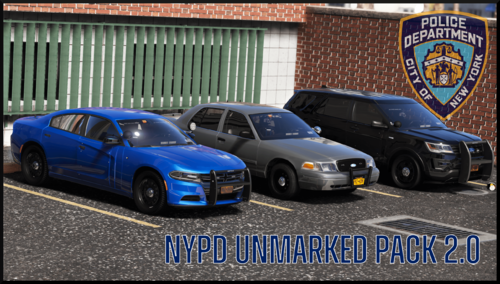 That'll increase all my vehicles headlights then and they're all perfectly bright except the ones in your pack
- 78 comments
- 10 reviews
-
This is an awesome pack. Just two things. 1) The rear strobe lights are very big when they flash. It's like a blob but the rest of the lights look fine (screenshot below). Anyway to fix it? I lowered car.def at night through visualsettings but still the same. 2) headlights are very weak to the point it looks like it doesn't have headlights on (screenshot below comparing it to another vehicle I have. I should have spaced them more but the entire light is coming from the charger). I have visualV installed.
- 78 comments
- 10 reviews
-
so I did do that and I copied the visualsettings, handling, vehicles meta and DLClist and I put those back after updating the mods folder. Do you think that may have messed it up?
-
Both times I open the game, vanilla or via ragehook, the game goes to the loading screen and while it's loading it crashes to desktop and for ragehook it asks me to generate a crash report once at desktop.
-
I updated LSPDFR and Rageplugin hook and Scripthook but my game is still crashing. It crashes when I start the story mode or when I start via ragehook plugin from the GTAV directory. I have attached my ragehook crash report here -> Ragehook Crash Report.txt RagePluginHook.log this is also the log for ragehook please help
-
-
-
.thumb.png.4eb86d760e1546d1408f3bf28229d159.png) This looks orgasmic. Anyway to get ALPRs on the chargers? Was just thinking about these with the hi-rise. Definitely like the lightbar with risers though and I know in real life they're testing these hi-rise on the NYSP fleet. Awesome job!
This looks orgasmic. Anyway to get ALPRs on the chargers? Was just thinking about these with the hi-rise. Definitely like the lightbar with risers though and I know in real life they're testing these hi-rise on the NYSP fleet. Awesome job!- 55 comments
- 2 reviews
-
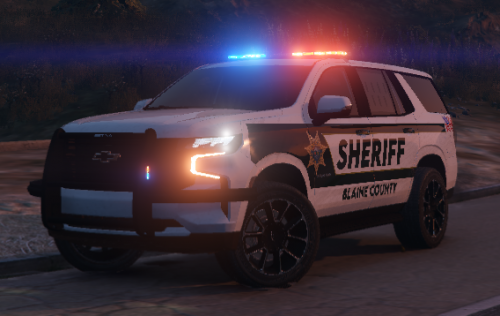 I love this vehicle. Is there anyway you can add a dash light behind the windshield or the grill? I feel like for such a big vehicle if you pulled up close to the rear of someone's vehicle they wouldn't know. Also, this looks amazing without step lights, if you could just leave that be 😄
- 35 comments
- 1 review
-
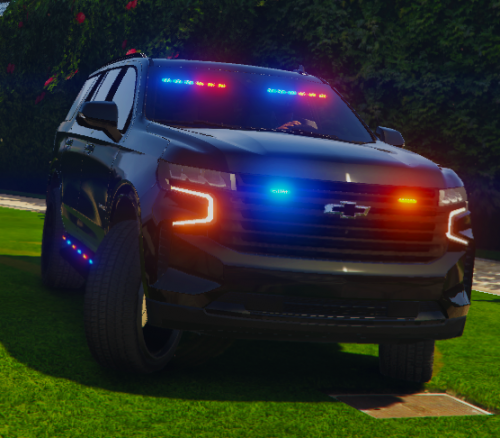 This looks amazing but having traffic advisors in the back without red and blues makes it look like a construction vehicle from behind. Also, the brake lights don't light up - i am using 'Brake Lights Plus' plugin.
- 32 comments
- 5 reviews
-
-

- 1
-
-
UPDATE: Just realized LSPDFR had to be updated as well. It's all fixed now.
-
Just went to dev and downloaded/updated my Scripthook V. Went onto to OpenIV and updated my "update.rpf" folder and saved my old visualsettings, vehicle, and dlclist and put those back once the update.rpf happened. For some reason my GTA V worked by going to the console (F4) and typing "reloadallplugins" and then "forceduty" so I went on to reloadallplugins and LSPDFR keeps crashing now. Please help. I have placed the Ragehook and Log file here. Log RagePluginHook_16082020_170038.log Ragehook RagePluginHook.log
-
-
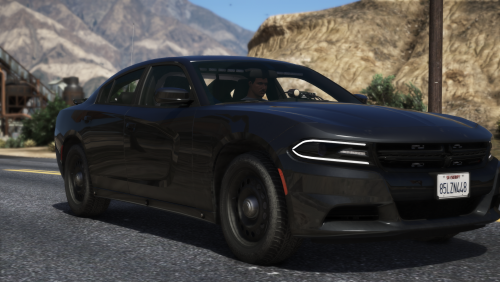 Yup. I can spawn it by searching the vehicle name 2018charU but can't spawn from the "added vehicle" list.
- 20 comments
- 4 reviews
-
Amazing car with ALPR. I installed it but for some reason when I got to "spawn added vehicles" it's not there. I installed it exactly how it's in the readme. What can I be doing wrong?
- 20 comments
- 4 reviews
-
I had the folder from Albo's policesmartradio still in the LSPDFR folder even though I deleted the .dll and .ini out. And now it's working! Phew. Thank you so much man!! I really appreciate your quick help, you're a genius!
-
Changed it and it did not crash - it started me out 'on-duty' but none of my plugins work like backup or ALPR.. etc. GTA V log RagePluginHook.log
-
GTA V log RagePluginHook.log RPH log RagePluginHook_17072020_165129.log
-
Crashed again as soon as I put "forcedduty." What is going on, I never had this issue until I did a clean install few days ago 😭
-
RagePluginHook.log
-
Sorry, not sure where the ones in the GTA V folder are
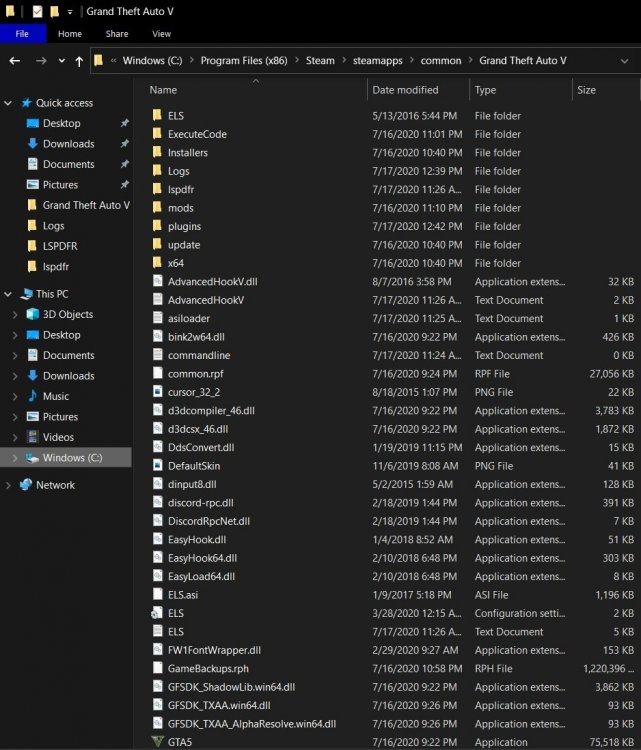
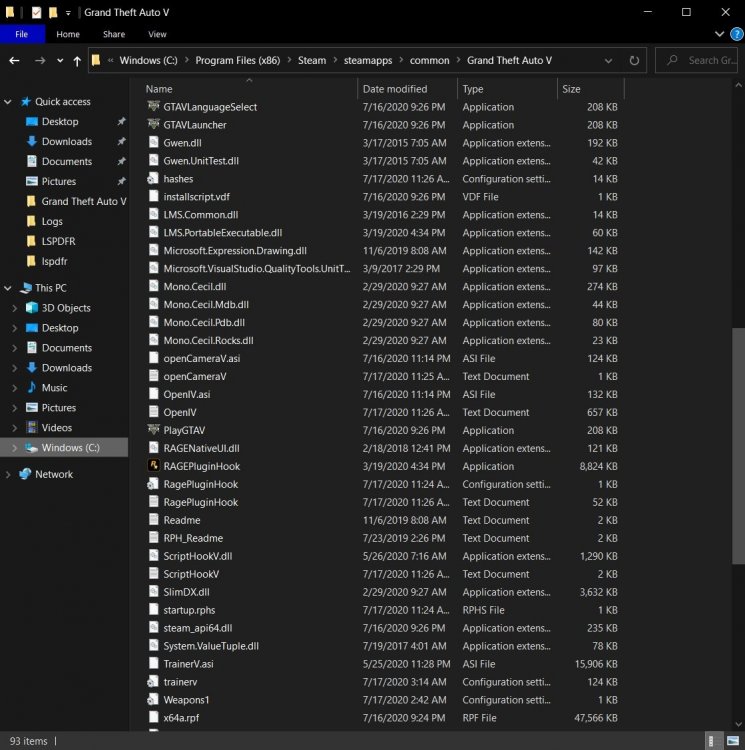
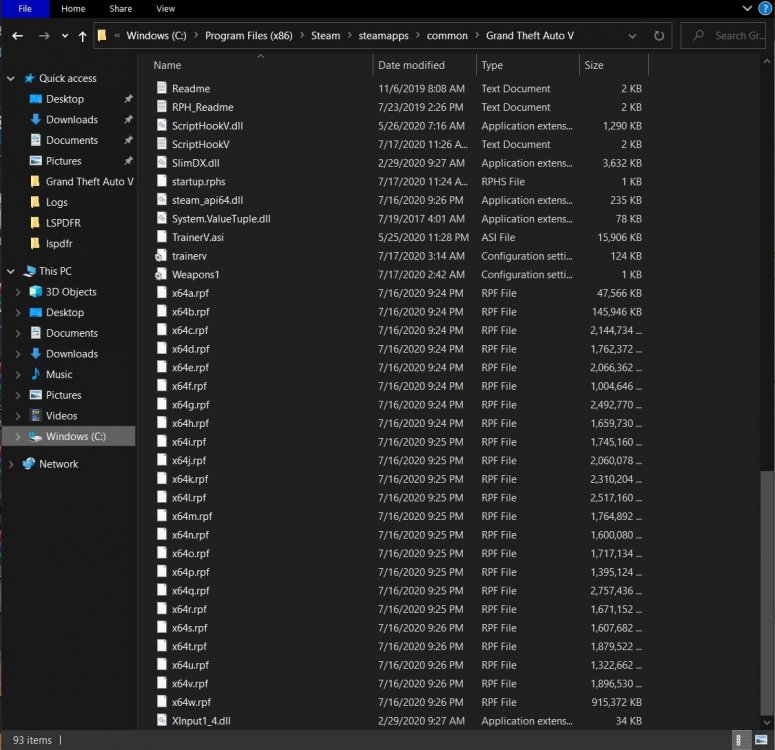
-
This was the log after putting 60,000 RagePluginHook_17072020_150840.log Log after 40,000 RagePluginHook_17072020_152241.log
-
I put 60,000, and tried 40,000, and it crashes to desktop right away now 😞
-
No crash without RPH and when I do go RPH I can spawn my cars that I had uploaded as DLC via openIV. I can walk around but as soon as I go to a station and go on duty or write "forceduty" it crashes straight to desktop. EDIT: So I started the game without any plugins loaded at startup, then hit F4 and typed "reloadallplugins" and then wrote "forcedduty" and it actually worked. Really weird. Have to try without doing that now. So i started with "load all plugins on startup" and then did forceduty and it crashed again but works fine if I don't load plugins at startup and then do "reloadallplugins" and "forceduty."
-
Ok so I had downloaded EUP and the game kept crashing (I followed a youtube video), so I clean installed everything. No EUP and no Albo's mods installed. Just ELS, radiance, all of Bejoljo's mods and Jedahdiah's new pack. Now it's crashing to desktop without even me going to the station or entering forceduty. I have attached the log with this. Please help 😢 RagePluginHook_17072020_034054.log
.thumb.png.4eb86d760e1546d1408f3bf28229d159.png)


