DerTeddybaer
Members
-
Joined
-
Last visited
Everything posted by DerTeddybaer
-
Mein Spiel crasht nun immer mit dem selben Fehler. Ich mache keine Bestimmte Aktion und es ist immer zufällig. Der Crashreport lautet wie folgt: [7/31/2020 9:27:29 PM.351] LoadingScreenMsg: [7/31/2020 9:27:29 PM.603] LoadingScreenMsg: Loading Story Mode [7/31/2020 9:27:31 PM.902] LoadingScreenMsg: Loading and Populating Game World [7/31/2020 9:27:32 PM.152] LoadingScreenMsg: [7/31/2020 9:27:45 PM.084] Initializing console variable "IsDeveloperModeEnabled". [7/31/2020 9:27:45 PM.084] Type: System.Boolean, Reading section: "Miscellaneous", key: IsDeveloperModeEnabled [7/31/2020 9:27:45 PM.084] Read value: False [7/31/2020 9:27:45 PM.084] Setting value of console variable "IsDeveloperModeEnabled" to stored value. [7/31/2020 9:27:45 PM.085] Initializing console variable "TimeScale". [7/31/2020 9:27:45 PM.085] Type: System.Single, Reading section: "Miscellaneous", key: TimeScale [7/31/2020 9:27:45 PM.085] Read value: <null> Ich habe schon Einiges probiert. PluginTimeoutThreshold=60000 und Dateien Vollzugriff gewährleistet. Ich habe die zusätzlich installierten Fahrzeuge aus dem Modsordner rausgenommen, ich lasse das Spiel nur im Fenster mit Direct 11 starten, aber geholfen hat es nicht.
-
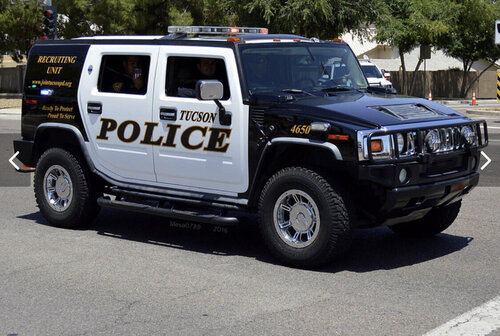 An sich ist es ein sehr gutes Fahrzeug und fahren werde ich es weiterhin bestimmt auch in meinen YouTubevideos. Das Einzige was mich am Auto stört ist die Datei für das Aussehen. Wenn man im Spiel ist, lädt die Textur sehr schwach unter einer schwarzen Farbe. Wenn ich mein eigenes Design einfüge ist es ebenfalls so. Ein Update wäre wünschenswert, dass man das Design auch sieht.
- 9 comments
- 2 reviews
-
Coastal Callouts uninstalled and latest version of RagePluginHook. But:
-
And what is: [WARN] Path without extension: lspdfr/data/custom
-
Crash log:
-
Hey BlackADITUM! Wen muss ich auf dem Server anschreiben, um Support zu erhalten? -Mit freundlichen Grüßen
-
My game crashes either when I'm in the garage and scrolling through or after a random time. "Err_mem_embeddedalloc_guard_4" appears in the error window. I installed the associated gameconfig and already updated my driver. Who can help? In the end, I don't see any errors in the "RagePluginHook.txt".
-
For me, the game crashes when I want to go on duty. I've already found warns, but I don't know what they mean. RagePluginHook.log
-
I have some questions about the controls. How do I put out fires or safe People on the Yacht? How do I end a callout? Where do I have to drive / fly the rescued people and what if I don't find them all? Also, I just found a lady in the shower and she was suddenly closed, so I couldn't get out. If I want to end a callout with END, I should press Z to confirm. In the keybindings nothing from Z and ingame happens.
-
I have a problem with the LML installation. When I load "Coastel Callouts" in the game, the bottom of the screen shows that the LML package is not installed, even though I did it as in the video. With the install.xml I haven't moved anywhere because I don't know where. I have the latest version of "Rage" and LSPDFR, like "Lennys Mod Loader 0.3". I own OpenIV and work with it and have installed everything there. I use the gameconfig 1868. Since I can upload new pictures here, I uploaded it to Mediafire with all the necessary things: https://www.mediafire.com/file/qhqgpl3t67kqqhu/LML-Support.rar/file