
AvLife
Members
-
Joined
-
Last visited
Everything posted by AvLife
-
 oh yeah "I" spammed, for sure, that's my bad 😂
 -
you can show me as many pictures as you want, don't make it look any better. Frankly you're the one whos lying, especially to yourself cause you think this looks good.
-
Dude what the fuck are you talking about, and no I'm not from japan
-
Go for it
-
lol ok, show me one good thing someone's said about your mods and ill download it give it 5 stars and use it for life, and it can't be you on another account. I'd also like to know what I've been abusing?
-
Narcissist it is. Its not good and I didn't download your shitty mod cause I don't want my stuff to look like this, your pictures alone look like ass and if that's how it is I don't want it. Notice how you're trying to say that all your other reshades are good and stuff but I have not seen one person say something good about any of them other than you and you have no likes or reviews. You were also banned for threatening admins on gta5 mods so I definitely wont be looking at anything you send.
-
what? How you gonna post something that looks like this then not be able to take criticism. If you really think this looks good then you either need your eyes checked or you're a mad narcissist
-
"Perfectly" 💀 Dude no lie this looks like shit. It looks like you put a negative filter on the game.
-
-
-
-
-
-
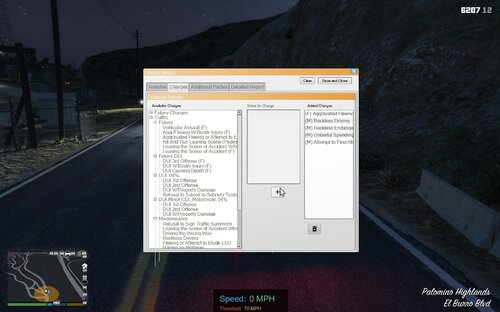 @chadc78ah i gotchu, compulite has the expiration times? Didn't know that, thought it was the same deal. Anyways thanks for the answer, great mod and have a great day.
- 72 comments
- 12 reviews
-
-

- 1
-
-
Great mod for computer+. I'm using the newly updated version by @Aschtar but im kind of questioning what the expiration 30 days+ is, for computer+ doesn't show allotted expiration time? As in using LSPDFR+ also newly updated it shows the registration and insurance status but doesn't show the amount of time expired if that is the case. Any input on how to show that or is the 30 day+ option just there to be used whenever for more realism? Any feedback is appreciated.
- 72 comments
- 12 reviews
-
-
-
-
-
-
 This is a great tutorial, one issue i seen was when you were making the custom.ini, you had named it custom.ini.ini, if you have your file extensions (.dll, .ini, .pdb, etc are hidden from the file) then there is no need to add the ini at the end. so just the name of custom will work. Good thing is, it will check the name of it now in the new update.
- 1,365 comments
- 86 reviews
-
And don't disable your antivirus, you should never do that
-
What do you think it does? if there's an error with blips, you'd think hiding them would work huh
-
Set Main.DisableGameBlipHiding = true in your lspdfr.ini
-