


FrizeeY
Members
-
Joined
-
Last visited
Everything posted by FrizeeY
-
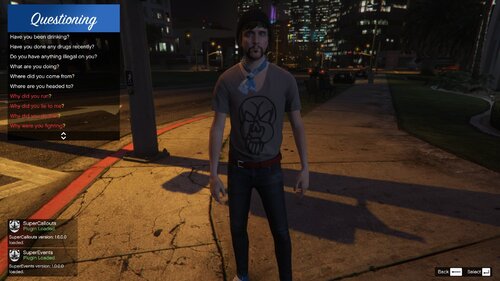 Could you help?, When I ask peds questions they answer but I can't see the answer for more than 000,1 second so I can't really traffic stop
- 63 comments
- 7 reviews
-
Hello! I use stop the ped when I pull over a vehicle, the problem is that when I ask the peds a question their answers only show up for a split second like seriously you can't see what is says so fast it goes by. Maybe someone help? 🙂
-
Hello can anyone help? when i ask a ped a question there answers show up for a split second and then fade away fast. How to fix?
- 63 comments
- 7 reviews
-
 Hello!! can anyone help me, when i ask the peds questions theyre answers show up for a split second so i cant really rp and i cant see what they said its kinda annoying please help!! 🙂
- 1,178 comments
- 137 reviews
-
Its a really good system and all but my problem is that when i ask the peds something their answers only show up for a split second and then i cant really rp that good without knowing theyre answers 🙂
- 1,178 comments
- 137 reviews

