


Odozer
Members
-
Joined
-
Last visited
Everything posted by Odozer
-
I want to make some state police uniforms and I'm familiar with the texture editing part, But I'm not sure where to find the clothes to begin editing in OIV. Is there a file path someone can share to point me in the right direction of these assets? Thanks!
-
This did it! Thank you so much legends, You've both help solved my issue!
-
Quick update, And thank you to both of you for your help with this! Tried out Will's suggestion about renaming the vehicle to Police5Addon, Managed to get both the interior and exterior textures working with all liveries with this method. So the new GTA police update is very likely the culprit. However the ELS system isn't working (Which should be fine, I can likely fix this user error) Currently falling back to a backup save of GTAV before I started going through and changing all those files for testing over the last couple days and see if I can do it right this time. Hoping for the happy ending!
-
So I tried putting together an addon for the Police5 vehicle and I am not sure I did it correctly as I've never done that before, but I followed those instructions Dozel linked me to the best of my ability, Looked solid and was met with crashes after booting the game into single player. Not sure what else to try, Even tried downloading a add-on vehicle as a template to make sure I was editing the files correctly and renaming Police5 to something else. Maybe someone could give it a go and put something together. This has been among the most frustrating experiences I've had in modding 😅 Not sure it's now worth the time spent to just accept the loss or try and figure it out. But if there's any other suggestions I'd love to finish this so I can keep playing with this vehicle pack. I honestly haven't played with any other packs because I like to keep the vanilla lore, Not many options for that.
-
I will try this, Is there any reason why these textures may be mixed up?
-
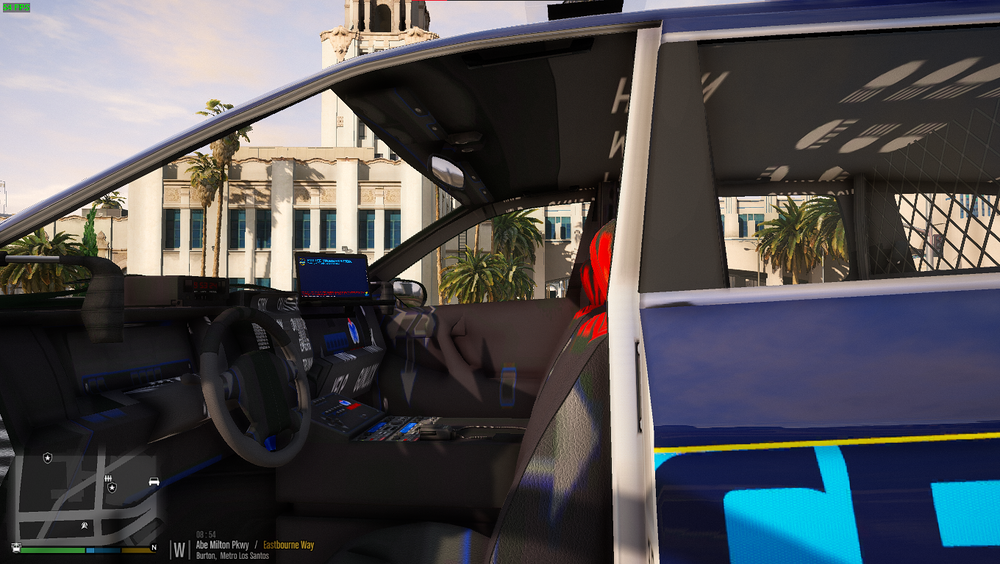
This mostly works! And I can cycle through liveries,There's still texture issues with interior however.

-
I'll give this a try, Do I just rename it to Police3 in the models and remove the existing Police3?
-
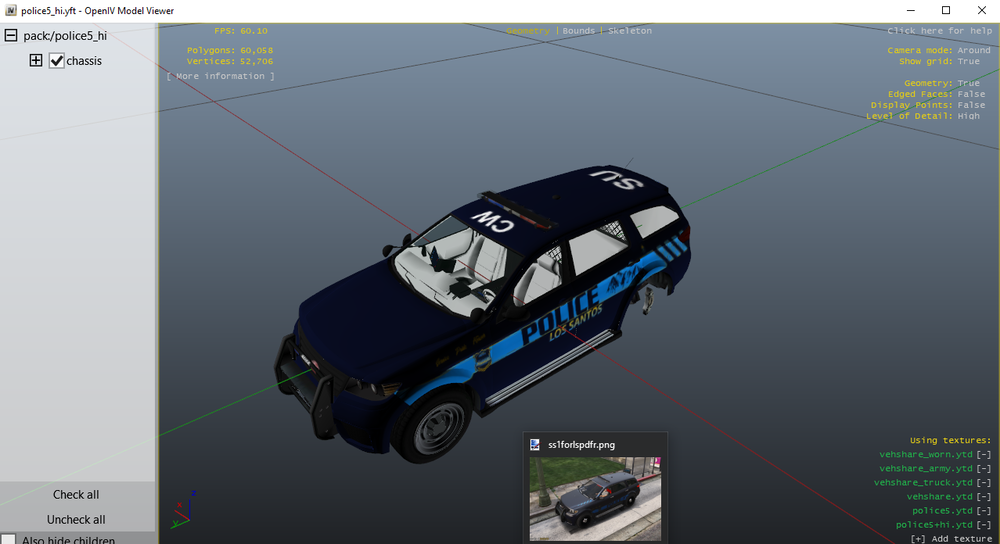
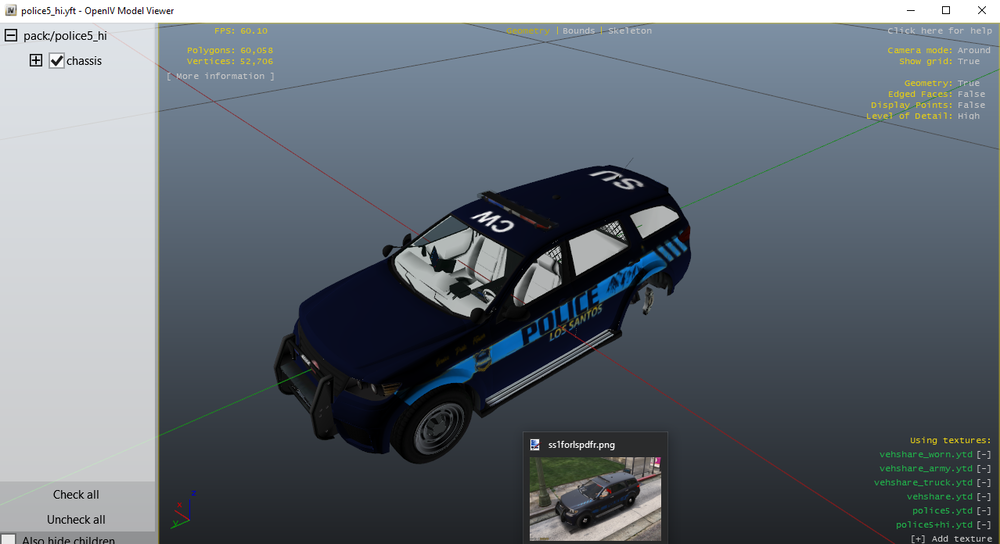
-snipped by staff- I'm on my 5th install of LSPDFR over the years with mods since 2018 (GTA updates). Smooth sailing until I added the Vanilla Vehicles Pack as I typically have many times in the past by NefariousBonne (Found Here). Experiencing the texture issue in-game, In OpenIV the textures look just fine. I've gone back and even tried importing all the Carvariations, Vehiclemeta, Models and textures from the backup save of GTAV when this was working fine, Uninstalling and re-installing this mod to no avail. It's only the Police5 model having issues with textures. Mind you, All of the other vehicles in this pack are working properly, It's just this one vehicle, Police5 having issues with textures. I cannot change liveries for the vehicle in a trainer, Interior and exterior textures appear to be the correct textures being called from the .ydt files, Just shown distorted and drawn incorrectly on the vehicle. As if they're being mixed up when drawn on the vehicle. ELS lights working properly. If you need additional pictures I will provide them. Any wisdom or diagnosis would be appreciated!

-
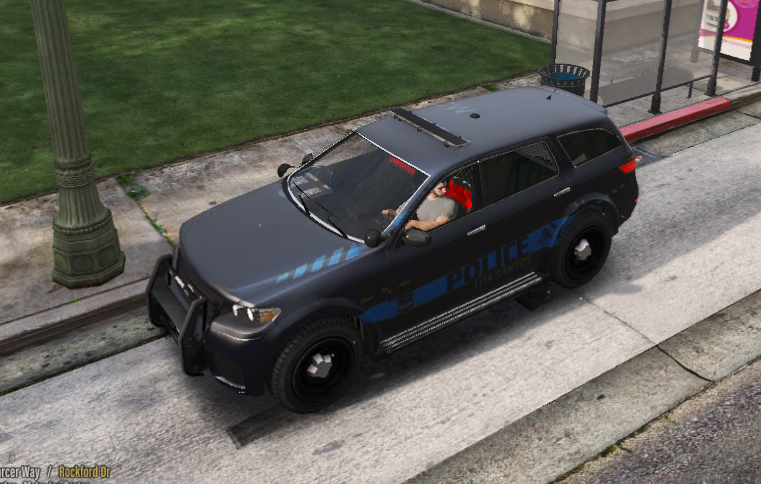
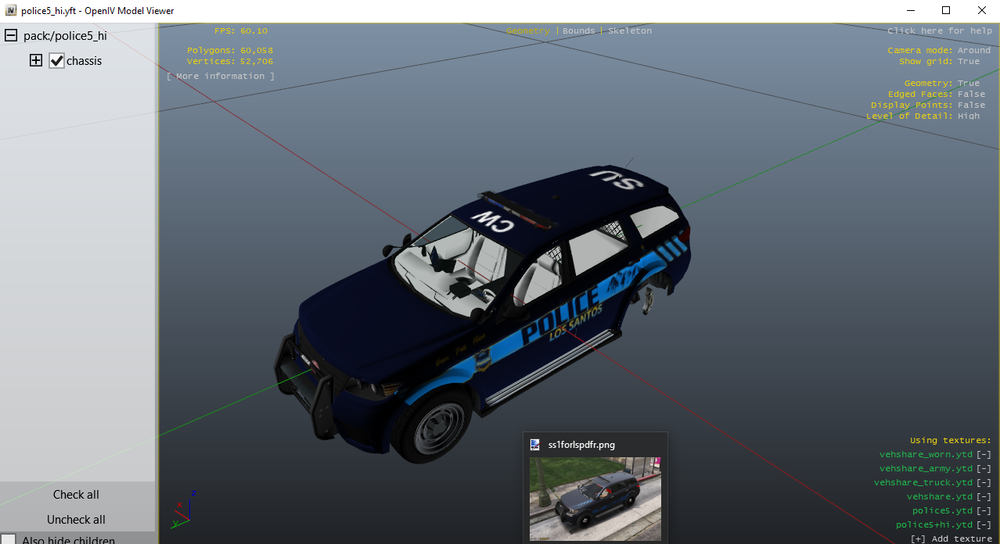
I'm on my 5th install of LSPDFR over the years with mods since 2018 (GTA updates). Smooth sailing until I added the Vanilla vehicles pack as I typically would by NefariousBonne (Found here). Experiencing a texture issue in-game, In OpenIV the textures look just fine. I've gone back and even tried importing all the Carvariations, Vehiclemeta and textures from the backup save of GTAV when this was working fine to no avail. Mind you, All of the other vehicles in this pack are working properly, It's just this one vehicle having issues with textures. Any wisdom or diagnosis would be appreciated!
-
It's the exact same model car, The one from the picture has a matte black finish as it's spawned from a saved vehicle that should have the correct textures. I also tried modifying it with a trainer to cycle through liveries as it has 6 options to see if any would work. Even spawning the vehicle directly in the game, the textures for this one vehicle in particular in the pack won't apply the textures correctly.
-
I'm on my 5th install of LSPDFR over the years with mods since 2018 (GTA updates). Smooth sailing until I added the Vanilla vehicles pack as I typically would by NefariousBonne (Found here). Experiencing a texture issue in-game, In OpenIV the textures look just fine. I've gone back and even tried importing all the Carvariations, Vehiclemeta and textures from the backup save of GTAV when this was working fine to no avail. Mind you, All of the other vehicles in this pack are working properly, It's just this one vehicle having issues with textures. Any wisdom or diagnosis would be appreciated!

-
Was it part of LSPDFR this whole time and not a callout pack then?
-
There's a callout pack I have installed that's really annoying me, Problem is, I cannot identify it. Every 10 or so minutes an ambient event happens in where a lime green Intruder (the vehicle) spawns in the vicinity and immediately puts me into a pursuit I can't avoid. The other problem is, I have a lot of callout packs installed and disabling one at a time, Booting GTA and waiting 10-15 minutes or so (even then I wouldn't be able to confirm for sure) to see if I disabled the right pack would take ages. Is there a way I can check logs or does anyone else know what this pack is? (Copied image from google to save me an in game search, This vehicle spawns and drives of an initiates a pursuit immediately)
-
I installed a new vehicle pack with ELS, The lights are just a dim decal that emit no flare or glow. Here's what I've tried to solve it: Shader and post fx settings reinstall scripthook v reinstall GTA V reinstall ELS reinstall the car files Visualsettings.dat Uninstall and reinstall open iv's ASI loader Computer restart Installing Radiance V seems to have solved my issue completely!
.png.d8a8679461848422ac3def504aa86602.png)
-
 How To Install: 1. Select "Loading Screen Music" folder 2. Extract the td_loading_music folder and oac file to your desktop 3. Open OpenIV and make sure Edit Mode is on 4. Navigate to Mods > x64 > audio > sfx > prologue.rpf Drag and drop the provided td_loading_music oac file That's all there is to it! I was thinking of creating a rendition of the GTAV theme song (Welcome to Los Santos) but remixed as a sinister contrast to it's "Luxurious and at ease" tune to be more inclined to represent the dark nature of the work of LS Law Enforcement to maintain the peace, Take a listen and enjoy the loading music! I'd recommend changing up the loading images as well to your liking. Song Link:
 -
 How To Install: 1. Select "Loading Screen Music" folder 2. Extract the td_loading_music folder and oac file to your desktop 3. Open OpenIV and make sure Edit Mode is on 4. Navigate to Mods > x64 > audio > sfx > prologue.rpf Drag and drop the provided td_loading_music oac file That's all there is to it! Song Link: https://www.youtube.com/watch?v=O6vcipv6MbA
 -
 I've been using this since it released, I love the quips. The only thing I disliked was the dispatch announcer popping in and out with the vanilla one between words, It's as if they juggle sentences between them. Easy fix, Just go through the quips and remove the dispatches voice, Otherwise, This is great and I've had no issues using it since it's release a year ago. 8/10, It's a fantastic mod.
- 13 comments
- 4 reviews
-
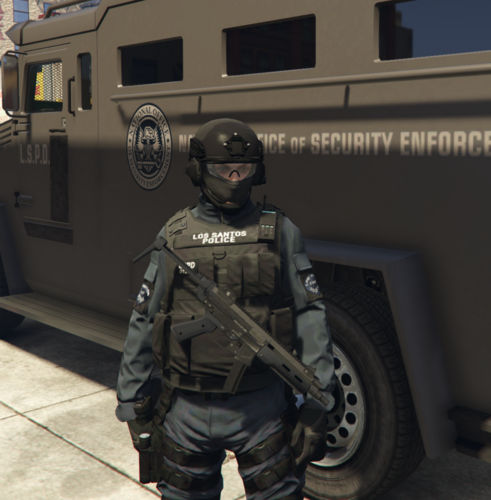 Through a bit of tinkering, I've got the setup (with a few optional ones that are a bit similar) Enjoy! -More vertical/rear OffsetPosition = -0.15,-0.07,-0.24 Rotation = 100,165,0.0 -Close to hip/lower/vertical OffsetPosition = -0.17,-0.02,-0.24 Rotation = 100,165.3,-5.3 -Close to hip/lower/angled (Settings used in photo) OffsetPosition = -0.17,-0.02,-0.24 Rotation = 100,145,-5.3
- 266 comments
- 22 reviews
-
-

-

- 5
-
-
-
I have still not found a solution to this.
-
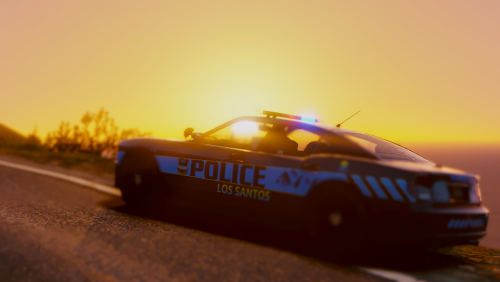 I got it working a few months ago after going to the LSPDFR support discord. I needed a few files like the heap pack adjuster and a very specific gameconfig from a particular old update.
- 82 comments
- 30 reviews
-
Do addon vehicles still work? My NefrariousBonne's vanilla pack doesn't work with the latest GTA update (or lspdfr? one of the 2) Specifically the .META files
-
So, For the last couple years I've been using NefariousBonne's Vanilla Pack. And I've had no issues with it until the latest GTA V update. It has been solid, But it was about time I'd updated Lspdfr and my game to keep up with the community. I re-installed all my essential mods with no Issues with the exception of this one. When I follow the instructions of install, I get a crash to desktop in the loading screen at launch. The .META files (Both carvariations and vehicles) in this mod don't seem to work anymore, They crash the game when used. It means that I can no longer have "new" vehicles, Just replace the ones that spawn in the game naturally. Is there any support out there that can help me out with this? I'd really love to get this back up and working and get those extra vehicles because I've gone through the process of photoshopping many livery's for them, It's a shame they're not working at the moment. Files at the ready if needed. Thanks!
-
With the latest GTA update, The game crashes with the Carvariations.meta & Vehicles.meta any solution? This is the only vehicle mod I can stand because it's lore friendly (and the Gresly is fantastic)
- 82 comments
- 30 reviews
-
That's my issue though, I have them set to true in the VCF, and they do show the pattern 22 on stage 3 but not on 1 or 2. They always default to 0 on the first 2 stages. And I can manually set them in game to 22 with alt+p ELS menu, but I cant get the VCF files to keep them 22 when I start. So I'm just at a loss for where the problem lies, because they do display the correct pattern on stage 3, but S1 & S2 seem unable to hold that pattern (or even activate on stages 1 & 2) when toggled manually (With the L key) unless I use that menu every time I launch the game to correct it to 22. Just for context I like to have them on stage one after a traffic stop in some residential areas to avoid too much light pollution (As if the AI give a damn, but it makes for good roleplay) or if I'm searching an area for trouble, but full code 3 isn't warranted.




.png.d8a8679461848422ac3def504aa86602.png)
