Skip to content
View in the app

A better way to browse. Learn more.

LCPDFR.com

A full-screen app on your home screen with push notifications, badges and more.

To install this app on iOS and iPadOS
  1. Tap the Share icon in Safari
  2. Scroll the menu and tap Add to Home Screen.
  3. Tap Add in the top-right corner.
To install this app on Android
  1. Tap the 3-dot menu (⋮) in the top-right corner of the browser.
  2. Tap Add to Home screen or Install app.
  3. Confirm by tapping Install.

emt1168

Members
  • Joined

  • Last visited

Everything posted by emt1168

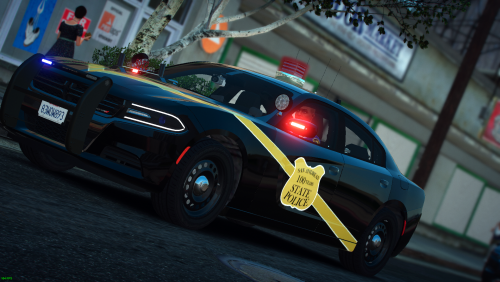
    By and far the pack I've been hoping and praying for the most. Being a Michigander, I've always wanted to be able to play with MSPs amazing setup, and now i finally can. These cars are impeccable and extremely accurate. Excellent work.
  1. wonderful! How does one add this to the game?
  2. The anniversary skin is absolutely the greatest thing to ever grace a Charger. Absolutely Beautiful!
  3. Tradition, and science. Through their testing they have found that there is much less drag and therefore better acceleration and fuel economy.
  4. I've waited a long time for someone to put out an MSP pack, and this looks fantastic. Some minor bugs, but overall beautiful work. The tahoe bubble seems to have a bit of a break in it, and i can't seem to get either of the chargers lights to work, otherwise, seriously great job. As for the partitions, they transport suspects in the front passenger seat
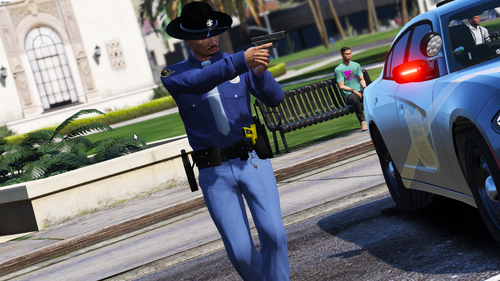
  5. Looks great! Only thing i see is that the badge is a bit too large on the shirt, but other wise spot on. Also, where did you find the charger?
  6. Where did you get all of those! Would love to run these!

Account

Navigation

Search

Search

Configure browser push notifications

Chrome (Android)
  1. Tap the lock icon next to the address bar.
  2. Tap Permissions → Notifications.
  3. Adjust your preference.
Chrome (Desktop)
  1. Click the padlock icon in the address bar.
  2. Select Site settings.
  3. Find Notifications and adjust your preference.