jammygames
Members
-
Joined
-
Last visited
Everything posted by jammygames
-
no i am using the psni Christmas pack it has up to police15 but only police,police,2 and police3 work for pulling vehicles over
-
hey i just tried that there it hasn't fixed it. i can add that it allows me to mark the vehicle to be pull over but nothing more. if i spawn myself in police2 i can pull it over as normal
-
when ever i am in a police vehicle that isn't police, police2 or police3 every time i try to pull a vehicle over they don't pull over. if i hit e they drive in a straight line for ever.
-
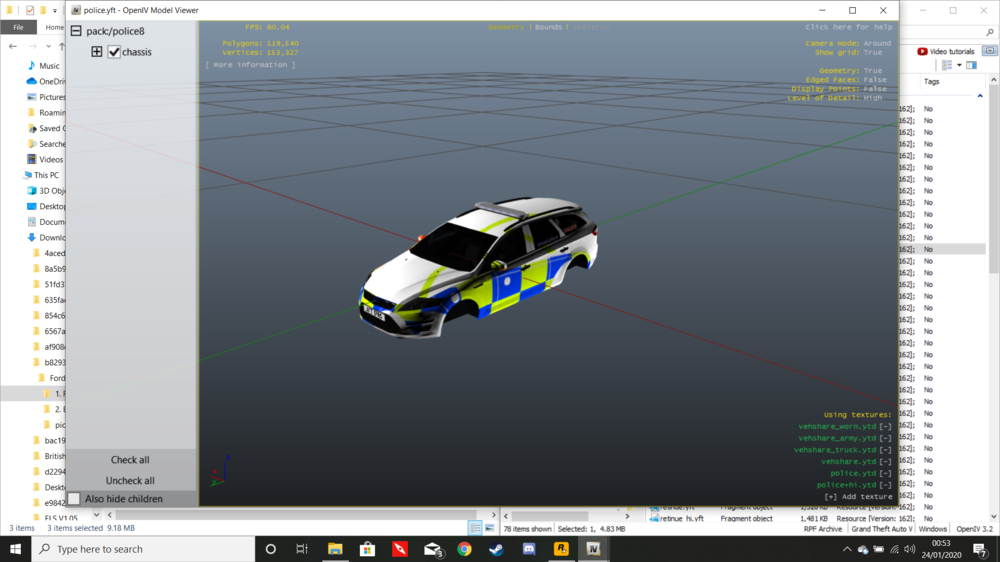
every time i have a modded police car in the game named police.yft it does this texture glitch where the skin is messed up. i have try changing the vehicle file in x64e but it hasn't worked. i have also verify the game file integrity. police2 and up work ok. any help will be welcome. the image shows the glitch in the file