DiamondTKG
Members
-
Joined
-
Last visited
Everything posted by DiamondTKG
-
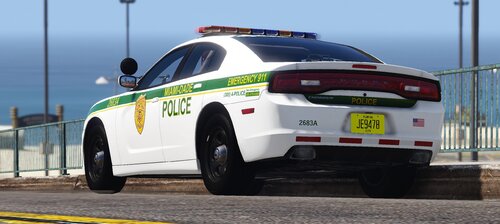 great car pack loved it
 -
-
 nice callout pack, happy to be able to edit callout location hopefully other callout creators will do the same !
- 127 comments
- 13 reviews
-
-

- 1
-
-
 absolutely ! and thanks again
 -
Great mod and thank you for your contribution ! Will you make this for females officers in later updates ?
-
peter U callouts I believe but some callouts don't work and it is outdated
-
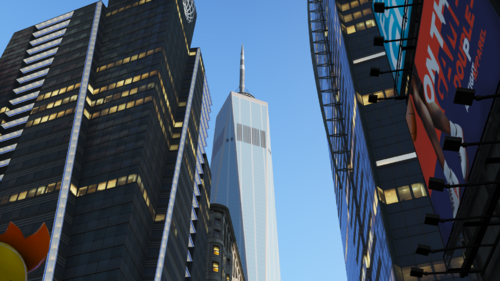 beautiful thank you for this !!!
 -
You should try the following lspdfr settings for testing purposes also disable ambient events with all plugins until you test each one to find your issue. but try these settings first. be sure to make a backup of your previous settings
-
you should attach a log so the community can help you but judging by your list of mods you have a lot of outdated plugins and callouts
-
I have had this issue before and fixed it by taking out the folder that an addon/replace vehicle was installed in....for example for some reason some addon/replace vehicles cause this issue for me in easy mod replace folders such as EMF.....try deleting the folder you installed the vehicle and see if the problem persist if it doesn't then that folder was corrupted
-
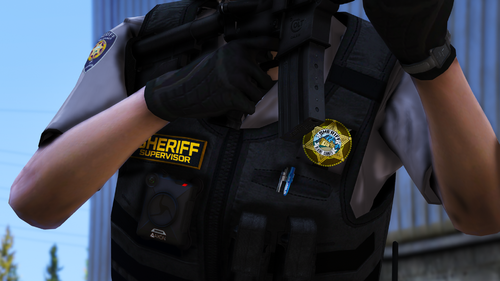 Thank you for this you are amazing !!!
 -
 Great mod and works great but I was wondering if you will be able to create a version without road signs and just the traffic lights like the original upload. Unfortunately this recent update due to its added YMAPS will crash my game due to all the YMAPs I already have installed and I no longer have a copy of the original version.
- 100 comments
- 19 reviews
-
yea I tried that and its the same thing but yea let me know if you find a fix and thanks again !
- 127 comments
- 13 reviews
-
Awesome callout pack but I always seem to get a crash on the domestic call when ending the call attached is my rage log not sure what can be causing it ? [6/8/2021 11:50:39 AM.025] LSPD First Response: Exception type: System.NullReferenceException [6/8/2021 11:50:39 AM.025] LSPD First Response: Exception message: Object reference not set to an instance of an object. RagePluginHook.log
- 127 comments
- 13 reviews
-
 thank you for an amazing mod it really is impressive how good and put together my units are now. would love to have a no hat version for city districts but other than that this mod is a must have. I will have to just go in and edit out the hats for some of my units as my female officers have modded hairstyles so it clips through, which is no biggie !
- 953 comments
- 24 reviews
-
Hello everyone This method of bypassing the update worked for me so I thought I would share this info with the community Here I will show you how to apply the Update Bypass allowing you to be able to launch Ragepluginhook and Scripts with the reverted game version you applied using RagePluginHook or backup of your choice 1) Revert your game version using RagepluginHook or restore the backup of your choice that does not have the new update applied to it. 2) Once you are on the previous version of your game you will need to download and drag the GTAVLauncherBypass.asi and GTAVLauncherBypass.ini file that I will provide a link too in my video that you can find on youtube not sure if I can post here but you can look me up. 3)Next Take those two files and copy to the root folder where your gta5, ragepluginhook and scripthookv is located. 4)Next for steam version only, open steam right click your GTAV under the library tab and select properties, 5)Locate the General Tab and below find Set Launcher options, and click ok 6)In the dialog box type the following -scOfflineOnly , make sure to include the dash 7)Hit okay and close steam and launch the game, both steam and Rockstar update launcher will be offline allowing you to play your previous version of the game
-
hello Are you using Bejoljo stop the ped plugin if so in the INI or from context menu disable realistic weapon system let me know if this helps
-
do you have STP installed ? if so disable realistic weapon system in the INI
-
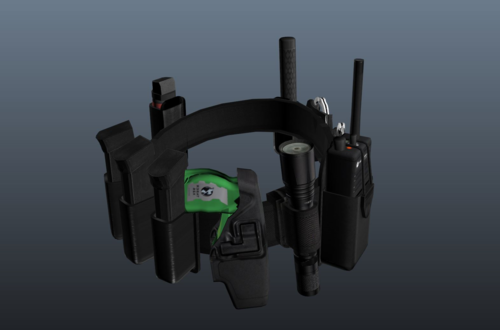 Hey pcGAMEZguy is it possible to make a pink version would love to feature it on my channel !!!
 -
-
1. yes you can stop the vehicle if you want....GTA ai drivers can drive crazy sometimes and not every traffic path is realistic I recommend installing a traffic control mod like 2. For unmarked vehicles depends on many factors, the police slot such as police4 the game registers as unmarked. Also some callout plugins have an editable INI with the car you would like it to register as an unmarked unit. 3. here is the link to LSPDFR features and useful information for how it works https://www.lcpdfr.com/wiki/lspdfr/04/features/ 4. for knowing the area speed limit I recommend using the following it will show the area speed limit, location and some other useful information 5. For what you are looking for Bejoljo mods are an essential addition for LSPDFR in my experience and you can find them here https://bejoijo256.wixsite.com/bejoijo hope this helps a little and I hope others can add to this as I am sure I do not have all the answers but only some experience with my own setup
-
okay try without redux too
-
are you using a gameconfig file ? also make a backup of your settings and try these
-
okay try these following lspdfr settings since you have alot of issues lets start with getting lspdfr working first with stop the ped and ultimate backup.....when approaching a ped are you getting a menu prompt ?
-
are you using stop the ped for arrest ?