




tramter
Members
-
Joined
-
Last visited
Everything posted by tramter
-
-
-
-
-
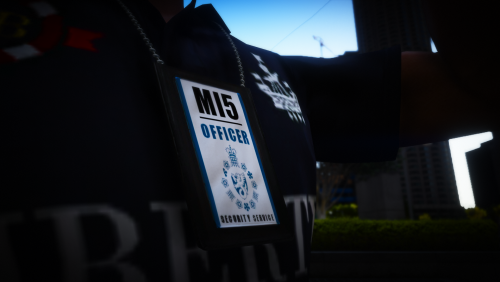 Works best with EUP!! This texture does not resemble anything used by MI5 in real life, this is fully fictional, but still uses the authentic MI5 logo. Installation: Drag and Drop the ytd into: mods->update->x64->dlcpacks->mpchristmas2017->dlc.rpf->x64->models->cdimages->mpchristmas2017_male.rpf->mp_m_freemode_01_mp_m_christmas2017 And you are done! In-game: Using the Menyoo wardrobe tool, scroll down to the teeth section, and keep scrolling across until you find this chain. YOU MUST USE AN EUP CHARACTER OR AN MP CHARACTER! Join my discord to give feedback, request future mods and more! LINK: https://discord.gg/pFv98At
 -
.thumb.png.36827dded750dc497d8bf7e4e2ed6448.png) idk if you fixed the problem but if this vehicle doesnt come with a +hi.ytd or _hi.ytd, you need to remove the one that is already in the directory, that should fix it
idk if you fixed the problem but if this vehicle doesnt come with a +hi.ytd or _hi.ytd, you need to remove the one that is already in the directory, that should fix it -
 thanks! i linked the guy who made thought of the original idea in the description, so go and check him out!
- 2 comments
- 1 review
-
Using thse icons will NOT affect ingame preformance, only modify the icon you see when you are looking at your desktop. Installation: Create a RPH shortcut: Go to your GTA5 directory, and scroll down to ragepluginhook.exe. Right click, and create shortcut. Editing the Icon: go to your desktop, and on the RPH shortcut you created, right click and select properties. Next, select change icon, and select one of these images. Please note: if you want to create your own icon, the image fromat must be .ico , not .png , .jpeg etc. Big thanks to Faya for the inspiration! Link to Faya's icon: https://www.lcpdfr.com/downloads/gta5mods/misc/28438-lspdfr-icon/ Join my discord to give feedback, easily find my other modifications, and so much more! Link: https://discord.gg/rvXdfa2
- 2 comments
- 1 review
-
-

- 1
-
-
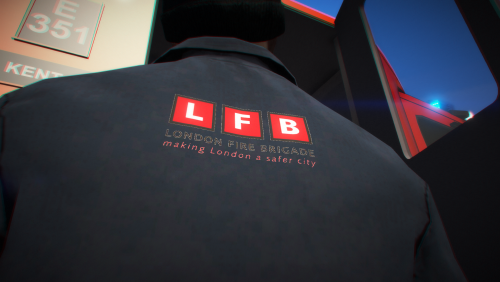 YOU MUST HAVE EUP S&R INSTALLED!!!! Installation: Follow this file path: mods/update/x64/dlcpacks/SUP/dlcv.rpf/x64/sup_componentpeds.rpf/mp_m_freemode_01_mp_m_christmas2017 And drag and drop the .ytd into that directory.
 -
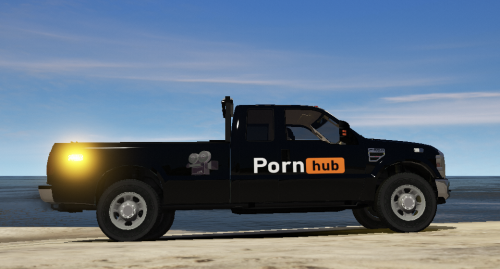 the comments of this post bruh
 -
-
-
-
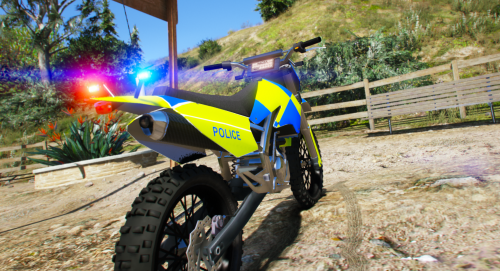 YOU MUST INSTALL THE ORIGINAL BEOFORE USING THIS TEXTURE! Original (required): https://www.lcpdfr.com/downloads/gta5mods/vehiclemodels/27677-fictional-lapd-sanchez-els-templated/ Installation: Once the original is installed, drag and drop this ytd into the same directory. This vehicle skin is fictional, though the Uk police often use dirt bikes, this skin does not represent any real life livery. This looks great in this trailer: https://www.gta5-mods.com/paintjobs/generic-uk-police-trailer-fictional
 -
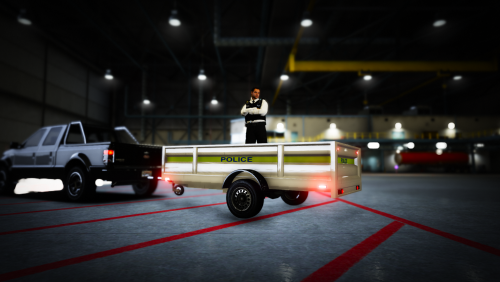 THIS IS JUST A TEXTURE! YOU MUST INSTALL THE MODEL FROM THE LINK BELOW! Required: https://www.gta5-mods.com/vehicles/utility-trailer-long-empty Installation: Drag and drop this .ytd in the same directory that you placed the model in.
 -
-
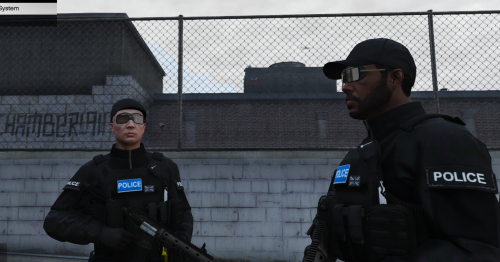 this pack isnt massive and doesnt really contain much more than a few vest, an other bits. I would have to create alot more stuff for EUP, which im not currently in a position to do. thank you anyway. I guess you could combine this back with the other one but thats entirely up to you. https://discord.gg/f6gB4s this is a link to my discord if you want any more info or mods.
 -
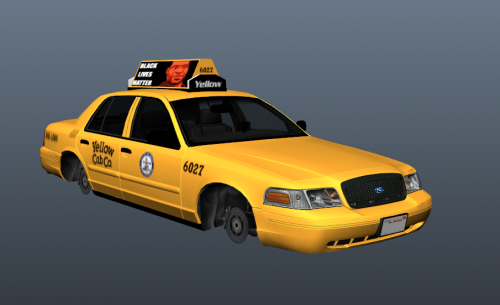 thank you, felt so long ago since i made it
 -
ok thats fine
-
i am not 100% sure, if you download the EUP pack suggested and replace it for the stuff i have made, it might work. This doesnt replace every EUP component, so download the original before using this. Get back to me!
-
what did yu say
-
.thumb.PNG.0c774203180a0bd2f7b9e950026e1372.PNG) YOU MUST HAVE EUP L&O INSTALLED + EUP MENU! required: installation: using openIV, follow this file path: update/x64/dlcpacks/eup/dlc.rpf/x64/eup_componentped.rpf/mp_m_freemode_01_mp_m_gunrunning_01 and drag and drop this .ytd into there, and you are done! This jumper is a rough replica of the fleeces that uk police wear across the country. Unfortunately, i could not include epaulettes in this, but if someone who can model wants to, be my guest. my references: https://c8.alamy.com/comp/GCW0N8/macaskill-meets-lothian-and-borders-police-GCW0N8.jpg
YOU MUST HAVE EUP L&O INSTALLED + EUP MENU! required: installation: using openIV, follow this file path: update/x64/dlcpacks/eup/dlc.rpf/x64/eup_componentped.rpf/mp_m_freemode_01_mp_m_gunrunning_01 and drag and drop this .ytd into there, and you are done! This jumper is a rough replica of the fleeces that uk police wear across the country. Unfortunately, i could not include epaulettes in this, but if someone who can model wants to, be my guest. my references: https://c8.alamy.com/comp/GCW0N8/macaskill-meets-lothian-and-borders-police-GCW0N8.jpg -
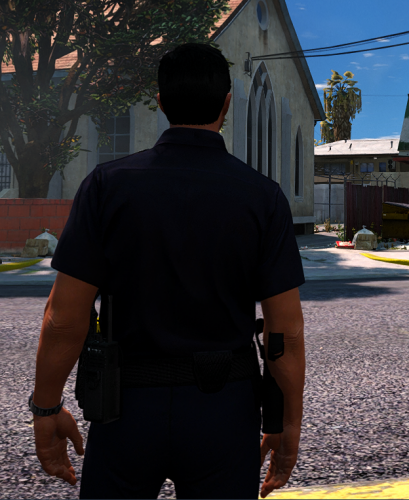 dont LAPD use the green x26? im not sure its just what i've seen, maybe they use both
- 27 comments
- 2 reviews
-
-
- 1
-
-
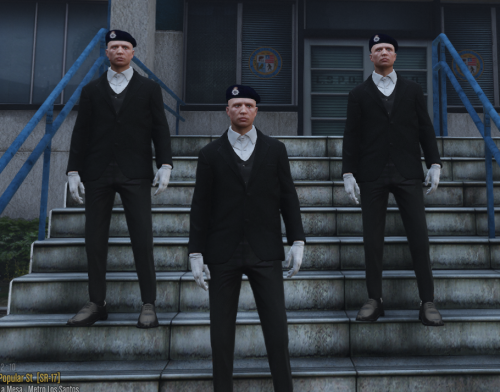 To use this texture, EUP L&O and EUP Menu must be installed. Installation: Follow this file path in OpenIV: mods/update/x64/dlcpacks/eup/dlc.rpf/x64/eup_componentpeds_p.rpf/mp_m_freemode_01_p_male_freemode_hipster And then drag and drop this .ytd into that directory. And that's it, you are done! Feel free to use this in any video, credit would be nice not no required, the model is vanilla so no permission needed to re texture. Please leave feedback, suggestions and more in the comments of this post.
 -
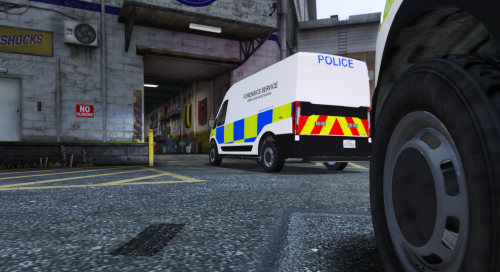 **THIS IS JUST A SKIN! ALL CREDIT GOES TO TG_Stig FOR CREATING THE ORIGINAL MODEL** REQUIRED: https://www.gta5-mods.com/vehicles/vapid-speedo-express-police-transport-add-on Install the above before using my skin or else it will not work. INSTRUCTIONS: Once you have installed the required vehicle, follow this file path in OpenIV: mods/update/x64/dlcpacks/polnspeedo/dlc.rpf/x64/levels/gta5/vehicles/vehicles.rpf/ and then drag and drop my .ytd into that directory. And you have finished! Please refer to the original link for the disclaimer and support on the original model. Please leave feedback, suggestions and more in the comments of this post.

.thumb.png.36827dded750dc497d8bf7e4e2ed6448.png)
.thumb.PNG.0c774203180a0bd2f7b9e950026e1372.PNG)
