


bigroy36
Members
-
Joined
-
Last visited
Everything posted by bigroy36
-
 UGH I can't wait for the new update to come out for callout interface lol! I keep checking back on the site a bunch of times to see if it has come out lol!!!!
- 1,347 comments
- 82 reviews
-
-

- 2
-
-
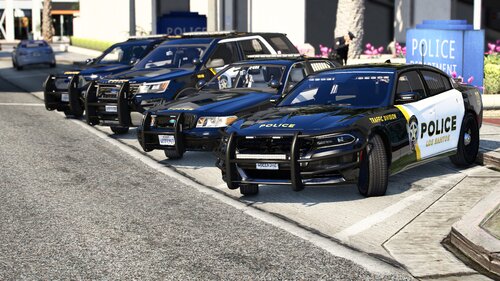 Is there a fix for the taillight being bright on the charger all the time when the headlights are on? Love the vehicles besides the taillight issue.
 -
-
 Question. When I go into the computer after i search for a ped and i find them and i want to write a citation, every time I click on the write citation button LSPDFR crashes. Is that a common issue or do I have other problems?
- 707 comments
- 33 reviews
-
-
- 1
-
-
I'm having this strange issue with the sheriff department only. I cant do traffic stops like i usually do with 'shift' key doesn't start traffic stops or 'y' key doesn't accept callouts (with other plugins for LSPDFR work as intended). For whatever reason, "LSPDFR" tab in pause menu is also disabled and replaced with original GTA5 menu when go on duty with sheriff department and i cant enter the station to switch back to another dept. Other departments just works fine, and I haven't been able to track down the issue. Haven't changed anything or added anything out of the ordinary that would do this. Any fix to this issue would be so helpful. Thanks.

