SerTranceCloud
Members
-
Joined
-
Last visited
Everything posted by SerTranceCloud
-
 As of right now there isn't a fix for interaction+ I encountered that same issue. Even with traffic policer. Our only hope for anything Albo1125's content to run smoothly again is for Albo to come back do an update on all of the plugins. Or someone else who is very well versed can pick up where Albo left off.
- 1,005 comments
- 68 reviews
-
 same way you would with ELS cars. D:\Steam\steamapps\common\Grand Theft Auto V\mods\update\x64\dlcpacks\patchday20ng\dlc.rpf\x64\levels\gta5\vehicles.rpf\ the only difference is that you are not adding a 'XML' file since Non ELS cars aren't setup that way. I did a file troubleshoot but this time to get some information if the audio file is in it's proper path and it is still giving the same report sheet.
- 1,081 comments
- 166 reviews
-
got it thank you. by the way does your game crash during the Pacific Bank Heist Callout?
- 1,081 comments
- 166 reviews
-
-

- 1
-
-
-
I just simply dragged and dropped from the Win.RAR to my GTA V directory. So it should have been included.
- 1,081 comments
- 166 reviews
-
[12/25/2019 5:39:22 AM]: LSPDFR Troubleshooter 1.13.2.0 by Albo1125| [12/25/2019 5:39:23 AM]: Troubleshooter up to date: True| [12/25/2019 5:39:23 AM]: RPH Path found automatically: D:\Steam\steamapps\common\Grand Theft Auto V\RAGEPluginHook.exe| [12/25/2019 5:39:31 AM]: RPH Path selected: D:\Steam\steamapps\common\Grand Theft Auto V\RAGEPluginHook.exe| [12/25/2019 5:39:35 AM]: RegGTAVPath: D:\Steam\steamapps\common\Grand Theft Auto V| [12/25/2019 5:39:38 AM]: WMP version: 12,0,10011,16384| [12/25/2019 5:39:38 AM]: Windows Folder path: C:\Windows| [12/25/2019 5:39:38 AM]: Windows Folder path: C:\Windows| [12/25/2019 5:39:38 AM]: C++ 2015 VS subkey exists: True| [12/25/2019 5:39:43 AM]: FileID: 10294. Up to date: True| [12/25/2019 5:39:45 AM]: FileID: 9689. Up to date: True| [12/25/2019 5:39:55 AM]: Starting autofix for AssortedCallouts| [12/25/2019 5:39:55 AM]: Item1 in proper location: D:\Steam\steamapps\common\Grand Theft Auto V\plugins\LSPDFR\AssortedCallouts.dll| [12/25/2019 5:39:56 AM]: FileID: 9689. Up to date: True| [12/25/2019 5:39:56 AM]: Item2 in proper location: D:\Steam\steamapps\common\Grand Theft Auto V\plugins\LSPDFR\Assorted Callouts.ini| [12/25/2019 5:39:56 AM]: Nodeitem3file fullpath: D:\Steam\steamapps\common\Grand Theft Auto V\lspdfr\audio\scanner\Assorted Callouts Audio| [12/25/2019 5:39:56 AM]: Current user path3: D:\Steam\steamapps\common\Grand Theft Auto V\lspdfr\audio\scanner\Assorted Callouts Audio| [12/25/2019 5:39:56 AM]: System.IO.DirectoryNotFoundException: Could not find a part of the path. at System.IO.__Error.WinIOError(Int32 errorCode, String maybeFullPath) at System.IO.Directory.InternalMove(String sourceDirName, String destDirName, Boolean checkHost) at LSPDFR_Troubleshooter_by_Albo1125.Program.Program.AutoFixInstallationErrors(Tuple`4 node)| [12/25/2019 5:39:56 AM]: Error in autofix.| [12/25/2019 5:40:59 AM]: Starting autofix for AssortedCallouts| [12/25/2019 5:40:59 AM]: Item1 in proper location: D:\Steam\steamapps\common\Grand Theft Auto V\plugins\LSPDFR\AssortedCallouts.dll| [12/25/2019 5:41:00 AM]: FileID: 9689. Up to date: True| [12/25/2019 5:41:00 AM]: Item2 in proper location: D:\Steam\steamapps\common\Grand Theft Auto V\plugins\LSPDFR\Assorted Callouts.ini| [12/25/2019 5:41:00 AM]: Nodeitem3file fullpath: D:\Steam\steamapps\common\Grand Theft Auto V\lspdfr\audio\scanner\Assorted Callouts Audio| [12/25/2019 5:41:00 AM]: Current user path3: D:\Steam\steamapps\common\Grand Theft Auto V\lspdfr\audio\scanner\Assorted Callouts Audio| [12/25/2019 5:41:00 AM]: System.IO.DirectoryNotFoundException: Could not find a part of the path. at System.IO.__Error.WinIOError(Int32 errorCode, String maybeFullPath) at System.IO.Directory.InternalMove(String sourceDirName, String destDirName, Boolean checkHost) at LSPDFR_Troubleshooter_by_Albo1125.Program.Program.AutoFixInstallationErrors(Tuple`4 node)| [12/25/2019 5:41:00 AM]: Error in autofix.| does anyone know how to fix this? i run Windows 10 64bit
- 1,081 comments
- 166 reviews
-
Here is what i found 🙂 https://www.lcpdfr.com/files/file/22116-lspd-character-outfits/
-
Happy Holidays to you as well!! By the way does his updated plugins work? i am planning on getting them if they do! 🙂
-
Bejoljo's updated a few of their plugins about an hour ago. are those the ones that weren't updated properly?
-
Interaction+ is crashing LSPDFR for me when I would approach their vehicle after a traffic stop. Is this happening for you too? Just curious...
-
Ok as of recently Interaction+ is making LSPDFR crash. I did a few tests by pulling people over even restarted the game and when I approach their vehicle and interaction+ prompts me to press 'Y' it crashes. So yes some or if not most plugins that are not updated for 0.4.6 will cause LSPDFR 0.4.6 to crash.
-
Sam has released a new version of LSPDFR to 0.4.6 will there be an update to this mod? its causing the new versioon of LSPDFR to crash. Ok as of recently Interaction+ is making LSPDFR crash. I did a few tests by pulling people over even restarted the game and when I approach their vehicle and interaction+ prompts me to press 'Y' it crashes LSPDFR. So yes the new version 0.4.6 will cause conflict with older and/or not up to date mods/plugins.
- 1,005 comments
- 68 reviews
-
-
- 2
-
-
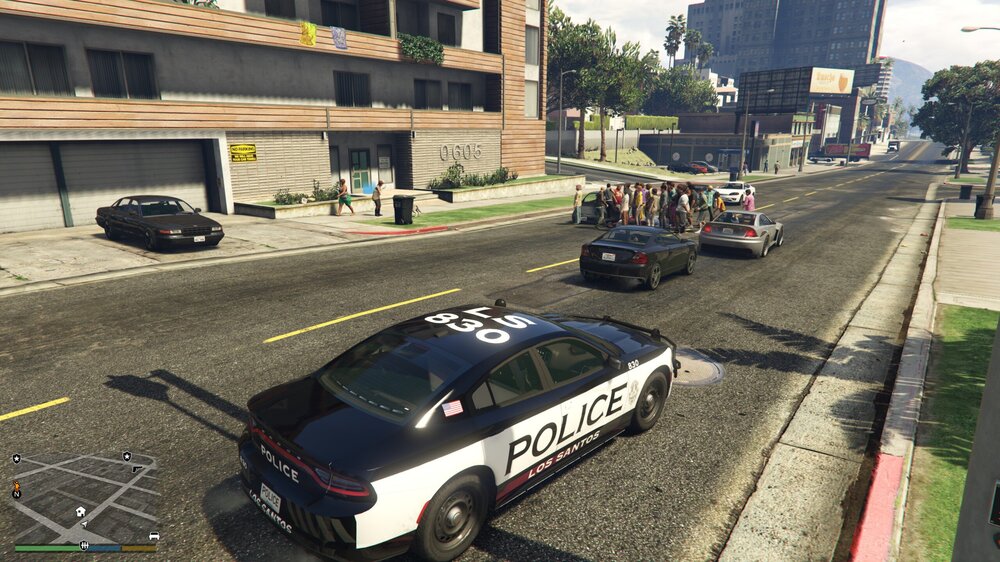
i love it! how do i equip the holster and enable the "draw" function? spawned in and went on shift but the belt model was the same. also a lot of "peds" are protesting infront of my apartment? i guess they got off on good behavior and decided to pay me a visit. LOL XD
-
 will there be an update not only for this but also for all your other great content? i find myself crashing with the smartpolice radio and it's plugins when i have them installed. i love them and do enjoy them just asking if there is going to be a fix? please don't take this the wrong way. ❤️
- 1,196 comments
- 127 reviews
-
-
- 1
-
-
-
The RageHookPlugin keeps on crashing for me. It was fine at first but now it has deleted my saved in game settings via graphics and now anytime I try to adjust them how i used to have them it crashes shortly after. My rig is a iBUYPOWER SNOWBLIND with Windows 10 64bit and an upgraded 32GB of RAM.