


Foxlabs
Members
-
Joined
-
Last visited
Everything posted by Foxlabs
-
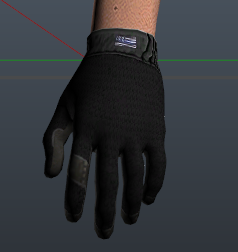 Featuring : Mechanix Original gloves Blue line edition Red line edition You will find the gloves in the "upper skin" section, in EUP menu. Requirements : ***************************************************** Original Mechanix textures here : ************************************************** Thanks to OfficerShafran for the idea. Tell me in the comment section what you think about my work please 👋
 -
 It depends of your way to play. If you like RP, this is perfect. I love details. Could you equip this model before replacing the texture files ? Open EUP menu in Game, go to "armor". It may be at the end of the list.
- 5 comments
- 1 review
-
 That would be amazing indeed. However, I think it is possible, because some modders do it with their models.
 -
Yes you can. Put the outfit you want your partners to wear, then make them spawn with backup menu (ultimate backup). Then you change outfit again, partners will keep theirs. That's how I did the vidéo by the way. If you meant regular backup units, then not in my knowledge.
-
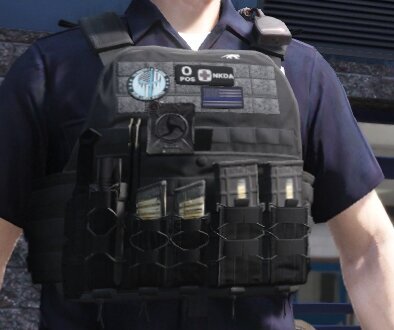
Featuring : 5.11 radio pouch Tasmanian Tiger label (inspired by the TT MK) Red line removed from the police back strap Cordura fabric label Daddy i love you draw pinned inside of the vest Gerber knife kydex holster Balistic disclaimer on the back panel PMAG window mags Translucent pistol mags, Glock stamp on it (yeah Glock doesn't make that kind of mag I know) New textures added to pencils Blue live matters patch Nkda o+ patch Blue line USA patch Requirements : Tell me in the comment section what do you think about my work please 👋
- 5 comments
- 1 review
-
-

- 2
-
-
Thank you 🤪
-
 Great work, it looks really great so thanks. But please, write a tutorial for the installation because it is not clear currently for many people, including me. Do I have to drop the CPC Vest and UTOC Vest folders into Grand Theft Auto V\mods\update\x64\dlcpacks\eup\dlc.rpf\x64\eup_componentpeds.rpf\ ? If not, please mention the path.
- 552 comments
- 44 reviews
-
 10/10 Excellent tool, fantastic possibilities. My game is more immersive now.
- 2,346 comments
- 236 reviews
-
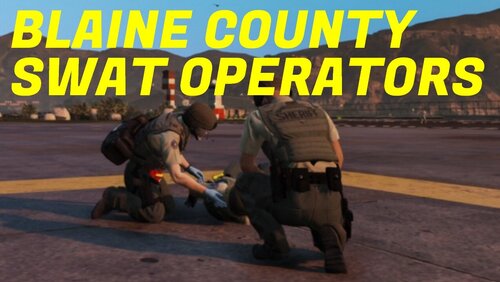
BLAINE COUNTY SWAT OPERATORS What is it ? This mod contains outfit presets for EUP Menu. Cool, what about the operators ? Team leader Operator Operator (NVD) K9 operator Tactical medic Crisis negotiator Breacher Scout EOD technician Helicopter pilot Amazing! How do I install it ? Go to Grand Theft Auto V\plugins\EUP If you didn't have EUP menu before, drag and drop in \EUP the file "wardrobe.ini". If you already have EUP menu, open "wardrobe.ini" in your \EUP directory and copy/paste the content of my file into it, then save. ⚠️ REQUIREMENTS ⚠️ EUP MENU LAW AND ORDER PACK SERVE AND RESCUE PACK
-
Hello, Is there any mod out there to show the gang locations on the map in-game (solo) ? That would be really useful. If not, could someone create it ?
-
 What is your problem ? Go to C:\Documents\Rockstar Games\GTA V\User Music and drop the audio file, then copy it 3 times. Launch the game and scan for music in the game menu (audio). Self Radio should be detected.
- 9 comments
- 1 review
-
-
REAL RADIO SCANNER FROM THE CHICAGO POLICE DEPARTMENT Your game will be way more immersive ! 😎 Follow the steps (Read me file) ! You need to delete all your Self Radio files if you already have created one. - ENJOY YOUR 911 RADIO -
- 9 comments
- 1 review
-
-
- 3
-
-
Okay, I installed it via OIV pack in openIV. How do I uninstall it ? There is no uninstall.oiv file problem solved
-
So it does the same effects ?
-
Okay, I have Visual V (which i love), will it enter in conflict ?
-
I checked that, they are. I had a similar problem some days ago, I fixed it with a visualsettings edit but taxi lights were super bright. Maybe radiance V will fix it ? What about the dirt issue ?
-
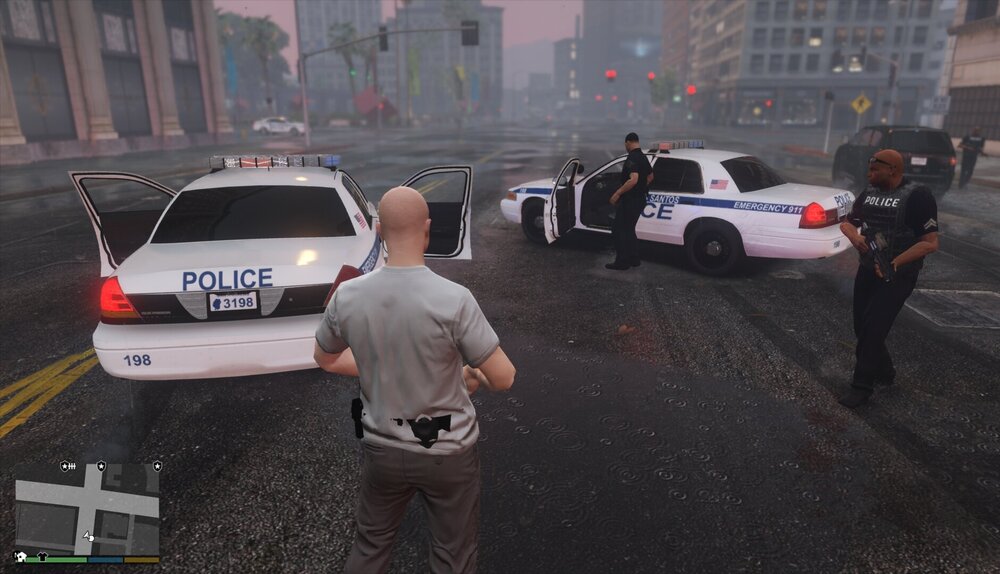
THANK YOU VERY MUCH @A Stranger !!!! Everything is working just fine now, that's awesome ! I just have a dirt bug on my modded vehicules sometimes, its like a dirt texture. Do you know where does it come from ? Also, my ELS lights arent bright.
-
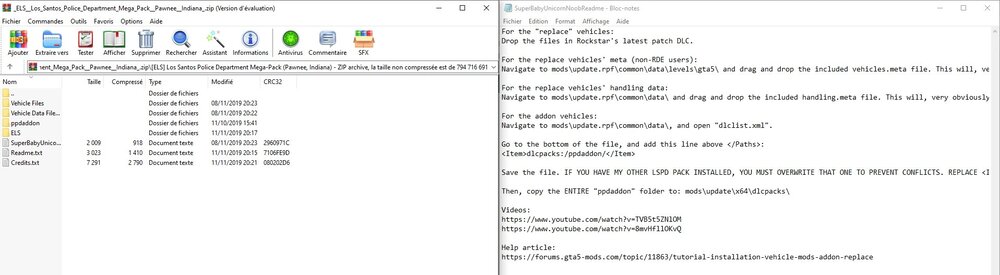
i don't have the RDE yes. Okay I'll will edit it from now on. I did add the pddaddon to dlcpacks. Will the game replace the vanilla cars with the DLC addons I just did ? Or is there a trick to do for that ?
-
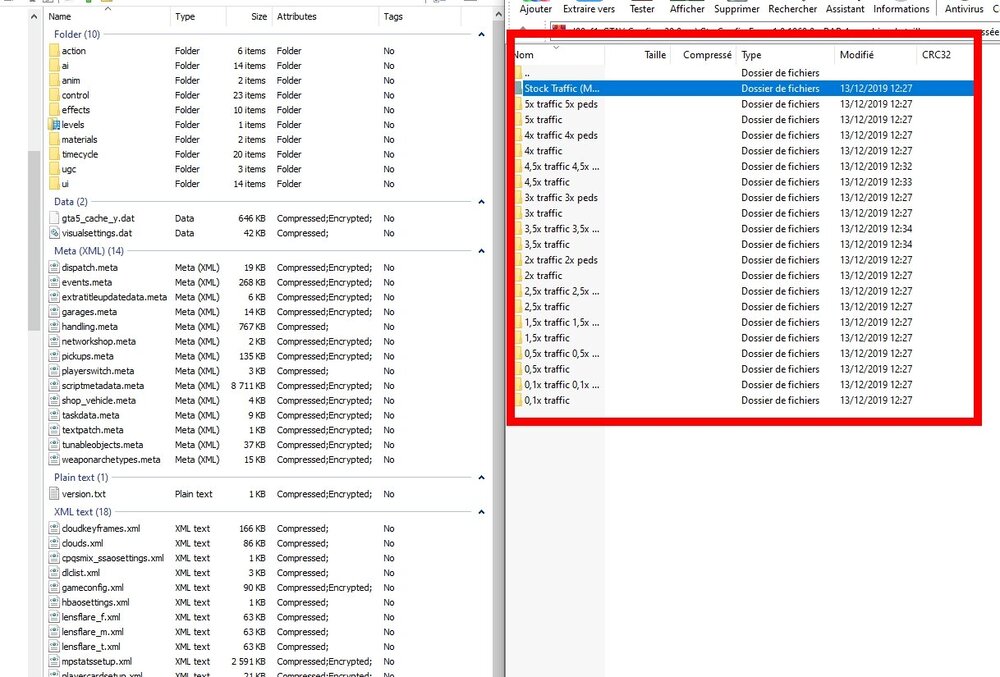
Okay thanks, I'll go with 1.5x (i7 4790k + 8GB RAM + GTX970). Okay so it's good to go. I'll do this right now and tell you if it works properly then ! EDIT : LSPD pack has addon + replacement files, so I'm lost because the other pack also has replacement files, and meta... what should I do please ? :((( Sorry for being a noob about this
-
Thank you very much, I think I understand better now. One question tough : I will have 2 vehicles.meta files right ? One goes into dlcpacks folder and the other into the path you mentionned ? Will the dlc police cars totally replace the vanilla police cars, as it will be not into Patchday22ng ? I don't want to have them anymore, only the ones from the packs so it looks as a realistic PD. Thank you for the link, i downloaded it. I've also download the 2 files requested. What config do I need to install ? (screen)
-
Interesting thread, I'll look deep into it. Thanks. Blaine County pack comes in single files. LSPD pack comes in a dlc.rpf I want : Replace Blaine county vanilla police cars by 2 cars from the Blaine county sheriff modded pack Replace LSPD vanilla police cars by 6 cars from the LSPD modded pack Because all the packs I've seen so far don't make different skins for the LSPD and the LSSD.
-
Okay. It is unclear from the author files. I want them to replace the original police car files. So : SHERIFF SHERIFF 2 FBI FBI 2 POLICE POLICE 2 POLICE 3 POLICE 4 PRANGER RIOT I've tought I could try to put files in 22ng with the renamed files and custom the vehicles.meta file with all proper code lines from each vehicules, but for some vehicles there is no meta file given. Will it be a problem ?
-
They are two seperate DLCpacks. From the same author. I want them to replace the original police cars. I've read this tutorial : According to it I could simply put the new car files into the latest dlcpack so the game would pick them automatically. Right ? What is the meta file for and how should I modify in order to have my game work properly with the new car files please ? Thanks
-
I agree with you. My question is : since I want to install several vehicule mods, which all have their own metas and xml files. How can I do to not create conflict between then ? I mean, for exemple, MOD1 and MOD2 : Installing MOD1 and the related metas and xml to replace the LSPD cars. Then installing MOD2 and the related metas and xml to replace the Blaine county cars. The metas and xml from MOD2 would replace MOD1"s files right ? Thank you for your precious help


