


Foxlabs
Members
-
Joined
-
Last visited
Everything posted by Foxlabs
-
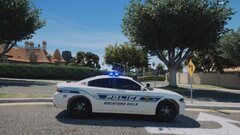 Great work.
 -
-
-
-
From the album: Various police patches
-
From the album: Various police patches
-
From the album: Various police patches
-
From the album: Various police patches
-
From the album: Various police patches
-
From the album: Various police patches
-
From the album: Various police patches
-

From the album: Various police patches
-
-
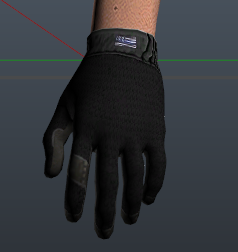 I can't, the vanilla texture already has a low definition.
 -
Ok. I suggest that you find out why it crashes when you go on duty at the station first, then it might solve your call out problem. I had the same problem, it was because I always used forceduty.
-
-
Do you go on duty the normal way or your enter force duty into the console ? It might be that.
-
.thumb.png.9d0943161b37f863c291d6d6664edefb.png) Thank you, I'll try this ! I checked the ini file. edit : it worked CTLR H I love the mod
Thank you, I'll try this ! I checked the ini file. edit : it worked CTLR H I love the mod- 368 comments
- 33 reviews
-
What is the problem ?
-
-
 Great model thank you for your worek. The lights are way too bright in my game though... any idea how to change that ? My other emergency vehicules lights are just fine so I don't want to change them.
- 209 comments
- 40 reviews
-
-
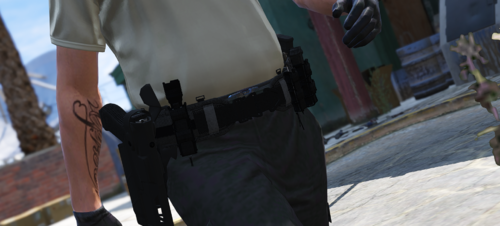 Looks nice but a lot of troubles to make them appear in game. Need a total rework in the installation tutorial.
- 59 comments
- 7 reviews
-
-
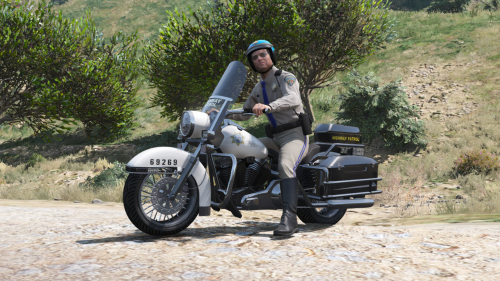 The livery stays as the vanilla policeb. I don't have the textures you made for the back bag
- 34 comments
- 4 reviews
-
I am working on another mod right now, maybe I'll do it after. 🙂 Thanks !


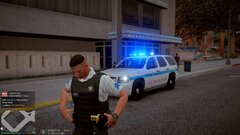



.thumb.png.9d0943161b37f863c291d6d6664edefb.png)


