.png.3dfae5908332254c13e7df802cc4af76.png)

KongUser
Members
-
Joined
-
Last visited
Everything posted by KongUser
-
 Sorry - that message is ours, not your install, and deleting that folder was never going to help. It is fixed in 1.0.3, which I am putting up now. What happened: one engine file (libgcc_s_seh-1.dll) needs another one (libwinpthread-1.dll) sitting next to it, and Windows' loader does not look in that folder, so it fails on the very first file with error 126. Nothing on your side causes it, and nothing you delete changes it. If you want to play before 1.0.3 is up: copy libwinpthread-1.dll from plugins\LSPDFR\GrammarPoliceBridge\natives\ into your GTA V folder (the one with GTA5.exe) and start the game - that is all it needs. 1.0.3 does it for you. The Windows engine has its own rules, and it can start, listen and hear nothing. Three things have to be true: a microphone the game can open, the Windows speech language for your Language= actually installed, and "Online speech recognition" switched on in Settings > Privacy > Speech - dictation uses that, and with it off you get silence and no error. 1.0.3 (posting now) fixes the Vosk error, and it also makes this engine talk: the log now shows your recording device, the speech languages Windows has installed, whether your Language= is one of them, every recognition result, and a clear "no text recognized for this press" line. Fastest way to be playing: update to 1.0.3 and keep Engine=Vosk.
- 14 comments
-
- lspdfr plugin
- legacy
- rph
- made with ai
-
Tagged with:
-
-
-
-
Please update to v1.0.2 and try again - that build fixes exactly this. The line that matters is "Vosk model failed to load: LoadLibrary failed for libgcc_s_seh-1.dll (error 126)": an engine file the plugin unpacks was left half-written, or was blocked by antivirus, and 1.0.2 now checks those files and rebuilds them itself instead of failing on every launch. No manual deleting needed. Just extract the new zip over your GTA V folder (your ini, Models folder and custom.ini stay as they are), start the game and hold your PTT key - the log should then read "Vosk model loaded: ...". And "radio disabled" is normal, not something the settings broke - that is GrammarPolice's own speech switched off, which is exactly how the bridge is meant to run.
- 14 comments
-
- lspdfr plugin
- legacy
- rph
- made with ai
-
Tagged with:
-
Can you attach your RagePluginHook.log here (or just paste the lines with "Vosk" in them)? That tells me exactly why the download is failing. Also let me know what your Language= is in GrammarPoliceBridge.ini.
- 14 comments
-
- lspdfr plugin
- legacy
- rph
- made with ai
-
Tagged with:
-
Thanks for reporting this! I’ll look into it and fix it in the next update.
- 14 comments
-
-

- 1
-
-
- lspdfr plugin
- legacy
- rph
- made with ai
-
Tagged with:
-
Sure! I’ve already posted a video example showing how it works. 😊 https://youtu.be/ofNRLxcIvY0?si=9C75pOwWAjba3x0n&t=171
- 14 comments
-
-

- 1
-
-
- lspdfr plugin
- legacy
- rph
- made with ai
-
Tagged with:
-
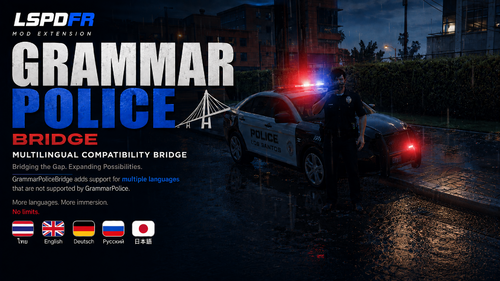
GrammarPoliceBridge — Voice-Control GrammarPolice in ANY LanguageFix GrammarPolice's language and speech recognition limitations. GrammarPoliceBridge is a companion plugin for GrammarPolice (LSPDFR) designed to solve one of GrammarPolice's biggest limitations: language support. Instead of relying on GrammarPolice's built-in speech recognition, GrammarPoliceBridge acts as a voice bridge between your microphone and GrammarPolice. Simply hold your Push-to-Talk key, speak naturally in your preferred language, and GrammarPoliceBridge will recognize your speech, match it to a GrammarPolice command, and trigger the corresponding action automatically. Speak Thai, English, German, Russian, Japanese, or other supported languages — and let GrammarPolice handle the rest. HOW IT WORKSHold the Push-to-Talk key while speaking. GrammarPoliceBridge listens through your microphone, converts your speech into text using your selected speech engine, matches the recognized text against the available GrammarPolice commands, and triggers the appropriate action. The default PTT key is Right Alt, but you can configure it to use another key. HOW TO USE FEATURESWorks with ANY language — GrammarPolice grammar pack of your choice (th-TH pack bundled) 3 speech engines: Windows (built-in), Vosk (live recognition, light on CPU), Whisper (local AI, most accurate) Keyword dictionaries for 19 languages with cross-language fallback — say "code 4", "โค้ดโฟร์" or "Code vier" and it understands Hold-to-talk or toggle mode, configurable action delay for realistic dispatch response On-screen "Listening..." feedback, optional recognized-text overlay True single-file plugin — no Python, no servers, no extra DLLs Speech models auto-download on first run (one-time) QUICK STARTInstall LSPDFR and GrammarPolice Extract the zip and copy the contents over your GTA V folder Edit GrammarPoliceBridge.ini: set Engine=Vosk (recommended, works offline, great for Thai) Launch via RAGEPluginHook — hold the PTT key and speak REQUIREMENTSGrand Theft Auto V + RAGEPluginHook LSPDFR + GrammarPolice CONFIGURATIONAll settings live in plugins\LSPDFR\GrammarPoliceBridge.ini — language, engine, PTT key and mode, action delay, notifications. TROUBLESHOOTINGNo response? Check Windows microphone privacy settings (Settings > Privacy > Microphone) First launch downloads the speech model — be patient (40–190 MB depending on engine) Make sure GrammarPolice's custom.ini has EnableSpeechRecognition=false and DispatchKey=None (the included deploy script does this automatically) CREDITSCompanion plugin for GrammarPolice.
- 14 comments
-
-
- 1
-
-
- lspdfr plugin
- legacy
- rph
- made with ai
-
Tagged with:
-
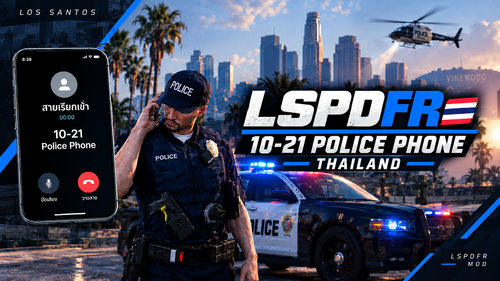 Ten21 Thai Contacts — Thai Responses for Ten21 (10-21)Make every 10-21 phone call in LSPDFR answer in Thai! This package keeps the Ten21 prompts in English — so the AI understands them perfectly — and adds Thai language rules. The taxi dispatch, insurance claims, and field supervisor all reply in natural, everyday Thai. Features- Thai responses, English prompts — the AI instructions stay in English for accuracy; every contact replies in natural spoken Thai by default - Three contacts, fully Thai — Yellow Cab taxi dispatch, Sanders Insurance claims, and Sergeant Ramirez (field supervisor) - Bilingual by design — contacts understand English; speak English and they switch to English - Quick install — one file, no config editing needed Requirements- GTA V with LSPDFR - 10-21 | Police Phone mod installed - A Gemini API key Installation1. Back up your current plugins\LSPDFR\Ten21\contacts.ini 2. Extract the zip into your GTA V folder — contacts.ini goes to plugins\LSPDFR\Ten21\ (overwrite the existing file) 3. Reload configs in game, or restart the game Full installation details are in the README.md inside the download. Credits- 10-21 | Police Phone by CossackGames - Thai language rules by KongWatcharapong Thanks for using Ten21 Thai Contacts!
 -
 NPCI ThaiTurn every NPC conversation in LSPDFR into Thai. This package replaces the default NPCI prompts so that civilian NPCs and emergency personnel — police backup, sheriff deputies, state troopers, EMS, and firefighters — talk back in natural, everyday Thai instead of English. Features- Real street Thai, not textbook Thai — civilians speak casual, natural Thai with slang and personality matched to their archetype: nervous kids, angry gang members, wealthy businessmen, street dealers, and more - Regional dialects in character — rural archetypes speak Isan (อีสาน), Northern (คำเมือง), or Southern (ใต้) Thai where it fits their background; everyone else speaks standard central Thai - Emergency personnel sound like their job — backup officers, deputies, troopers, medics, and firefighters each talk like a real first responder on scene - Bilingual by design — NPCs reply in Thai by default but understand English, so English-speaking players can still interact - Full NPCI behavior preserved — all actions, tools, and roleplay rules from NPCI stay intact Requirements- GTA V with LSPDFR - NPCI (NPCAI) mod installed - A Gemini API key configured in NPCI.ini Installation1. Back up your current NPCI_GeminiPrompt.txt and NPCI_EmergencyPrompt.txt 2. Extract the zip into your GTA V folder — the files go to plugins\LSPDFR\NPCI\ 3. Reload configs in game, or restart the game Full installation details are in the README.md inside the download. Credits- NPCI (NPCAI) by DoubleHook - Thai prompts by KongWatcharapong Thanks for using Thai NPCI prompts!