



RYM1BR
Members
-
Joined
-
Last visited
Everything posted by RYM1BR
-
-
-
-
 nice vid, thanks!!
 -
Feel free to message me on discord or privately with any question or concerns RYM1BR#1521 Thanks for checking out my file
-
-
-
-
-
-
 Correct 👍
 -
 Make sure you put your ELS files in the correct spot. they should be going in Grand Theft Auto V\ELS\pack_default 👍
 -
-
.png.d0afd91cd6083f753c107971cb27b11c.png)
From the album: RYM1BR WIP
-
certainly on accident. although id like to wait a bit to update since I have been updating it quite a bit since release. if you like a quick fix however, id be more than happy to send you the updated skin via discord or pms, @ RYM1BR#1521 I Think they are apart of the model it self. supposedly the era of chargers the model is based on has those IRL. Called "Side Markers"
-
Should be fixed now. 👍 update was approved this morning. Please let me know if not.
-
I’ve updated the vehicles.meta for the charger, and fixed what I assumed to be an overlap of “livery” settings in the carvations.meta. Which certainly helped for me… if that isn’t the cause then I’m not sure what it could be. I spent the night reading support forums and no one else seems to be having said problem. 🤔
-
-
Chances are you must've installed the addon wrong. here's a short tutorial. navigate to this extension in openIV enter edit mode Drag and drop the "BLAINECSO" folder should look something like this navigate to this extension enter edit mode and insert <Item>dlcpacks:/BLAINECSO</Item> into dlclist.xml should look like this hope this helps!
-
-
I must've released the wrong version of the Tahoe. I fixed that error earlier right before uploading. please wait momentarily while I upload the correct version. Thanks a bunch!!
-
DISCLAIMER - I'm still pretty new to this so if you have any suggestions or find any bugs don't hesitate to reach out. I'm a big fan of constructive criticism so whether you want to reply with any comments or reach out to me directly id be more than happy to have a discussion and potentially fix any issues you may see. I still want to update this pack when I get some better assets and high quality base models so if you have any ideas of cars you'd like added be sure to comment that as well. thanks for reading and clicking on my file .
-
Thanks, Yea I actually didn't think of that. but that's a good idea.. ill try to include it in the next update. 👍 appreciate the feedback.. enjoy! 🙃
-
Hello, This was my first ever release. its still not perfect.. and I'm still in the process of learning... But its at a point now where I feel like I can share it confidently for all to use and enjoy.. if you have any constructive criticism ill gladly take it. but expect more projects soon!
-
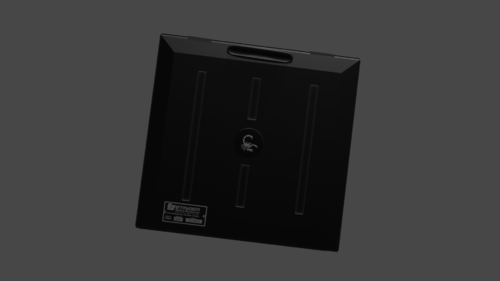 Preeeetty much self explanatory, by no means is it perfect, I made it quite a bit ago when I was figuring out modeling and texturing in blender. if you have questions or if its not working for some reason feel free to contact me and I can try and fix it... I guess its meant to be put in a trunk of some sorts, but I wouldn't use it if your just gonna shove it in some back crevice or you think it wont be used because its not necessarily low poly. like I said, by no means am I professional and if its to high poly for you or you jus dont like it, you can edit it to your needs or not download it at all. lol. thanks for reading this. plz give me some sort of credit if using in locked model have fun 😋👍






.png.21ea8124ade323abaca2b980bec428df.png)
.png.bfadd5e83f5514f8b947c2b1fd36f8f7.png)
.png.f137e926994019fa48b33b5aa62fd8ca.png)
.png.d0afd91cd6083f753c107971cb27b11c.png)
