



RYM1BR
Members
-
Joined
-
Last visited
Everything posted by RYM1BR
-
-
 totally forgot! thanks for providing. Ill also include this as well!
 -
Appreciate the feedback. It is an easy fix. Thanks you for bringing this to my attention and I’ll upload a fix soon.
-
Thanks 🫡 Totally possible for a lightbar version it’s already kinda in the works. Any others would would be an older charger and older Tahoe. I’d like to keep this pack older in style and with a theme which is police departments in the 2011-2016 saga. Than I’ll probably move on to a new pack.
-
Seems to be a common consensus so I’ll definitely consider it
-
I haven't messed with the environmental lighting at all or lighting placements. So I couldn't tell you. Ill take a look however. The fpiu, fpis, and cvpi all have similar forms of traffic advisory settings on stage 1. If you wanted it on vehicle exit I could send you an xml with it. Wouldn't be to difficult. Definitely a possibility. I love the look, and it would fit well with opus and the new callout interface. Would need to get a high quality alpr however. so we'll see. 🤙
-
the slicktop has no rambar however if you referring to the lightbar version unfortunately not. its not setup as an extra and it wouldn't work if it was since its this vehicle is els and there's lights not attached in the hierarchy. 🫤
-
thank you for bringing this to my attention ill try and fix this in a new update 🤙
-
Definitely open to the idea. A 2014/2018 charger is definitely on my mind as next up since there’s some pretty high quality bases. But we’ll see. I appreciate the love 💫
-
-
Could be a little while unfortunately. I pride myself on making the model as true to life and realistic as possible. Which means I am only using HQ models. Once I get the 2016 FPIU base I need I’ll definitely consider. Thanks you 🫡
-
Seemed to have fixed itself. I have some pretty unstable internet at times with satellite so Id venture to guess that was the cause, although I did have a few antivirus/ad blocking software's that once disabled also seemed to have fixed the issue for anyone in the future having this issue. 🤷♂️
-
Your wish was granted 🙃 Now they can! Included Now! Appreciate the positive feedback! it means alot! 👍
-
Updating a Vehicle Model pack and keep running into the same error about 50 percent through uploading file wondering if it server side or personal network based its not to terribly large of a file at just under 246mb curious as to what's causing this or if others are having the same issue. Thanks in advance 🙃
-
-
might be a way around it, ill look into some for the next update, thanks 🤙
-
unfortunately no as they would have to replace the ai vehicles to do so. 🫤
-
When installing the DLC from the model folder ensure you're in edit mode before dragging and dropping if your referring to dragging and dropping the dlclist just add this to the end of said document as per normal <Item>dlcpacks:/asvp/</Item> there shouldnt be issues dragging and droping the folder itself.. you can always try unzipping if as a last resort. hope this helps 🙃
-
My W.I.P, Enjoy!! 🙃
-
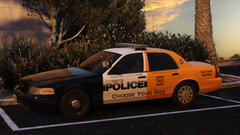
From the album: RYM1BR WIP
🙃 Update on The DWI Vic -
Releasing new update fixing this momentarily thanks a bunch!!
-
Thanks! Definitely an option, and I have thought about it. stay tuned! For Sure! Thanks!
-
Join my brand new discord to report bugs, suggest my new pack, and even get early access to new updates and exclusive content. https://discord.gg/txGNv3v46p Addon Install Now Supported Via Lennys Mod Loader
-
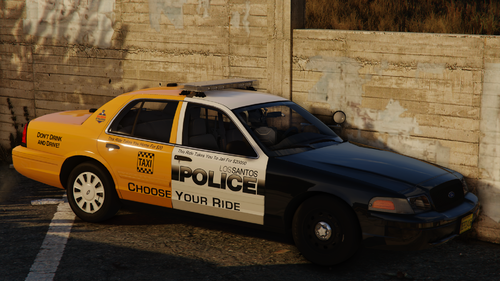 😬 FREAKY...
 -






.png.21ea8124ade323abaca2b980bec428df.png)
.png.bfadd5e83f5514f8b947c2b1fd36f8f7.png)
.png.f137e926994019fa48b33b5aa62fd8ca.png)
.png.d0afd91cd6083f753c107971cb27b11c.png)
