


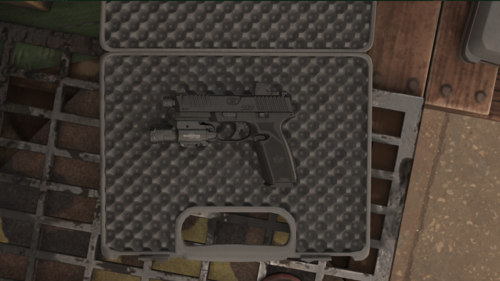
Preeeetty much self explanatory, by no means is it perfect, I made it quite a bit ago when I was figuring out modeling and texturing in blender. if you have questions or if its not working for some reason feel free to contact me and I can try and fix it... I guess its meant to be put in a trunk of some sorts, but I wouldn't use it if your just gonna shove it in some back crevice or you think it wont be used because its not necessarily low poly.
like I said, by no means am I professional and if its to high poly for you or you jus dont like it, you can edit it to your needs or not download it at all. lol. thanks for reading this.
plz give me some sort of credit if using in locked model have fun 😋👍
Edited by RYM1BR
Ryan B

![[ELS][REPLACE] 2020 Skoda Octavia Městská policie Praha (New design)](http://s3-screenshots.int-cdn.lcpdfrusercontent.com/resize/500/-/monthly_2026_05/20260514222354_1.thumb.jpg.dedd1cd5cdf14716666af6abfa71508d.jpg)


.thumb.png.a0f80464539c2dd42ee2519c1bda91f2.png)



![Generic Whelen 2023 F150 B/B [FiveM & Single Player]](http://s3-screenshots.int-cdn.lcpdfrusercontent.com/resize/500/-/monthly_2026_05/enb2026_5_13_15_23_48_06.thumb.png.ecbdfb941234f496e3fd959033f602d4.png)







Recommended Comments
Create an account or sign in to comment