Skip to content
View in the app

A better way to browse. Learn more.

LCPDFR.com

A full-screen app on your home screen with push notifications, badges and more.

To install this app on iOS and iPadOS
  1. Tap the Share icon in Safari
  2. Scroll the menu and tap Add to Home Screen.
  3. Tap Add in the top-right corner.
To install this app on Android
  1. Tap the 3-dot menu (⋮) in the top-right corner of the browser.
  2. Tap Add to Home screen or Install app.
  3. Confirm by tapping Install.

JakeKindaSus

Members
  • Joined

  • Last visited

  1. Matt Salvesen     Reported a PC148 in Little Seoul, Del Perro Fwy
  2. Matt Salvesen     Performed a traffic stop on a Sun Bleeched Sand Landstalker with registration 27SRY135 in Little Seoul, Del Perro Fwy
  3. Matt Salvesen     Finished responding to a S136DetaineeTransportRequired in Del Perro, Bay City Ave
  4. Matt Salvesen     Responded to a S136DetaineeTransportRequired in San Andreas, Movie Star Way
  5. Matt Salvesen     Finished responding to a [686] Protest in San Andreas, Marathon Ave
  6. Matt Salvesen     Responded to a [686] Protest in San Andreas, Portola Dr
  7. Matt Salvesen     Finished responding to a [UC] Reports of Shots Fired in Downtown Vinewood, Vinewood Blvd
  8. Matt Salvesen     Reported a PC245 in Downtown Vinewood, Vinewood Blvd
  9. Matt Salvesen     Responded to a [UC] Reports of Shots Fired in Mount Gordo, Senora Fwy
  10. Matt Salvesen     Performed a traffic stop on a Util Silver Unknown Vehicle with registration 61XNF975 in San Chianski Mountains, Union Rd
  11. Matt Salvesen     Performed a traffic stop on a Util Silver Unknown Vehicle with registration 61XNF975 in San Chianski Mountains, Senora Fwy
  12. Matt Salvesen     Reported a PC148 in Downtown Vinewood, Vinewood Blvd
  13. Matt Salvesen     Reported a PC148 in Burton, Las Lagunas Blvd
  14. Matt Salvesen     Performed a traffic stop on a Harbor Blue Unknown Vehicle with registration 42PDQ160 in Burton, Hawick Ave
  15. Matt Salvesen     Performed a traffic stop on a Midnight Silver Unknown Vehicle with registration 42WYI191 in Burton, Hawick Ave
  16. Matt Salvesen     Performed a traffic stop on a Midnight Silver Unknown Vehicle with registration 42WYI191 in Burton, Hawick Ave
  17. Matt Salvesen     Performed a traffic stop on a Midnight Silver Unknown Vehicle with registration 42WYI191 in Burton, Hawick Ave
  18. Matt Salvesen     Arrested Jason Underline in Strawberry, Olympic Fwy
  19. Matt Salvesen     Performed a traffic stop on a Midnight Blue Dubsta with registration 63LSR384 in Strawberry, Alta St
  20. Matt Salvesen     Performed a traffic stop on a Midnight Blue Dubsta with registration 63LSR384 in Strawberry, Olympic Fwy
  21. Yeah, it actually is simple if you want proper sirens per department. If you don’t care about accurate audio tied to each vehicle, then you can skip it. It’s the same concept as adding custom vehicles for backup or ambient traffic, you have to edit configs to make things work the way you want. That’s just how modding is.
  22. JakeKindaSus started following Jedahdiah
  23. RagePluginHook.logthis is the last time i launched it but can launch it again for a new one
  24. i do have simple trainer and if were talking about the -everyoneignoresplayer- i have that disable
  25. i do however even when using non els vehicles traffic still acts erratic during pullovers
  26. honestly, i'm not exactly sure. i do know i have Realistic traffic ai witch when removed seems to have no effect.
  27. Make sure you have installed the els files for the vehicles in els>packdefault folder, and make sure scroll lock key is not turned on. Sometimes restarting the pc can solve the issue. Send your ELS, asiloader and SirenSettings log. Ragepluginhook does not necessarily have anything to do with els since its an asi file. Unless you have DLS witch i don't think should affect els in any way
  28. I’m having major issues with AI behavior in LSPDFR during traffic stops. Pulled-over vehicles behave unpredictably, they swerve across lanes, drive straight for long distances, make multiple U-turns, or even go off-road. I’ve tried: Lowering traffic density, Reverting traffic AI files, I haven’t redone my mods folder yet, as that’s a last-resort solution I’d rather avoid. I’m looking for guidance on which specific files control AI driving and traffic behavior so I can troubleshoot this properly. Any help would be appreciated.
  29. You have a large number of California Highway Patrol vehicles released separately, and at this point it just doesn’t make sense. This should be consolidated into a single DLC pack/folder for both singleplayer and FiveM. Having everything split up forces users to download multiple files and set them up individually, which is unnecessarily, time consuming, and discouraging. A lot of people are going to look at the number of separate downloads and decide it’s not worth the effort, because in reality it's not. There’s no real benefit to keeping all of these vehicles separate. It just creates extra work for users and complicates what should be a straightforward install process. A combined DLC pack would make things significantly easier for everyone and streamline updates on your end as well. Right now, whatever your current approach may be, it is inefficient and hurts accessibility. And i'm pretty sure there have already been plenty of people raising this same concern, so this isn’t just one opinion, it’s an ongoing issue that needs to be addressed. I'm not saying these vehicles are bad I actually like these vehicles they're great, but when ignoring the efficient feedback of people (if they said anything about it) hurts more than it should.
  30. Whatever uniforms you have it set to replace, it definitely doesn’t replace the default BCSO uniforms for eup.
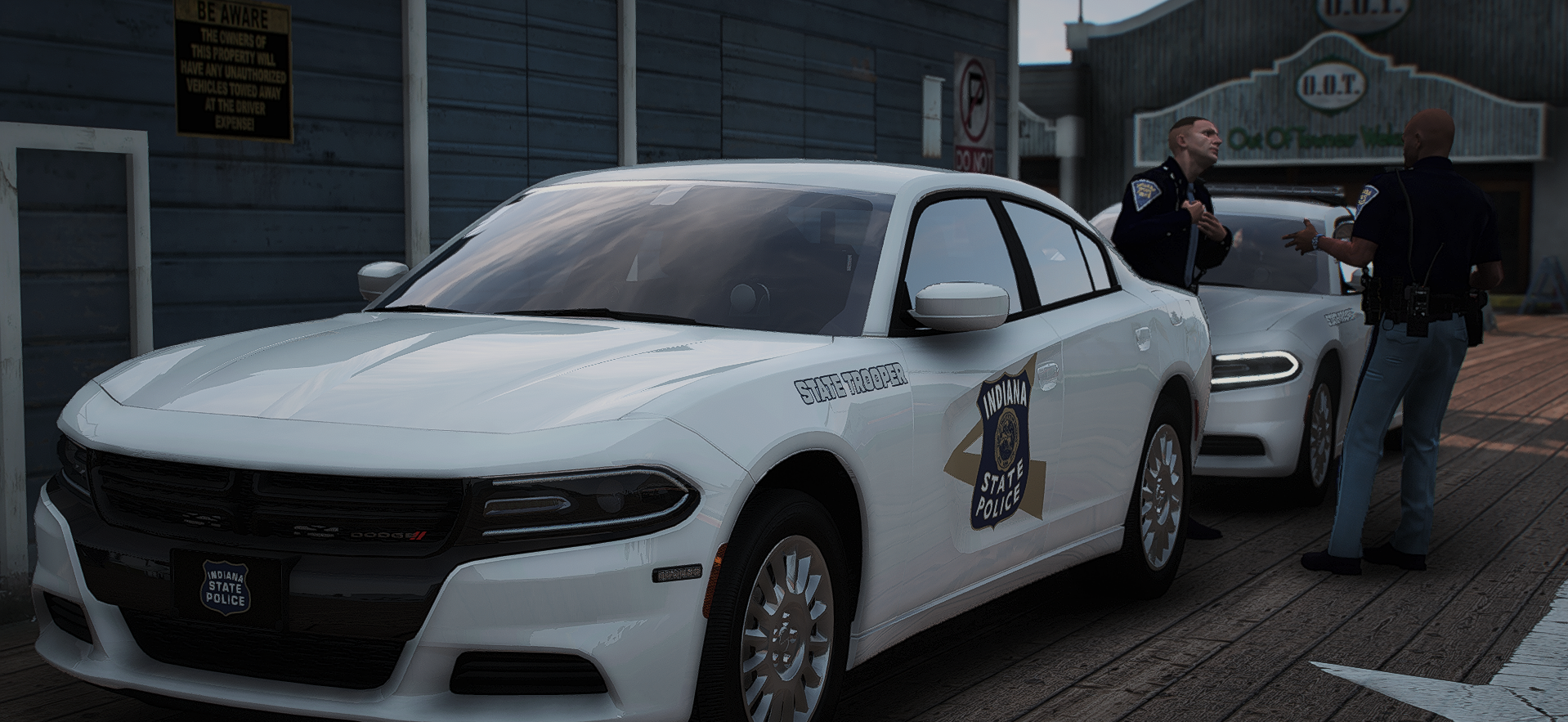
    At least there are still people out here making solid liveries for Indiana, especially for those trying to run an Indiana-based LSPDFR setup. This one really stands out. It looks great in game and blends together surprisingly well. You can tell effort went into the design, and it shows. Everything looks clean and well put together. And honestly, major respect for actually linking the vehicles that were used, way too many uploads skip that and leave people guessing, so that alone makes this even better to work with. The only thing I’d say it could use is real-life textures for added authenticity, and maybe a separate download option for those who want a bit more flexibility. Other than that, it’s a great livery and definitely worth using.
  31. You should know this isn’t actual EUP, right? It’s just a ped. Calling it “E.U.P 9.3” in the title is misleading and makes it seem like it’s using or requires EUP when it doesn’t. Then on top of that, you’re listing updates like “Added and created E.U.P 8.2 (ONLY ON PATREON)” while this upload is still just a ped. That just makes it look like you’re advertising a paywalled version while presenting this like it’s EUP when it isn’t. If the real EUP version is behind a paywall, that’s your choice, no issue there. But don’t label something as EUP when it’s not. It just causes unnecessary confusion for people downloading it.
  32.    Jedahdiah reacted to a review on a file: Los Santos Police Department Mega-pack [ELS]
    This is one of the few packs that actually does things right. You don’t have to waste time renaming vehicles just to replace vanilla ones like LSPD, something way too many packs still can’t get right, especially DLC packs. Everything is basically handled for you. No digging around for matching vehicles, no renaming files, no constant meta editing just to make things function, it just works. Yeah, you still install the vehicles.meta, but that’s nothing compared to the usual mess other packs put you through. On top of that, it includes Traffic and Port Authority vehicles, which most packs don’t bother with. Especially for LSPDFR, this saves you from having to hunt down multiple separate packs just to fill gaps. Honestly, this is how vehicle packs should be done.
  33. but the thing is...cop holster already does that...
  34. if only you had actually listed the vehicles that were used whether paid or free, then this would've been something good to download for those wanting an indiana based game

Account

Navigation

Search

Search

Configure browser push notifications

Chrome (Android)
  1. Tap the lock icon next to the address bar.
  2. Tap Permissions → Notifications.
  3. Adjust your preference.
Chrome (Desktop)
  1. Click the padlock icon in the address bar.
  2. Select Site settings.
  3. Find Notifications and adjust your preference.