


Trulux
Members
-
Joined
-
Last visited
Everything posted by Trulux
-
Where can you download 0.275? I don't see it anywhere on their website.
-
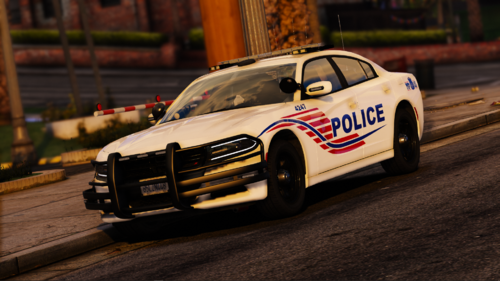 After looking through what feels like a thousand vehicle packs, this one is it. The lighting is consistent in intensity and color from lightbar to pushbar. The lighting is thin and sleek, and feels thoroughly thought out. If you're tired of bulky, inconsistent color and sized lighting you will not be anything less than pleased after downloading this pack. I'm confident the only reason why this doesn't have more downloads and reviews is because there are no images or gifs displaying the lighting. If people could see how good this pack is it would top charts. I wish there were more setups like this.
- 24 comments
- 10 reviews
-
-
.png.2488d5021dbe7337c8641a9c0765f133.png) Visuals look great, what are you using?
Visuals look great, what are you using? -
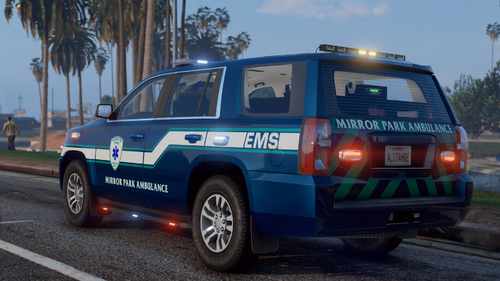 How do you get this model to respond as backup? Ultimate Backup spawns a tacky looking Granger in place of a first responder.
- 26 comments
- 1 review
-
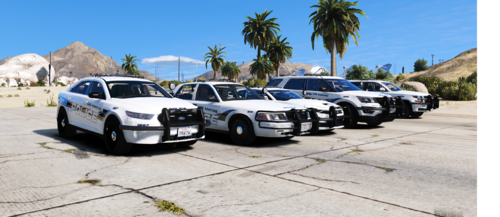 I'm having the same issue too, I'm not using FiveM, just GTA V singleplayer. What did you do to fix your problem?
- 62 comments
- 5 reviews
-
Same problem here, nothing working.
-
Launch your game via steam, then immediately launch Ragehook once you get the GTA loading screen. If you're having trouble launching the game go to Rages' settings and allow windowed mode and borderless windowed simultaneously.
-
Yes, go to RageHook Plugin, game settings, revert, and 'update' your game to the last version, that should work.
-
Yes, this worked, thank you.
-
Thank you so much, this worked first try.
-
Yesterday my RPH was working normally, but today when I launched my game I noticed a new background UI for Rockstar's 'Social Club,' the color was different; It wasn't white, it was now a black on screen, and instead of launching my game with the splash screen it brings my directly to the menu (Story /Online). Maybe they updated the game or the launcher? (That would be my guess because of new black background instead of the old white one) I was wondering if anyone else has this problem, or has found a solution. I've already tried windowed and borderless, and I've also tried launching the game interdependently of Rage, but still no luck. Help would be greatly appreciated.

.png.2488d5021dbe7337c8641a9c0765f133.png)
