IronHead 92
Members
-
Joined
-
Last visited
Everything posted by IronHead 92
-
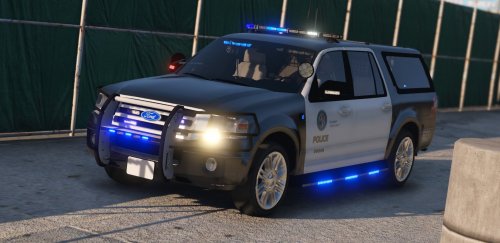 Nice Skin, but how do i get the lightbar active? I can't find any information how to install the lightbar... Even de trainer option doesn't place the lightbar on the roof... thanks in advance....
- 3 comments
- 1 review
-
Maybe only turning off your antivirus isn't inuf... you really should try to make an exception for your game folder... The other things you can try is tu run it on low settings... if it will run smoother with low settings without freezing, then it is your video settings/drivers... Hope this will work for you...
-
I think i have found the solution... Make an exception with your virus scanner.... for me that was this folder: D:\Program Files (x86)\Steam\steamapps\common\Grand Theft Auto V And after that it run's for me without any error 🙂 Hopefully it will stay working... and works for you and other people too!
-
Hi @steveb, Can you post the .log document with the information what kind of error(s) you getting? Ragepluginhook.log (D:\Program Files (x86)\Steam\steamapps\common\Grand Theft Auto V\ragepluginhook.log) I posted mine here... I'm having the same problem.. but my log register stops after "checking game support"... Don't know why??? Hope to found somebody with a solution... RagePluginHook.log
-
I played the game with all settings very high or ultra.... (not all options are possible on very High or ultra but only high) Reflection on very HIGH, and POST FX on ULTRA, that give's you the best lights and reflection visual. And i'm using de Redux Mod... personally i love it, and makes the game more realistic with all the graphics and real sounds... My settings are: i7-9750H CPU @ 2.60GHz 16GB RAM NVIDIA GeForce GTX 1660 Ti (with MAX-Q Design) 6GB Video
-
This is my Log... RagePluginHook.log
-
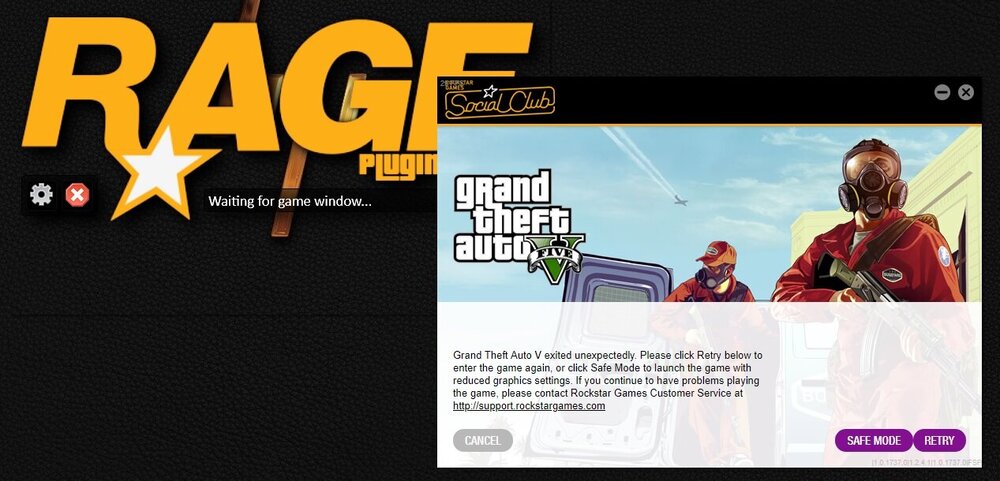
Dear MATTE F, Can you tell me what kind of error you get when you want to start the game? I couldn't play the game with or without mods... i was getting the same error everytime i started the game... "gta 5 exited unexpectedly".. Now that there where some updates with Nvidia, ScripthookV and LSPDFR i try'd again to instal the game... With a clean installation, i have no more this error... After a few hours playing i added ScripthookV with a few mods, no problems at all... i played again a few hours without any problems... Today i try to instal the new LSPDFR 0.4.4 with the latest ragepluginhook... and there was the error again when i started the game true RagepluginHook... Can somebody tell me/us what to do???
-
Same here... I installed the last version of GTA 5 (steam) Then i installed Redux mod (latest versions of all needable documents... After that i (auto.) installed LSPDFR with all needable programs, (ragepluginhook, scripthook enz....) When i want to start the game true Ragepluginhook, GTA it self directly crashes... What i also did try was manual installing LSPDFR and Ragepluginghook, but no succes... Also try to install manual and automaticly on a clean gta 5 installation, same crash... The weird thing is that GTA5 runs correctly with Redux and without LSPDFR... but when i install LSPDFR it says the last time i try to run it that GTA 5 needs an update (steam) but it never starts to update because there is no newer version of GTA 5...? Can somebody help me? or are there more people with this same problem... Thanks in advance... (Sorry for my bad english language... 😘 )