


Fml.Exterminator
Members
-
Joined
-
Last visited
Everything posted by Fml.Exterminator
-
Hi guys, I am trying to source someone who can re create and update the link provided. I can provided latest real uniform images however as this user who originally created isnt around anymore there is a few of us Queensland Aussie guys wanting something like this. I am wanting it for my AI paramedics to wear to replace the stock standard unfiroms so it all matches my LSPDFR rollout. If anyone is able to help please feel free to PM me. Thanks.
-
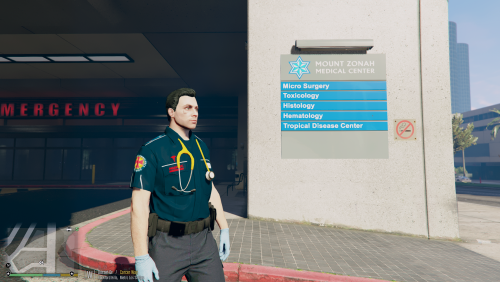 Very, I really wanted this.
 -
The user doesn’t appear to be active anymore and the skins only work on EUP 7.1 so if you have the latest it won’t work. 😞
-
Anyone able to help make the AI wear the aussiecpolice uniforms I have QPS ones installed but want all my police and QAS to be wearing the outfits
-
-
-
 i dont want to be zoomed in to camera view via first person to hear the beep. anyway to fix this so i can hear it zoomed out where i can see my whole player?
- 168 comments
- 35 reviews
-
Hi is this possible to update the AI so they can also wear these? Be more realistic if they can.
-
.thumb.jpg.30bf13105d55a128cf08d67399beabb3.jpg) not sure how you got the front window to display the logo because your pack doesnt even have the bike window image.
not sure how you got the front window to display the logo because your pack doesnt even have the bike window image. -
 Hey man noticed that a mate and I installed followed correctly but the hat doesn’t load and the open and closed jacket are not showing. Any chance you could help? Cheers man please send me a dm. 🙂
- 31 comments
- 1 review
-
Hi guys, I have everything up to date however every time i try and do forceduty it completely crashes on me. I have also noticed that lights and sirens dont work either and everyone I have spoken to is confused as to how or why as it was working earlier and then the game kept crashing and now none of it works. please see below the report.
-
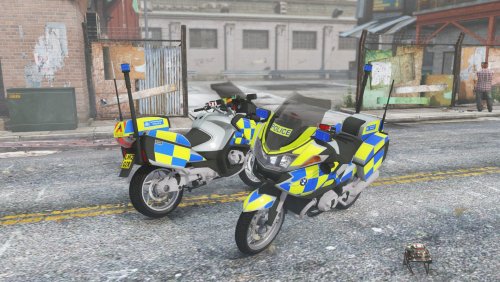 My lights dont work only the back 2 above the number plate do. the tail and front are all black and wont light up..
- 32 comments
- 3 reviews
-
-

- 1
-

.thumb.jpg.30bf13105d55a128cf08d67399beabb3.jpg)
