
Jcookgrime
Members
-
Joined
-
Last visited
Everything posted by Jcookgrime
-
 Installation fails.
 -
-
-
.thumb.png.f0710596a9842b4eaf7a710b00ceda20.png) Spaghetti Cacio e Pepe 1 pound spaghetti 6 tablespoons olive oil 2 cloves garlic, minced 2 teaspoons ground black pepper 1 ¾ cups grated Pecorino Romano cheese Directions Instructions Checklist Step 1 Bring a large pot of lightly salted water to a boil. Cook spaghetti in the boiling water, stirring occasionally until tender yet firm to the bite, about 10 minutes. Scoop out some of the cooking water and reserve. Drain spaghetti. Step 2 Heat oil in a large skillet over medium heat. Add garlic and pepper; cook and stir until fragrant, 1 to 2 minutes. Add spaghetti and Pecorino Romano cheese. Ladle in 1/2 cup of reserved cooking water; stir until cheese is melted, about 1 minute. Add more cooking water until sauce coats spaghetti, about 1 minute more.
Spaghetti Cacio e Pepe 1 pound spaghetti 6 tablespoons olive oil 2 cloves garlic, minced 2 teaspoons ground black pepper 1 ¾ cups grated Pecorino Romano cheese Directions Instructions Checklist Step 1 Bring a large pot of lightly salted water to a boil. Cook spaghetti in the boiling water, stirring occasionally until tender yet firm to the bite, about 10 minutes. Scoop out some of the cooking water and reserve. Drain spaghetti. Step 2 Heat oil in a large skillet over medium heat. Add garlic and pepper; cook and stir until fragrant, 1 to 2 minutes. Add spaghetti and Pecorino Romano cheese. Ladle in 1/2 cup of reserved cooking water; stir until cheese is melted, about 1 minute. Add more cooking water until sauce coats spaghetti, about 1 minute more.- 58 comments
- 5 reviews
-
-

-

- 4
-
-
-
-
-
 Nut.
Nut. -
-
 Snek make pretty.
 -
.thumb.png.cb3dab33cad2457216d3c5e0f5d51e44.png) 🙈🙉🙊
🙈🙉🙊 -
-
 Yes.
Yes. -
Cute. What kind of BMW?
-
-
-
-
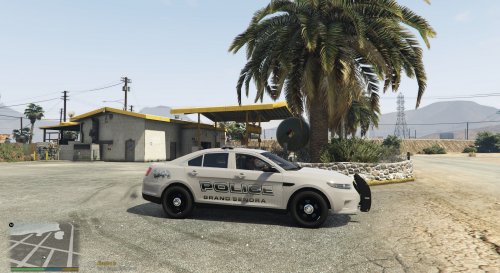 I was going to do Grand Senora after my Paleto Bay pack.. and i was going to use gray.. damn you.
 -
-
-
-
-
 YoU SHouLd dO LSpD
 -
 Needs some touching up my guy.
 -
 Step one: Go on LSPDFR step two: See this new pack step three: bust nut ..and that’s called the Ripple effect.
- 110 comments
- 39 reviews
-
-
- 7
-


.thumb.png.f0710596a9842b4eaf7a710b00ceda20.png)
.thumb.png.4ab504d37fbd8b768097f8ccbc502e95.png)

.thumb.png.cb3dab33cad2457216d3c5e0f5d51e44.png)



.png.5b521541f4eb748489a29711507518af.thumb.png.c1396fefd0bc114875ff1d8e76d44cf7.png)