


levelKro
Members
-
Joined
-
Last visited
Everything posted by levelKro
-
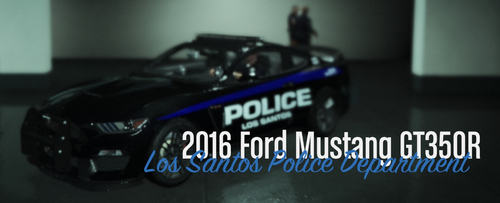 This is only a skin for the 2016 Mustang GT350R [ELS] for fit with the Fictional LSPD Pack . I have only copy texture and edit it for fit with the car. The template used is from the car package, and used the texture from the Charger in the cars pack. The "Police Los Santos" from the side is 20% lower from the size of Charger, the blue line is also short of ~20%. The "Police" on back is not over the bumper but on the trunk lid, and finally, the "222" number is on each side of rear bumper (instead of one on the charger). This is my first little skin, and not have any idea for create new skin for complete empty skin slot, I have only create this one for fit with my modded game.. I not take the copyright, please report you on the original texture from Fictional LSPD Pack (and if you want share the model, the owner of this one). REQUIREMENT Car model for (replace skin in this car, for me is the #4) : For fit with this Pack (no replace/add texture to this pack, but for use the mustang with this cars pack).
 -
Thank you for the link dude 🙂
-
OK, I have find. I have miss to read the readme of ELS. I don't know the exact reason of this, but default car use LSPDFR controls in keys.ini, and modded cars use the ELS config. But anyone know a way to skip 3 levels stage of lights ?
-
Hello, I'm new in the world of modding for GTA 5. I have just now finish to add the "Extra slots" with OpenIV and few cars models (ELS Los Santos Pack), and it'run fine (cars spawn, lights and use). But my LSPDFR is already configured with some keybinds, and when I add a car, this car not use the LSPDFR keybind (trigger horn, trigger siren), but a different key. My setting is Q for siren and E for Lights. I not need more. But cars offer 3 Staes of lights with key J and siren are G. (note; I'm in qwerty keyboard). I don't want the 3 states of lights and just use my LSPDFR config like current basic police car config. And if possible, I want remove many keybind from original game, like the radio button, fast switch arm (1,2,3....), and all for F1 to F12, I have found for replay (and it's just remove icon in final). Just for short understanding; I have LSPDFR keybing; Q: Siren E: Lights (full) My modded cars always use; G: Siren J: Lights (3 states) I want fix it for use my LSPDFR config (or change for equal to my request) and lights is only full or off.
-
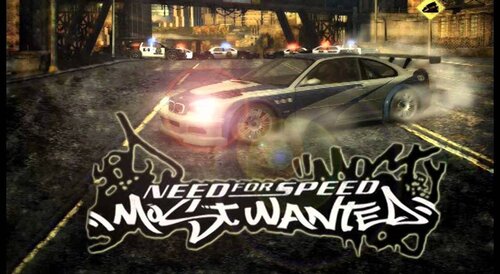 No video sorry, but I have added a link to mp3 of the background music used.
 -
Replace the loading background music of GTA V by the background music recorded from Need For Speed Most Wanted, in the pursuit stats screen. Requirement OpenIV GTA 5 Original game (tested with Steam version) Installation Open the OpenIV Follow the path x64/audio/sfx/PROLOGUE.rpf Switch into Edit mode Replace the file td_loading_music.awc By the file in the package Close OpenIV and Play! This is my first little modification for GTA V. Enjoy LSPDFR friends!


