




lxlSemperlxl
Members
-
Joined
-
Last visited
Everything posted by lxlSemperlxl
-
Hi I am wondering if someone could point me where to look for the mini hud that displays your speed and other information I seen it on a youtube video but I dont know what I am looking for let alone what they are called I searched "mini map" mini hud and so forth to no avail any help would be appreciated thanks 🙂 I want it like below picture how it satest the street and direction at the right side of the mini hud and the mph in the mini hud and the car reg and so forth above mini hud
-
I cant tell what is wrong with this 😞
-
ok I managed to put the base in myself and add the value I did what you said start at 200 kept raising 50 at a time im at 500 now and still crashing maybe its not this value thats the issue im thinking
-
Any ideas ?
-
I clicked the Isolated and when to properties I dont have a base and the ADD function is not clickable I will upload video of me doing it This is also the cars in-game without the rest being added I am almost done with my model on the outside then going to consentrate on inside but with me not being able to add more I am haulted
-
How do I increase the value of the car ? and I dont think so about the default material
-
Im starting to wonder if you have limits of attaching as I tried to do my ANPR which worked before but isnt now.... I have a lightbar rear bar side panels wing mirrors grill havent started inside yet wanted the anpr back on and the push bar but its weird why it wont work anymore so I am thinking there is a restriction somewhere maybe I dont know
-
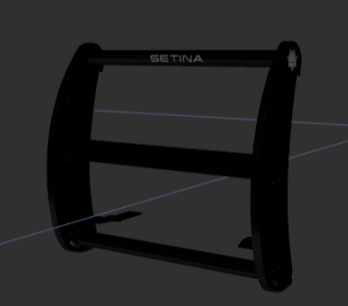 Im trying to add this to a tahoe 2014 model but I get error and instantly crashes the game I take it out and it all works cant understand all my lights and other merge's works fine apart from this and I think this would go nicley on my tahoe any ideas ? this is the error i recieve information: Slot = Sheriff2 Inserted: L0 with [COL] to support I do this with all others and fine 😞
 -
It gives me this msg trying to add a push bar PB400 and trying to put it into a 2014 old style Tahoe
-
Hi there I am wondering if I am doing something wrong with my creations as far as my knowledge I place the items where I want and make sure they are in the right department as for the 2015 Dodge Charger everything I do seems to work the way I want it and no issues now that I know roughly how to work the programe after easy 100+ hrs within 3 weeks thats what being at home and not at work does to me I spent alot of time on it to keep my brain active lol Anyway when I place my extra_ten in the charger "Anywhere" it works without fail but I am doing the exact same to a 2016 FPIU and its instantly crashing the game I take the extra_ten out and boom it works again has anyone experianced this themselves and know what I am doing wrong any advice would be appreciated thanks... The add on is for ANPR 😉
-
In my personal experiance you either dont have ELS installed or you forgot to put the xml file in the folder 😉 hope this helps you 🙂 You say this is non els.... did you set the lights up yourself or did you just put the lightbar in and position it ?
-
This is an LSPDFR official forum I would suggest trying to find a fivem forum to gain more assistance... I simply googled fivem forum and got it 🙂 here is the link https://forum.cfx.re/ this direct link might be what you are looking for https://forum.cfx.re/c/server-development/35
-
I can obviously see your very new to the programme what you need to do after exporting it as police see the picture below double left click mouse on that name and add a _hi at the end then export it as the _hi and it will be fine what ever you want to export it as you MUST match the area i have marked hope this helps you have fun 🙂
-
The video below will show you step by step guide on how to do thing please pay attention and dont skip anything as will result in issues appearing 😉 have fun 🙂
-
After purchasing the programme played about for 30 mins and solved the issue all on my own #CHUFFED
-
I got zero help on this and my 14 day trial ran out but because I got hooked and still want to do this and take it seriously for my own use I just purchased 12 month license 😛 so hopefully within 12 months I have atleast one Sheriff pack released 😛😉
-
Police sirens wont turn off afteresponding is this a code 3 funtion or code 2 function your using ? Stop The Ped and all the other basic mods from one guy has been taken off this website and hosted on his own just google "Stop the ped" you will find it and as for the rest its down to personal prefrence. Vehicles radio not going off thats cause your using ELS and "Q" wont work press "M" and select "vehicle" move to the bottom where it shows radio station move right or left with arrow keys untill it says "OFF" then boom no more radio in your car.. the breathalyser insurance / ambulance / cornoer / tow truck so forth is via stop the ped 😉 hope this helps you 🙂
-
Remember to note while learning DO NOT skip any scenes or try take shortcuts thats how mistakes happen and errors begin study the tutorial and dont rush your skills they will come within time 🙂
-
Sorry about that 🙂
-
press F11 for the EUP menu providing you have that particular mod installed which can be located below and you can download EUP uniforms in the downloads section also...... if your downloading EUP Uniforms be sure to check the readme files for locations of installation 🙂
-
Deleted Post wrong information...
-
remember when exporting to the _hi file make sure you rename the file before eport so if its "police" change to "police_hi" thats why your getting 0kb's because if you check your status bar it will let you know that it wont export it... and thats why your normal file is working and not your _hi file 😉 hope this helps or you could easily copy your main file rename it and thats done also 😉
-
Hi I am trying to add a top bar / rear bar / side bar but the file always crashes on me one I try and load it in now I have tried very different way and attachment points to no avail as the video shows I have clearly made the lightbar work with the sidebars and also the rear bar but I cannot for life of me get them all to work on the same vehicle... so what I do is I merge to lightbar do all the prep for getting it to work seperation of lights and resize so forth, Then i get the sidebar/backbar out via merge and then prep that for working but after I am done with prep I attach everything to the lightbar for example misc / glass and then the lights which I tend to use the extra 1 and 4 anchor points after this I get it set into place as you would and test which always works when I do lightbar-rear bar or lightbar-sidebar i never get it to work if i do lightbar-rear bar-sidebar I am wondering if anyone knows what I am doing wrong or can assist me in getting this resolved I would really appreciate it UPDATED: Here is the way its set in zmodeler I honestly dont understand this issue...
-
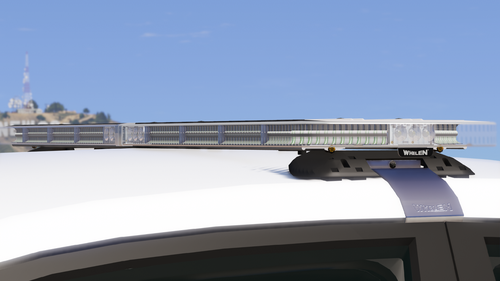 Ok can someone please tell me what I am doing wrong with this lightbar any advice or point in the right direction would be so helpful 🙂 thanks in advance
 -
I used a 2010 crown vic v3 and this lightbar I think I found out how to do it with this "specific" lightbar but keeps crashing remember I am new to this and will possibly be missing a point hence why its crashing once the video is uploaded it I will post another post with video included... im trying to get this up and running so I can bring the community another modder with different packs within time... im out of work at moment due to this pandemic and want to put my time to good use rather than just playing games I want to help make more cars 😉


