
JulianPlayz
Members
-
Joined
-
Last visited
Everything posted by JulianPlayz
-
-
 He does allow people to use it in videos as lobg as they don't claim it as their own.
- 561 comments
- 97 reviews
-
-
 Possibly one of you can start a topic here on LSPDFR and see if someone can help y'all, I never heard of this issue and I don't want to give information that can possibly break your games
- 2,352 comments
- 238 reviews
-
I don't believe there is one for EUP, I found one that replaces the default NOOSE officer, but nothing for EUP.
- 2,352 comments
- 238 reviews
-
-
Ok... I don't know why it's doing that, I never had that issue, maybe try to contact someone that does have more experience with modding, you can always go to YouTube and look it up or go to a YouTuber's server and ask for help, I personally recommend the server of First Thirty Minutes, his staff and assistance team is great, they helped me magnificently. I believe there is a Coast Guard thing, it will be with EUP S&R.
- 2,352 comments
- 238 reviews
-
You need to use F11 to open EUP Menu, if you don't have that installed, then that's your problem, ensure you do have EUP Menu installed in your game
- 2,352 comments
- 238 reviews
-
-
If you still need help, please explain further of your issue and I will attempt to help you to the best of my ability.
- 2,352 comments
- 238 reviews
-
-
Have you figured this out fully? If not, all you have to do is delete the eup folder in OIV and go to dlc.xml and remove the line that says eup in it.
- 2,352 comments
- 238 reviews
-
-

- 1
-
-
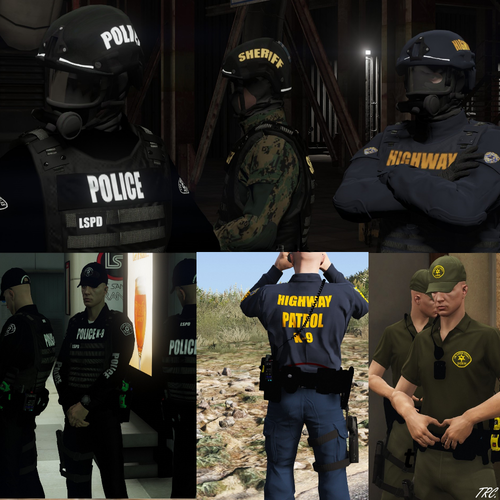 @TrpCharles on the Los Santos County vest, you put LSCO instead of LSCSO, other than that, great pack, can't wait to download
- 30 comments
- 6 reviews
-
If you have Discord, you can add me (JulianPlayz#7947) and I can help, if not, I can do the best I can in text form
- 2,352 comments
- 238 reviews
-
 If you still need help, when you are on the patchdays, you open the files for the cars and put those files into latest patchday (22), if it doesn't work, put them in 20, if you have discord, you can add me at JulianPlayz#7947 if you want in depth help
- 114 comments
- 9 reviews
-
 Is it just me or do the lights on the ground just don't match up with the lights on the light bars? Can anyone help me? I have ELS and put the cars where they're supposed to go.
- 964 comments
- 158 reviews
-
I put that into my game, I use EUP and tried to use the stock combat pistol as well, the default GTA animation is still happening then it does the cop holster animation but my holster will still be empty. Any suggestions?
- 561 comments
- 97 reviews
-
Does that take away the default GTA holstering/unholstering animation and only have the cop holster animation? Also, is there a way to fix gun not going back into holster when holstering? (I use a Max Payne 3 Glock model for pistol)
- 561 comments
- 97 reviews
-
How do I make cop holster mod work with the animation and not the GTA one when unholstering and holstering and my weapon showing in the holster after holstering? (I am using a Max Payne 3 Glock model for pistol)
- 2,352 comments
- 238 reviews
-
I was looking at a subject from a callout I got and was looking at citation and my game thought my window is more down and more to the side. Any ideas? Edit:I am still in game, using borderless windowed mode.
-
 You just have to change the file names that the car itself is for and the skin, both the .wtd and .wft to the GTA police names then drag them into OpenIV or whatever you use, it would be better if he put them like that though, but there you go.
- 11 comments
- 4 reviews
-
Hi, I need help with my Xpadder for my ELS on my wired Xbox 360 controller, the controls I put don't work in my game, can someone help me?
-
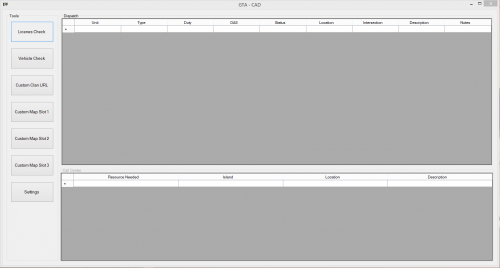 I'm wondering if I can use this for my LCPDFR, can someone tell me plz?
 -
When i press t attempting to change my siren, it pops up "You car got 0x45D56ADA", is there a way to fix this?