


.png.9fb177d44966ca78780f21621720cfa8.png)

KoftaKnight
Members
-
Joined
-
Last visited
Everything posted by KoftaKnight
-
.thumb.png.366d8bf0166363f397cdce0306047938.png) Hey, I made some very small models and adjusted a few others. And yes i did re-texture all of them. Check the credits section if you would like.
Hey, I made some very small models and adjusted a few others. And yes i did re-texture all of them. Check the credits section if you would like. -
For the longest time I've been hoping for an EUP mod for Peel Regional Police but it never came, so I took it upon myself to make one. In This File Long sleeve shirt with tie Long sleeve shirt T-shirt Winter Jacket Traffic Jacket I'll be working on some more uniforms such as swat and canine, in the meantime I hope you enjoy.
-
alright after playing around and adding tons of mods everything is working amazingly thanks for your help man appreciate it
-
alright with a clean copy i redid everything and its working right now ill add eup and see
-
alright nothing worked at all, but i did realise something that could maybe clear things up. every time i open rph and go to settings i change the console key to f5 and make it load all plugins on startup, but next time i open it none of the changes are saved. Also in the actual game it loads all the plugins though the setting is disabled. Im gonna just get a clean copy of gta along with rph and lspdfr and put em together, it shouldnt take more than 30 mins and ill be back. it kinda sucks that are time zones are 6 hrs apart but thanks for your help anyways
-
ok will do it didnt work whats next? RagePluginHook.log
-
there we go thanks xD RagePluginHook.log
-
how do i get it? because if ur talking about the log after game crash my game isnt crashing its just lspdfr so please tell me how to get it
-
Once I load into lspdfr it instantly crashes, I changed the threshhold timeout back to 10000 and back again to 60000 and I enabled plugin launch on startup and I disabled it I launched as administrator and not as administrator, the only mods and plugins I have are lspdfr and eup, I have all of the asi stuff from openiv downloaded. NOTHINGS WORKING I NEED HELP!!!!
-
actually i kinda closed this didnt i so i should just start a different discussion...
-
oop and now were back to loser town 😞 now my lspdfr wont cease to crash, i changed the threshhold timeout back to 10000 and back again to 60000 and i enabled plugin launch on startup and i disabled it i launched as administrator and not as administrator I NEED HELP!!!!
-
Oh i forgot to reply back after a bit of more searching i found the solution it was just to change plugin timeout to 60000, but if you can do you mind helping me with zmodeler 3 im in the midst of making a eup file but i need one last thing which is embedding a file into the ydd. Can you help?
-
For the new update when I updated the game started crashing, so I tried everything before completely reinstalling everything. Now all I have is the game, scripthookv, rph, and lspdfr, when I open the game with lspdfr load on startup disabled it works but once I load it, lspdfr crashes very fast.
-
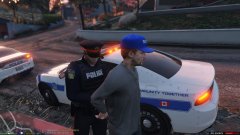 where did u get this eup file? I've been trying to make one myself I'm on the last step before publishing it
 -
dude i really wish i could help but i need to know this did u figure it out?
-
I've tryed that it doesnt work and my vannila gta works perfect
-
i've legit quit gta cause of this and now im back at it but it crashes once it gets in game and no launching it from steam then rph doesnt help
-
yo can u tell me how
-
Same bro please fix

.thumb.png.366d8bf0166363f397cdce0306047938.png)


