


agent rogers
Members
-
Joined
-
Last visited
Everything posted by agent rogers
-
-
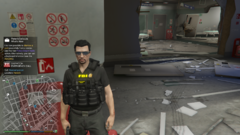
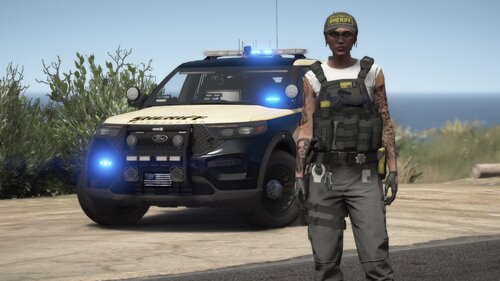
From the album: crime time
Watch out Agent Rossi is on duty -
i like the idea of a dump pouch along with the holster i would imagine it along with a hrt texture for the upcoming vest a radio pouch would ne awesome in the back.
-
have a version eup ready ill pm you with iot along with a glock quick release thigh holster.
-
 Everything works good except for task 03 and there's no texture file for task 4 but task 4 ydd works with task 3 ytd so i had to add task 3 and 4 for task 3 to to show texture in game.
- 550 comments
- 44 reviews
-
-

- 1
-
-
 in progress should have a beta soon.
 -
-
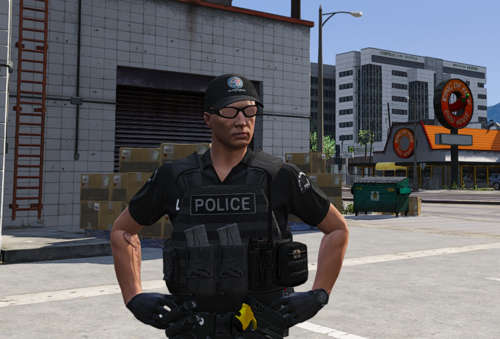 love the vest but a taser or pistol doesn't do any justice since there's no function maybe a small pouch or body cam would work better. or leave the area open and maybe someone can do a quick release holster for the accessory file for an option.
- 32 comments
- 5 reviews
-
-
why not do detective callouts question suspects collect evidence to asses the scene to make a call. it would be something different.
-
Nice concept depending on what type of direction you want to take this for example for me i'm working on a swat callout i have audio files (Tok) as you team breach Toc gives you information of the suspects and outgoing information of the situation. and have sniper audio files pointing out suspects location for that immersive experience . i'm going to add a interaction menu for interrogation, repeal , ect at an latter time i release but you get the idea.
-
Great vest 1 small problem the mic should be on the other side. hope to see the vest on your first ped in a future release.
- 550 comments
- 44 reviews
-
very nice vest but i do agree it would be nice to have the mic to complete it. it;s not a slim vest and wide shoulder strap is wide so really stucks when you use police radio or stp the ped reaches for the shoulder to call stuff in but i'm glad you'll be adding it in a future release. keep up the amazing work would make an good swat vest!
- 32 comments
- 5 reviews
-
you can put it anywhere just rename it to an existing file and erase the old files then drop it in if you don't erase the old texture file will show up.
- 32 comments
- 5 reviews
-
.thumb.png.d8d35076f26ac12960464d316b88d664.png) how do i install langos mods ? are they add ons or just the yft file? do i rename in any stop and delete the old files?
how do i install langos mods ? are they add ons or just the yft file? do i rename in any stop and delete the old files?- 34 comments
- 1 review
-
-
-
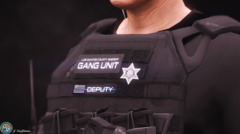 Nice vest
 -
-
 didn't mean to be disrespectful you did an outstanding job i enjoy all your mods just felt like it was something missing . like in my callouts i want tac to dispatch updates of the situation.
- 496 comments
- 33 reviews
-
I'm actually working on a swat callout pack might be a while but it's in progress.
- 496 comments
- 33 reviews
-
-
- 1
-
-
Tried it today but just its missing the action packed missions like seizing control of a vessel pirating or terrorism activity to expect from a gta or lspdfr mod.
- 496 comments
- 33 reviews
-
 found the problem in file 2 the badder texture you have the sheriif vest textur ebut the ytd is the bladder
- 38 comments
- 2 reviews
-
-

.thumb.png.d8d35076f26ac12960464d316b88d664.png)


