zvc1002
Members
-
Joined
-
Last visited
Everything posted by zvc1002
-
 Hmmm... it might be something as simple as that, actually. Since I had reinstalled, I actually did forget whether everything was set to load automatically again. Will check
- 299 comments
- 26 reviews
-
Mod does not appear to work. Have installed correctly, verified many times (watched multiple videos because I thought I was nuts) via the DLC route. Everything done to a T. However, the menu or any other function of the mod just refuses to, well, exist lol. I've even tried on a fresh install of GTAV/LSPDFR/OpenIV and the core requirements. Crtl+G does nothing, Ctrl+H, nothing. Changing keybinds = nothing, modifying the ini file for the known possible error and modifying keybinds does nothing, unfortunately. No crashes/errors or any reference to the mod at all in logs, either. But I promise, I followed the DLC route to a T, and have even done it months ago (and it worked). I just needed to do it again because I had just recently come back to LSPDFR and... no luck 😞
- 299 comments
- 26 reviews
-
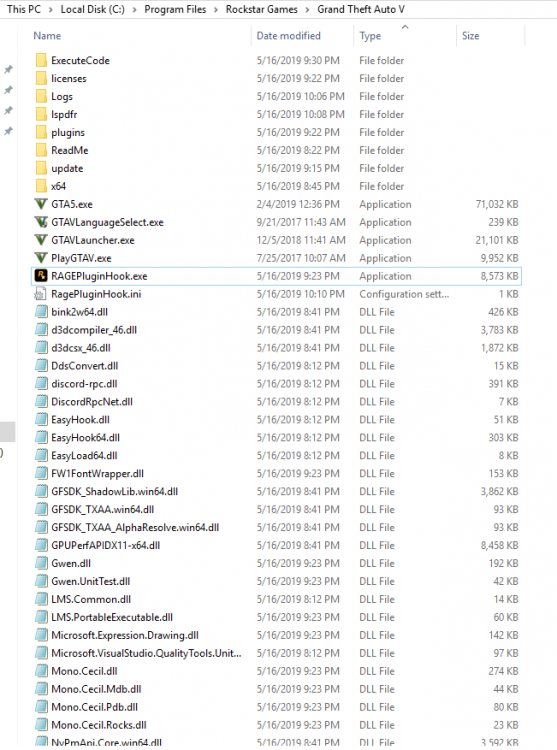
Worked perfectly before the update. Tried every common trick and disabling anti-virus. Rage plugin will simply not load the game (crashes at start). Game works fine without it. Have uninstalled and reinstalled LSPDFR and the latest RageHook fresh, still nothing. Please, if anyone has any ideas, I love this darn game but cant even open it. I know a lot of other people are reporting the same thing; if it is an issue with the update or RageHook I hope it is fixed soon. RagePluginHook_28062019_014406.log
-
Same problem here. Mine was working perfectly before the latest update. Now, even with a fresh and LSPDFR-only install, I cant even launch the game with rage plugin hook.
-
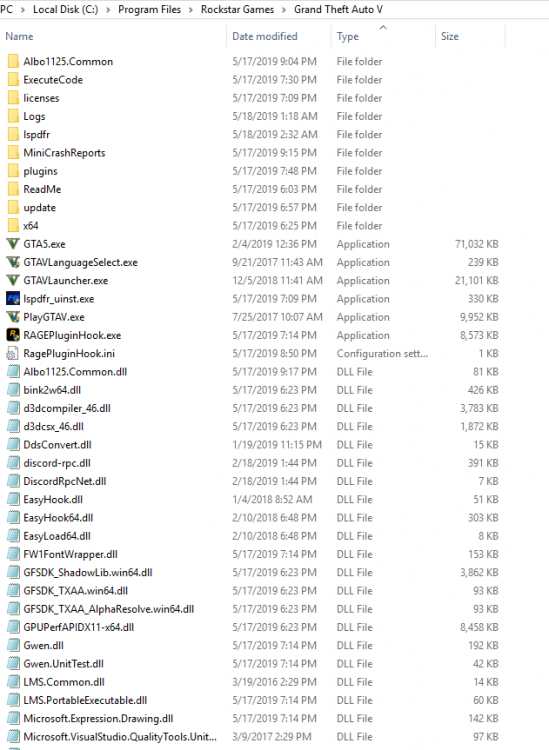
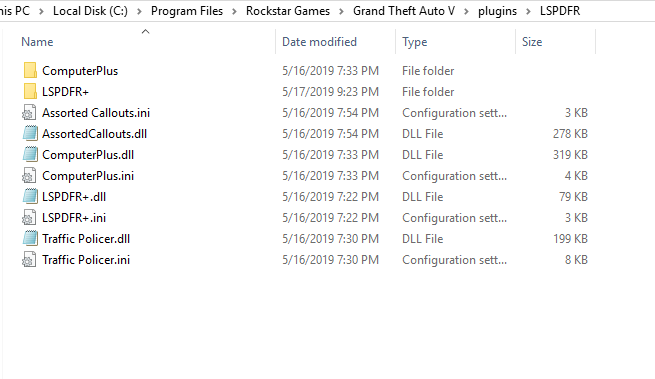
As mentioned in the title, at traffic stops, I am unable to interact with the driver in any way after I ask them to exit the vehicle. Or, at least, the UI no longer shows up. All functions while drivers/passengers are IN the vehicle work perfectly. I have LSPDFR+, Computer+, and Traffic Policer installed. Any help/ideas would be greatly appreciated!
-
Thanks for all the help, mates! For some reason, unknown to me, it has decided to work!
-
Here it is, mate! RagePluginHook.log
-
Yes, I will send it as soon as the game re-installs and I attempt again (it was my last-ditch effort). Thanks!
-
Hey guys, Been trying for HOURS over two days. About to wipe my hands of it. Installed everything correctly on a brand-spanking new install of GTA-V. (Newest Rage-Hook and LSPDFR). No other folder remotely related to GTA V exists. It will RARELY work. Repeated steps fail to make it consecutively work (it very, rarely works. Maybe once every 10 tries, with different steps). It is fully permitted by windows defender/firewall, as well as my antivirus. It is set to force windowed-mode. This worked the first time, then continued to fail. Administrative rights to Ragehook and GTA V are enabled. Sometimes its slow machine, sometimes its bad-anti. Starting GTA V first, then Rage, doesn't work. Please oh dear god please help!