


Kyle Jeens
Members
-
Joined
-
Last visited
Everything posted by Kyle Jeens
-
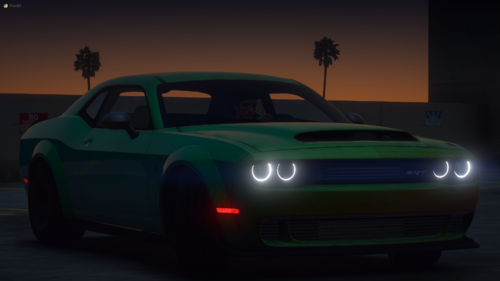 So... What does it replace?? So I can get the vehicles.meta. Cause the file didn't come with any metas nor any information of what it uses
 -
-
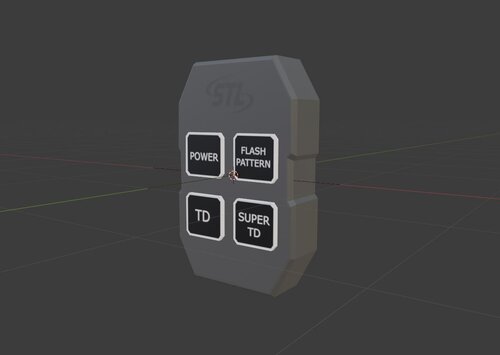 So, this I made this switch box in the past, but since it was my first blender model, it wasn't the best. So I revamped it, and made it better. I would love to hear what you like / dislike about it in the comments! You may use this for Commercial use. Modeled by the furry aka Kyle, that makes weird shit possible. UV-mapped by the same, weird creature, thing Their IRL product: https://www.speedtechlights.com/Switch-box-control-panels/super-take-down-grand-control-switch-box
 -
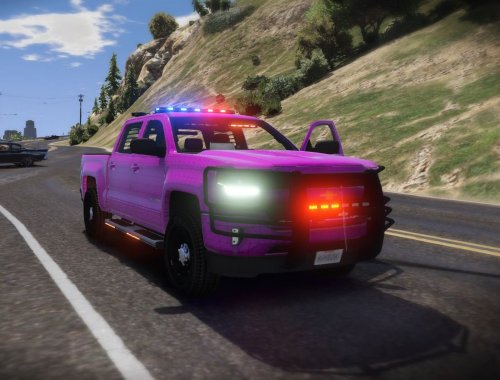 It's named mcmods_sign_1
 -
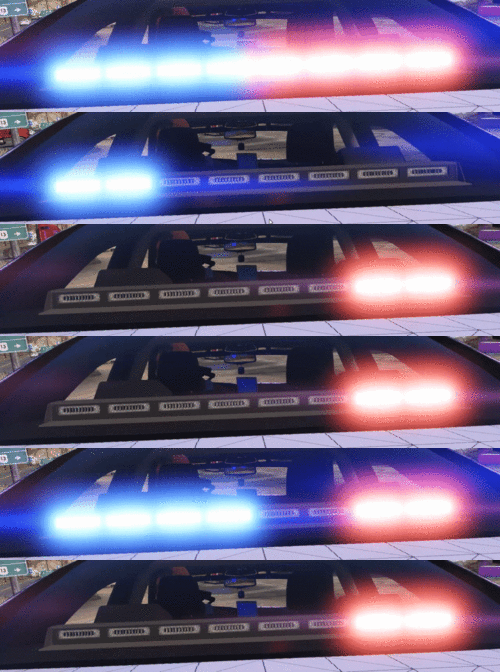 Thanks! I will attempt to make the emmissives better later in the future, after I release a vehicle pack
 -
https://i.gyazo.com/687c03602386c27a5c2b79af8b43b50c.gif So, this is my first light bar ever released. I would like to hear feedback on what you guys like / dislike about it. Also, feel free to join my Discord @ https://discord.gg/kU9X3yC it would mean a lot to me! x3 I made the lightbar in parts, so if you want to use the sun visor, you can select it, or just leave it off. It's also supposed to have mounts, but that's for a later day. This lightbar is supposed to be used with my direct control switch box, found at this link: https://gyazo.com/687c03602386c27a5c2b79af8b43b50c -------------------------------------------------------------------------------- You may use this model for commercial use, just provide correct credits. You may not remove any logos in the textures that credit the Author's work. All credit goes to STL. I've just modeled their product, and converted it to GTA. By downloading, you agree to these terms above. Original Model: -https://www.speedtechlights.com/directional-traffic-advisor-light-bars/multicolor-virtue-8-linear-8-head-led-traffic-advisor-light-bar Model created by: -Fox Dev [Kyle Jeens the Furry#0871] -Fox Dev Discord - https://discord.gg/kU9X3yC UV-mapped by: -Fox Dev [Kyle Jeens the Furry#0871] Emmisives by: -Fox Dev. [Kyle Jeens the furry#0871] -Big thanks to Steve6645#5124 for helping me make them
-
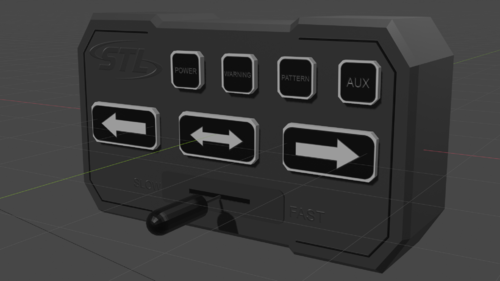 This is just a basic STL product, mainly used for Advisory Light Bars You may use this model for commercial use, just provide correct credits. You may not remove any logos that credit the Author's work. This is my second released model, please tell me how I can improve in the comments. Model created by: -Fox Dev [Kyle Jeens the Furry#0871] -Fox Dev Discord - https://discord.gg/kU9X3yC Texture made by: -Hyena#8615 -Hyena's Dev Discord - https://discord.gg/AvpgwjsKqV UV Mapped by: -Big thanks to Hyena#8615 for helping me with Blender mapping -Fox Dev [Kyle Jeens the Furry#0871] [Link to IRL box: https://www.speedtechlights.com/Switch-box-control-panels/direct-2-control-switch-box]
 -
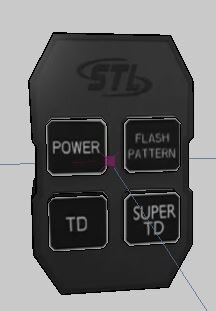 This is one of my first models, so don't give me shit in the comments. If you use this for ANY COMMERCIAL USE, please contact me for permission via discord. Discord: https://discord.gg/kU9X3yC Credits: -Modeled by the furry aka Me, that makes weird shit possible. -UV-mapped by the same, weird creature, thing All credits go to STL, I only just modeled their product. STL's IRL product: https://www.speedtechlights.com/Switch-box-control-panels/super-take-down-grand-control-switch-box
 -
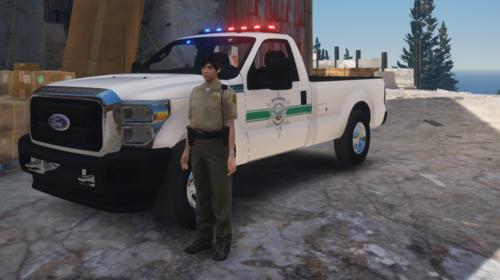 UwU
UwU -
-
-
I can't remember if this truck has a tow hitch dummy
-
-
-
-
.thumb.png.8be8d1ed9f1c5028de786dae4bce923c.png) Hey man, it looks great, I will definitely use this in one of my vehicles. Also, to clarify, the AR Platform doesn't stand for "Assault Rifle", It stands for "ArmaLite Rifle"
Hey man, it looks great, I will definitely use this in one of my vehicles. Also, to clarify, the AR Platform doesn't stand for "Assault Rifle", It stands for "ArmaLite Rifle" -
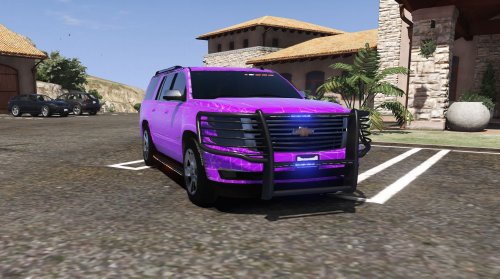 Okay.
Okay. -
My opinion is it looks pretty cool to see more ways to make police cars. I completely understand and accept your opinion, but if you don't like it, just don't use it. There are extras on there to take every light / rambar off of the vehicle.
-
I would do that, but I'm not from Texas.
-
I haven't seen anything wrong with the lights, do you have a reference I can use to fix it?
-
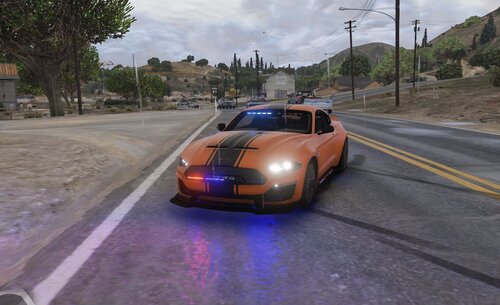 The vehicle meta broke once again, and I didn't notice until now, so I'm currently trying to fix it again
 -
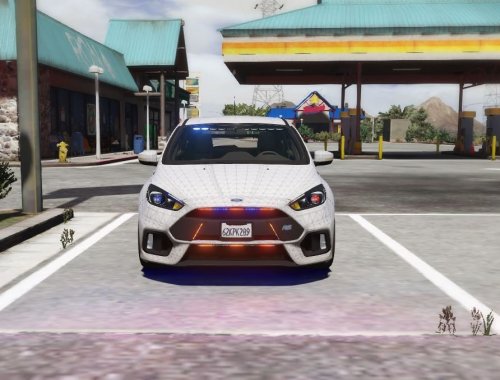 I didn't make the vehicle / vehicle.meta file. There is also a light bar on the wing, and the side runners aren't always just for the sides. I can edit the front glass lights once I re-buy zmod license.
 -
I don't usually do ELS
-
I made this vehicle mainly for a FiveM server called PhoenixRP, but I was given permission to post the model. I am not responsible for any game / server damages this may cause. This works perfectly with my FiveM server, so it will most likely be user error. PLEASE KEEP IN MIND: I am not claiming to own anything in this vehicle pack. I have just converted the lights to N-ELS, and written the carcols. IF I FORGET SOMETHING IN THE CREDITS, LET ME KNOW IMMEDIANTLY Assets used: [2017 Ford Focus RS]: https://www.lcpdfr.com/downloads/dev-resources/vehicle-parts/23343-dev2017-ford-focus-rs-unlocked/ [Side Runners Pack: https://www.lcpdfr.com/downloads/dev-resources/lightbars/18982-generic-side-runner-pack/ ] [STL Interior lights pack]: https://www.lcpdfr.com/downloads/dev-resources/lightbars/22104-dev-speedtech-lights-interior-lighting-package/ ] [Carcols made by me]
-
That's the fun part





.thumb.png.8be8d1ed9f1c5028de786dae4bce923c.png)
