Skip to content
View in the app

A better way to browse. Learn more.

LCPDFR.com

A full-screen app on your home screen with push notifications, badges and more.

To install this app on iOS and iPadOS
  1. Tap the Share icon in Safari
  2. Scroll the menu and tap Add to Home Screen.
  3. Tap Add in the top-right corner.
To install this app on Android
  1. Tap the 3-dot menu (⋮) in the top-right corner of the browser.
  2. Tap Add to Home screen or Install app.
  3. Confirm by tapping Install.
Due to overzealous filtering on Microsoft’s side, some emails to Outlook and Hotmail addresses may not be delivered. If you’re affected, please use a different email address or try again later.

bevarnow

Members
  • Joined

  • Last visited

    • 89 downloads
    • Version 1.0.0
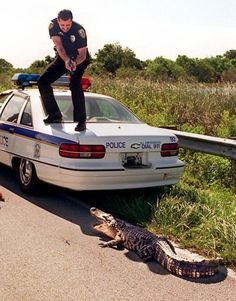
    Very rare Chris remake. But featuring a friend. I will probably not make more. https://discord.gg/wTuE3p3 or https://discord.gg/YnnqRg9VqX
  1.    Khuutznetsov reacted to a comment on a file: Jefferson Parish SO FPIU Dual Pack
  2. hallo bro did see my comment??🇹🇷🇹🇷🇹🇷🇹🇷🇹🇷🇹🇷🦾
  3. hello bor i wonder if can get in Türkiye (🇹🇷🇹🇷🇹🇷🇹🇷🇹🇷🇹🇷🇹🇷🇹🇷🇹🇷🇹🇷🇹🇷🇹🇷🇹🇷) skin???? @JCerb was wonder tooo thank you boor
  4. LAPDFR GET started following bevarnow
  5. how is this difference from what sollumz can do?
  6.    KNetwork reacted to a comment on a file: FiveM No Lights V2 Graphic Mod
  7.    GTA 5 Jedi Master reacted to a comment on a file: FiveM No Lights V2 Graphic Mod
  8.    bevarnow reacted to a comment on a file: Vest and Belt Pack
  9. mmm radio. we can speak. can it converted to gta iv?
  10.    bevarnow reacted to a file: Baseball Cap
  11. mm hat. shady. can i hide from the sun?
  12. mmm radio, communicatitidon. is it 3d printable?
  13. vest, yes good protection for person mmm yes. is els?
  14.    bevarnow reacted to a file: Vest and Belt Pack
  15.    bevarnow reacted to a comment on a file: Vest and Belt Pack
  16.    bevarnow reacted to a comment on a file: Vest and Belt Pack
  17. GhostsViper27 started following bevarnow
  18. sea0301 started following bevarnow

Account

Navigation

Search

Search

Configure browser push notifications

Chrome (Android)
  1. Tap the lock icon next to the address bar.
  2. Tap Permissions → Notifications.
  3. Adjust your preference.
Chrome (Desktop)
  1. Click the padlock icon in the address bar.
  2. Select Site settings.
  3. Find Notifications and adjust your preference.