




Audi0
-
Joined
-
Last visited
Everything posted by Audi0
-
The log is the best way for you to get support, so yes.
-
 I doubt there will be U.S Army/Navy missions because this is related to the USCG.
- 503 comments
- 33 reviews
-
Did you download the plugins folder and install that? IIRC, it contains the menu.
-
You can switch between seats in the menu, it should be under the heli menu. Most of the helicopter's should both doors but some only have left/right rear door. I don't know if you can shoot out of the helicopter, but i don't see why you would want to.
-
It's because it doesn't make it's own dlcpacks folder. If you want to spawn in the vehicles, Use the CC menu's built in spawner.
-
CoastalCallouts.INI It should be in "Grand Theft Auto V > plugins > LSPDFR"
-
You can change the keybinds in the INI file.
-
You're using Traffic Policer and LSPDFR+, which were made for older versions of GTA V. This could be the cause, might have been something in the log i missed. (Sorry PNWParksFan if you don't want others giving support, shoot me a dm and i'll delete this if you want) You could also try uninstalling CC and reinstalling it, maybe some installation process failed.
-
-
-
-
-
-
-
-
-
-
-

From the album: On the job - Audi0
© Audi0 - Do not reupload or alter this image, you may use it as a desktop wallpaper (or whatever just don't do anything that requires my permission)
-
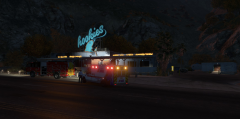
From the album: On the job - Audi0
© Audi0 - Do not reupload or alter this image, you may use it as a desktop wallpaper (or whatever just don't do anything that requires my permission)
-
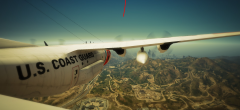 Ignore the red line in the middle, that was an accident that i am too lazy to fix.
 -
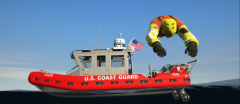
From the album: On the job - Audi0
© Audi0 - Do not reupload or alter this image, you may use it as a desktop wallpaper (or whatever just don't do anything that requires my permission)
-
From the album: On the job - Audi0
© Audi0 - Do not reupload or alter this image, you may use it as a desktop wallpaper (or whatever just don't do anything that requires my permission)



