



X.Gona.Git.Ya
Members
-
Joined
-
Last visited
Everything posted by X.Gona.Git.Ya
-
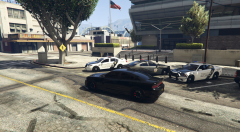
From the album: 2019 Hellcat out in front of LSPD
-
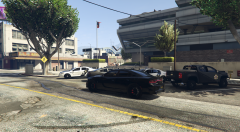
From the album: 2019 Hellcat out in front of LSPD
-
 This is the location of the carvation.meta, start OpenIV and navigate to here. Grand Theft Auto V\mods\update\x64\dlcpacks\MODDING\dlc.rpf\common\data Edit the carvation.meta file. Depending on what you want this vehicle to be named, just change the line "Sheriff" to FBI or whatever you want. This will spawn the vehicle in a black color. The vehicle colors are here. https://wiki.gt-mp.net/index.php/Vehicle_Colors The first number controls the outer vehicle colors. The second one controls things like the seat, dash, etc. The others mess with the rims and such but I never had a need to mess with them. Doing this, will have the vehicle spawn all black, all the time.
- 175 comments
- 24 reviews
-
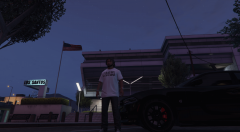 Here is the video.
 -
-
Here is my 2019 Dodge Charger Hellcat. We were out teasing the LSPD and it was all caught on multiple traffic cams.
-
-
-
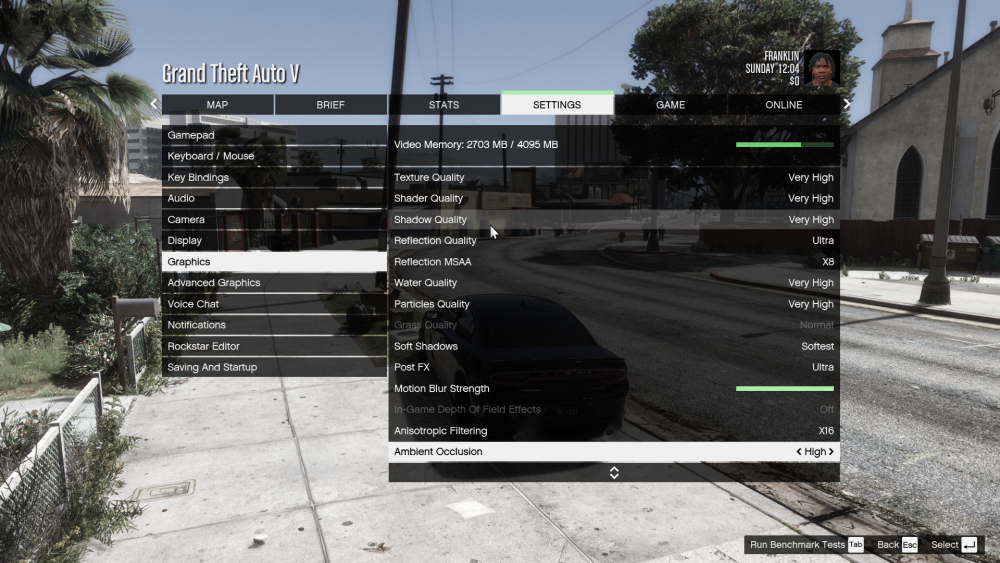
So, I have noticed lately that my game has some jaggies in it and a weird silverish/chrome overlay on some edges. I have NaturalVision Remastered and Visual V installed as visual mods. My video card is a 1050Ti (4GB) Here are three images showing the items in question and a screenshot of my settings. Most of my settings are very high or ultra. https://i.postimg.cc/FsHrKLMq/Grand-Theft-Auto-V-7-6-2019-3-06-19-PM.png https://i.postimg.cc/WpnpjnHg/Grand-Theft-Auto-V-7-6-2019-3-06-28-PM.png https://i.postimg.cc/ZnVJcbdV/Grand-Theft-Auto-V-7-6-2019-3-08-37-PM.png
-
I will check the original skin. I never noticed it before just noticed it the other day. I have message the author. Thanks
-
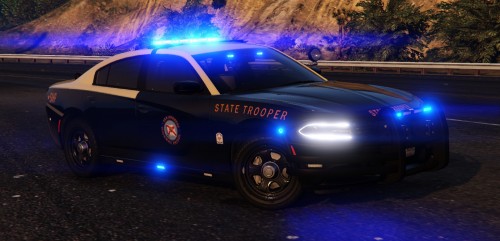 @Gump I am using this model in game but it is giving me fits . Can u look at these and tell me what u think? https://i.postimg.cc/7Yd7FnKY/problem-with-teh-model-3.png https://i.postimg.cc/zf1hBXms/problem-with-the-model-1.png https://i.postimg.cc/0NdwJRPb/problem-with-the-model-2.png
- 30 comments
- 21 reviews
-
After searching for it for 30 minutes, here it is. https://www.lcpdfr.com/files/file/22638-2018-sahp-dodge-charger-with-valor-els/
-
crap. well that sucks
-
Welcome. Its how I learned. His series on youtube is the best and easiest. If u need more help, hit me up
-
Look up Albo1125 modding GTA5 on Youtube. Great, easy tutorials to follow. ELS is the folder where you will place the ELS files for individual police vehicles so the emergency lights work
-
So, when i press F1 to start a recording, the scene in game just reloads. It like gets stuck in a endless loop of reloading. So, I have removed my Scripts folder and the game recording (F1) worked fine. So, I started putting my scripts back in one at a time until it stopped working. NativeUI.dll and NativeUI.xml seem to be causing the issue. I have redownloaded this file and placed them back into the scripts folder but it is still doing the same thing. So, I have successfully recreated the issue and figured out which script is causing the issue. Now what? I am not getting an errors in any of the three log files.
-
-
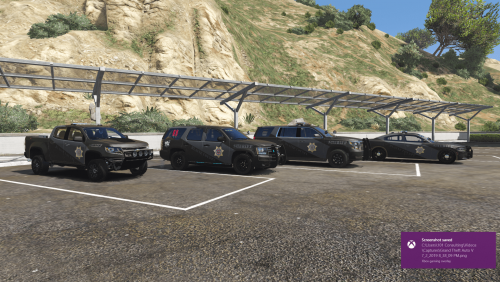
This is the new BCSO Grey over Black livery with custom license plates. This pack contains liveries for a '16 Charger, '15 Tahoe, '14 Tahoe Slicktop K9, and a '17 Colorado https://www.lcpdfr.com/files/file/21650-2014-chevy-tahoe-ppv-blaine-county-sheriff-slicktop/
-
-
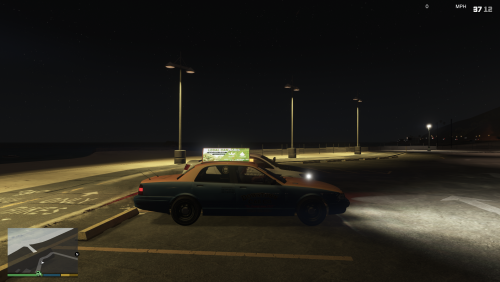
Real taxi Light and Bus fix with Real Taxi Ads. I have looked through a lot of Taxi Light fixes for the overpowering lights on top. All of them offered something, but not all of them fixed my issue. usually it fixed one issue, but then you couldn't read the taxi ad. Or you could read the Taxi ad but the dash lights were too bright. So, I decided to make my own fix. I created my own taxi Ads in Photoshop and then modified the visualsettings.dat to tweak the lights just enough to give it a bit of flare but not be overwhelming and to not underwhelm the Police lights. I have included a README to simplify the installation.
-
Yeah. I actually figured it out. One of my vehicle.meta was wrong/corrupt. I just installed original and was back up and running. thanks
-
Just some plates I made for my game. I uploaded them in case anyone wants to use them https://i.postimg.cc/4yv25QtP/san-andreas-BCSO-Rear-Plate.png https://i.postimg.cc/3r2qYY6G/san-andreas-LSPD-Rear-Plate.png https://i.postimg.cc/kX9p5L3p/san-andreas-SAHP-Rear-Plate.png
-
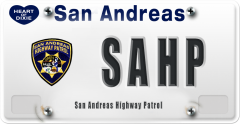
From the album: San Andreas License Plates
-
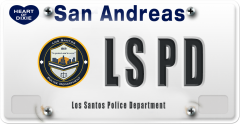
From the album: San Andreas License Plates
-
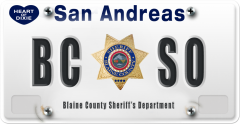
From the album: San Andreas License Plates
-
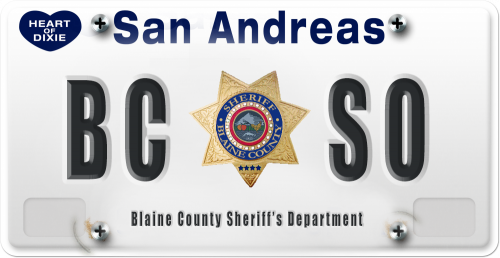 I make custom plates for my vehicles in my game and figured others might want to use these as well or something similar. I actually make custom plates on Fiverr. I tried to make them as realistic as possible with real screw images, embossed letters so it gives the impression of actually being stamped. Hope you enjoy them and put them to use. Hit me up if you need a custom plate



