


MarkedOne
Members
-
Joined
-
Last visited
Everything posted by MarkedOne
-
It's not that, it's just that I can't be bothered waiting for many mods that are broken on Enhanced to be upgraded. So everyone who wants to play LSPDFR on Enhanced they can but I would still prefer Legacy to be downloadable tbh.
-
Ikr? Or at least make a seperate version of it where you can download legacy as well as enhanced.
-
Nah ya'll can't remove legacy man please...
-
-
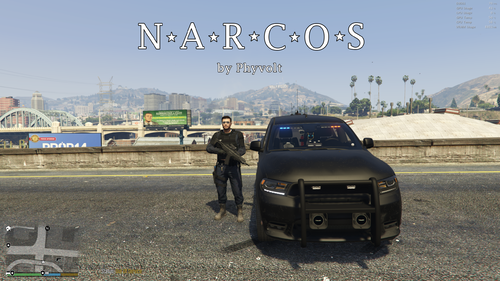 Goes good with the DOA Agency, great job!
 -
Just go to the pause menu, to LSPDFR and then to switch characters. pick a certain character and go to edit. Change their features. You can see their jaw width, heigth, eye width height and all these kind of stuff. Now change one of these to your own preffering. The only thing that will work for change is your nose, if you change the width height or whatever. I hope you couldve followed me.
-
I think you have a hard time understanding what I mean, GTAbear. Since the last big update of LSPDFR you get the option to either create a Multiplayer Character in the locker room, wich you can choose between a Male (MP_M_FREEMODE) or Female (MP_F_FREEMODE), or simply just keep playing as a PED (S_M_Y_COP_01) for example. The MP characters have their own apartments and you usually can customize these characters with EUP too, IF you download EUP of course. Since I hope that you can quite follow me by now, back to my report again; The "FEATURES" tab, where you can customize the height, width of your jaw for example or eyes or whatever you like, is not functional due to these features NOT working. When you click on finish and selecting the current MP Character as your Officer in LSPDFR, it just resets your feature - changes, that are made in the locker room. I hope I was clear enough and I hope to expect useful answers. Best Regards
-
I don't know if this is something that anyone noticed, but when you create a Multiplayer Character in the character customization and head to features, the features do not seem to work when you load your character. I reinstalled LSPDFR without any mods or plugins, yet this bug still presists. GTA V, Steam and Rockstar Games Launcher RPH: Version: RAGE Plugin Hook v1.96.1311.16366 for Grand Theft Auto V
-
 Alright, I have found a temporarily solution for those who wants to use the EUP decals. The first step is to start GTA V through steam or whatever platform you are on. Make sure to NOT launch RagePluginHook yet. Next step is to wait until the rockstar social club displays your name in the top right corner and shows you as "online". Wait until your displayed name disappears and after that IMMEDIATELY start RagePluginHook. After that all the decals and Insignias should show up on your current character. Keep in mind that you will have to start GTA like this until this issue gets fixed, wich can be annoying sometimes but still better than nothing I guess.
- 2,353 comments
- 239 reviews
-
-

- 2
-
-
Probably by accident or something. Contact the developers of LSPDFR, maybe they can help us finally
- 2,353 comments
- 239 reviews
-
Load GTA V without RagePluginHook or LSPDFR. It should show up then. But as soon as you play GTA V with RagePluginHook, the Ranks are gone
- 2,353 comments
- 239 reviews
-
The rank chevrons are dead. And I personally think, that the problem has something to do with LSPDFR instead of EUP, since I can see the emblems in SP mode, without RPH or LSPDFR loaded. So I think it has something to do with either RPH or LSPDFR.
- 2,353 comments
- 239 reviews
-
Ich rate dir ab GTA Online mit jeglicher Modifizierung auszuführen, da es nicht ausgeschlossen ist, dass du gebannt werden könntest. Jedoch kannst du GTA V und GTA Online jederzeit ganz normal weiter spielen, bis kein Update für Scripthook V und LSPDFR bzw. RagePluginHook rauskommt. MfG
-
Du kannst erstmal einige Wochen oder Monate warten, bis LSPDFR geupdated wird. Nach jedem GTA V Update erlischt die Möglichkeit, GTA 5 mit Mods zu spielen, aber normalerweise nicht länger als ein paar Monate. Hoffentlich konnte ich dir mit dieser Antwort helfen. MfG
-
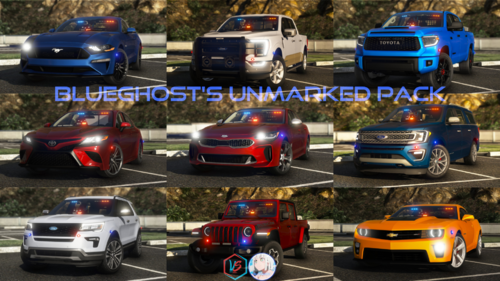 for everyone that has problems with it, i found the mistake in the vehicles.meta, watch this @BlueGhost <Item> <parent>vehicles_poltax_interior</parent> <child>g8p</child> you forgot the "</Item>" please update for everyone!!
- 485 comments
- 78 reviews
-
 After 2 years of no update i wouldnt have much hope tbh, but im sure someone else might take control over it. Even if it is against copyright
- 561 comments
- 97 reviews
-
For some reasons, my Badges wont Show up. I tried literally everything, reinstalling GTA, reinstalling EUP, restarting PC. NOTHING WORKS! Yesterday the badges ALWAYS showed up, and i didnt have any Problems. Any help Please? ;-;
- 2,353 comments
- 239 reviews
-
Yea, I messed around in the data folder yesterday, and I managed to replace the Multiplayer cops to the default ones. Thank you anyways!
-
I want to replace the Multiplayer Police Officers with the Default Cops if its possible
-
Hello Guys, Officer Marked One here. No, jk. Anyways, I wanted to ask, if there is a possibility to change the Mulitplayer-Police Character, that is being used by the latest LSPDFR Version as the Main Cops. I've read lots of questions. Unanswered unfortunately. I would thank anyone, if I can get a reply, IF it is possible. Greetings
-
5 Stars But one question up ahead; Can i make the multiplayer Peds, from LSPDFR Ver 0.4 wear one of those? Since we cannot use the standart Police Officers no more, i would be glad, if we could make them use it. Otherwise, good job my dude! 5 Stars!!
- 2,353 comments
- 239 reviews




