
levaine
Members
-
Joined
-
Last visited
Everything posted by levaine
-
-
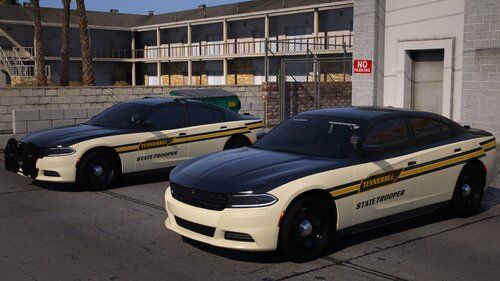 good pack but the chargers will flip for some reason
 -
I did try that. even looked in the vehicles meta to make sure they were coded to read that handling line as well vs a vanilla line from in game. I believe it's something with the pack. the replace files are fine just the add ons. I found better packs to use instead. thank you for the help
-
-
Im sure this is embedded somewhere here but i have been racking my brains for days trying to figure out why I have chargers tipping but the other models are just fine. The chargers in this pack and in on other that i will link. but the lspd pack has no handling meta and uses gta handling. but i have tweaked the lines in the other redownloaded and can't see to figure it out.
-
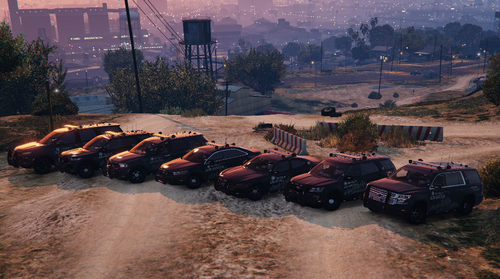 Pretty new to this stuff i have the basics figured out on how to load the addon in but i'm having issues like with the charger tipping. and should there be handling lines in the meta. mine seem to be blank. thanks
- 244 comments
- 16 reviews
-
I tried that and i still couldn't get mine to work. I kept getting the texp70 fatal error. here are my specs. OS Name Microsoft Windows 7 Home Premium Version 6.1.7601 Service Pack 1 Build 7601 System Manufacturer TOSHIBA System Model Satellite A505 System Type x64-based PC Processor Intel® Core2 Duo CPU T6600 @ 2.20GHz, 2200 Mhz, 2 Core(s), 2 Logical Processor(s) Installed Physical Memory (RAM) 4.00 GB Name Mobile Intel® 4 Series Express Chipset Family Adapter RAM 1.81 GB (1,944,051,712 bytes) Installed Drivers igdumd64.dll,igd10umd64.dll,igdumdx32,igd10umd32 Resolution 1366 x 768 x 59 hertz Bits/Pixel 32