Skip to content
View in the app

A better way to browse. Learn more.

LCPDFR.com

A full-screen app on your home screen with push notifications, badges and more.

To install this app on iOS and iPadOS
  1. Tap the Share icon in Safari
  2. Scroll the menu and tap Add to Home Screen.
  3. Tap Add in the top-right corner.
To install this app on Android
  1. Tap the 3-dot menu (⋮) in the top-right corner of the browser.
  2. Tap Add to Home screen or Install app.
  3. Confirm by tapping Install.

Cyber General

Members
  • Joined

  • Last visited

Everything posted by Cyber General

  1. I solved my own issue. needed to download this... whoops. so, a similar thing happened to me. Make sure you have this downloaded. It will make you wear LSPDFR uniforms instead of civilian.
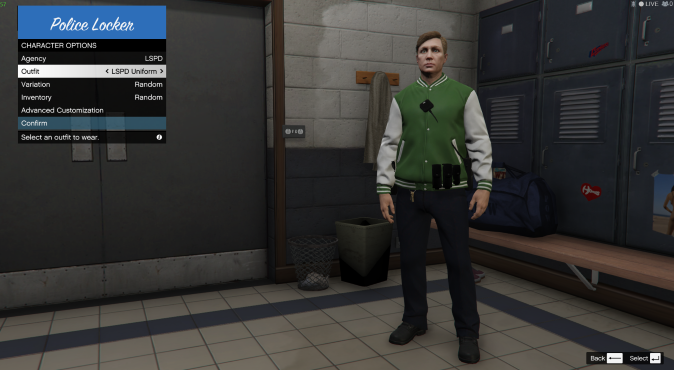
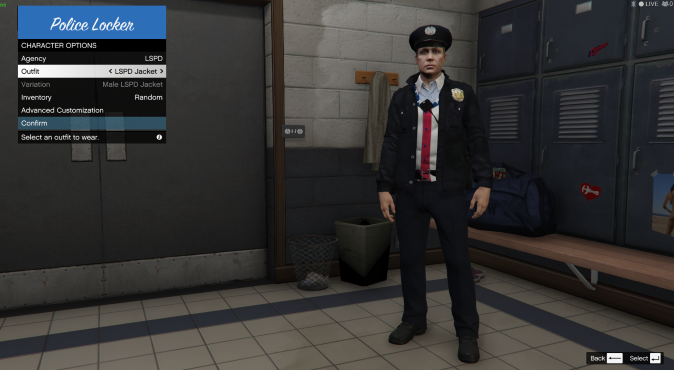
  2. Yeah, Im having a slight issue. I am not quite sure why this is happening, but all of the outfits seem to be replaced with civilian clothing, along with other officers. If you need any more information, let me know, but I supplied a couple pictures so you get the point. Thanks! (It started happening with EUP 0.8) Not to be rude, but i have noticed a few others having this issue as well.
Account

Navigation

Search

Search

Configure browser push notifications

Chrome (Android)
  1. Tap the lock icon next to the address bar.
  2. Tap Permissions → Notifications.
  3. Adjust your preference.
Chrome (Desktop)
  1. Click the padlock icon in the address bar.
  2. Select Site settings.
  3. Find Notifications and adjust your preference.