


Toaster.OGT
Members
-
Joined
-
Last visited
Everything posted by Toaster.OGT
-
Hello guyz... so for some reason whenever i launch LSPDFR my game graphics are by default on ulta, im playing on a 1050ti wih an i5 6700 HQ processor so its definitely above my system capabilities. When i try to tweak them between medium/high to have better FPS it tells me to restart the game and when i launch it again the settings go back to ultra again. What can i do to fix this? Ps: if i launch GTAV single player (with no RHP) to play story mode the graphics are on medium/high as it have them set.
-
 i installed the motorola spectra siren from the modern siren pack but its over 15.7mb so its making my game unstable... how can i fix this? Pls help me!!!
- 221 comments
- 40 reviews
-
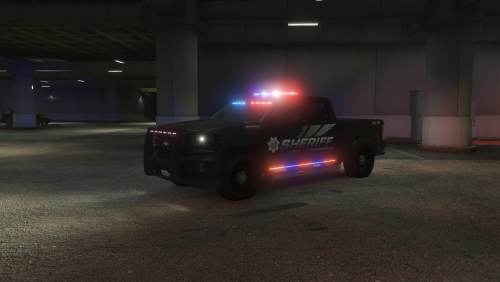 I just installed this on my last dlc pack (20) and realized that neither the taillights nor the headlights work... any ideas on whats going on?
- 68 comments
- 8 reviews
-
-
So you recommend just installing LSPDFR on my main GTAV folder (original)
-
Also just tried this and still same This makes a lot of sense. When i was loading the ss i noticed this. How can i correct this
-
Just fixed that but still having same issue
-
Well it does sound like a drastic option. Guess i will just hold up and let LSPDFR on pause haha. Thanx for your time budStill same problem.... How do i update to last windows 10 build?Well i guess im not going to be able to play LSPDFR again:/Still get redirected to normal gtav menu and rage hook gives same error screen. Is there any way to downgrade to 0.4?No i have McAfee but my license its expired lol so all i have its windows defender. This is my last log.txtAfter many hours of trying i reinstalled GTAV. Made a modded copy and installed 0.4.1 (manual install) and all the plugins. Now when i try to run Rage Hook ( i have the last version and also tried running it as admin) i get this error: Could not hook game process. Insufficient permissions or bad anti-virus. My firewall is off btw.So i had 0.4 installed and i played just fine. 2 days ago i decided to update to 0.4.1 and i was never able to play it, every time i lanched the game it directed my to normal story mode. After many hours of trying i decided to delete and reinstall GTAV. I made a modded copy and did manual install of 0.4.1 and all the plugins, now that i tried to open LSPDFR 0.4.1 for the first time after my fresh install of GTAV i get an error of rage plug in saying: Could not hook game process. Insufficient permissions or bad anti-virus. I already tried running it as admin, i reinstalled 0.4.1 on game folder and i have the last update of Rage Hook. And dont know what else i can do. PLEASE HELP MEI download 0.4.1 manual installer. Drag and dropped to main gtav folder and now LSPDFR never loads. It always directs me to regular GTAV.if i have installed 0.4 do i need to uninstalled first?

.png.f5e63faca5c92db83cd564ab8a9a14d9.png)
.png.8b1e8b44eadc206a459f273ff3bd2913.png)
.png.9d93595796ce061af953a2c54f583dbc.png)
.png.85a61249ecdedd2bcd89ae4f1c7f64f8.png)