




IvanOogle
Members
-
Joined
-
Last visited
Everything posted by IvanOogle
-
Remove Cheep callouts
-
It is not against the rules to mod the story version of gta. You will however need another folder to play online. To do this Copy your current folder to the same path. Then, rename the one you wish to play to "Grand Theft Auto V" and rename the other one to something else. Whichever one you wish to play, rage needs to be on the original folder, online on the copied, and it has to be called "Grand Theft Auto V"
-
Script Hook V won't work, but, Rage will.
-
Numpad8 is not a valid keybind for Police smart radio, use NumPad8 Here is a list for valid keybinds for next time https://msdn.microsoft.com/en-us/library/system.windows.forms.keys(v=vs.110).aspx
-
Don't ask for support in other people's support topics, create your own, someone will get to you
-
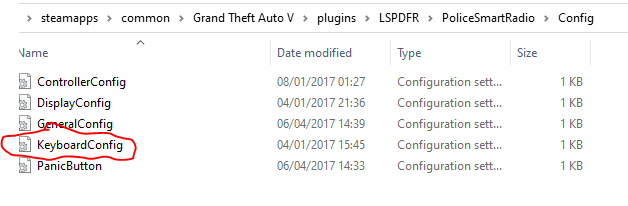
Police smart radio is not the problem. In police smart radio .ini you set one of the keybinds to '.' It cannot be set to this. Change it
-
You can't set a keybind to '.' It should be set to a valid keybind. These are valid keybinds. https://docs.ashitaxi.com/keybinds/
-
Go to your commandline.txt and remove everything in it. Put -windowed . Then, add your gta folder to your antivirus exceptions. Rename your mods folder to _mods then restart your pc. If that doesn't work, rename your scripts folder to _scripts . If that then doesn't work, verify your game files and remove Menyoo if you have it. Hope this helps!
-
Remove cheep callouts
-
Make sure to have the latest script hook V installed.
-
Send your asiloader.log

-
Remove French callouts. If this doesn't work, send this file :

-
Go to your commandline.txt and remove everything. Put -windowed in it. Then, rename your mods folder to _mods . If this works, then something in your mods folder is causing the crash, delete things one by one or delete it and create a new one. If that doesn't work, rename your scripts folder to _scripts . If that doesn't work still, verify your game files and remove Menyoo if you have it. 🙂
-
Add your folder to your antivirus exceptions, then reinstall lspdfr 0.7 ** MANUAL **.
-
Go to your commandline.txt and remove everything. Put -windowed in it. Then, keep your plugin timeout at 60000. Do not load lspdfr on startup. Load it in the console (Press F4) in game. Please tell us if you have installed any weapons. Thanks.
-
Do you have stop the ped installed? How long have you had it?
-
Move both LSPD first response to the plugins folder, not the lspdfr folder in the plugins. Then, try again. 🙂
-
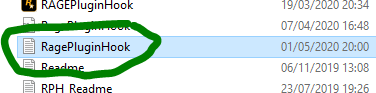
Send your Rage plugin log file and send a screenshot of your plugins folder, Thanks! Log file:
-
Install RageNativeUI https://github.com/alexguirre/RAGENativeUI/releases
-
First, update lspdfr to the newest version. Then, please send a screenshot of your plugins folder. Thanks. You also shouldn't disable your antivirus. Make an exception to the gta folder.
-
First, update rage. Then, Rename your mods folder to _mods . If that doesn't work, rename your scripts folder to _scripts and ELS to _ELS . If that doesn't work, verify your game files and remove menyoo if you have it.
-
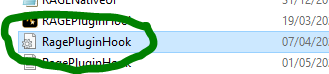
Go to your rage.ini file and where is says PluginTimeoutThreshold=10000 change it to PluginTimeoutThreshold=60000 . Then, go to your commandline.txt and delete everything. Put -windowed in it. If that doesn't work, rename your mods folder to _mods . If that doesn't work, send another log file. Please tell me what works. Rage.ini file: Rage log file:
-
First, update rage to the newest version. Replace all of the files. https://ragepluginhook.net/ Then, go to your Rage.ini file and where it says PluginTimeoutThreshold=10000 change it to PluginTimeoutThreshold=60000 . Then, try again. Rage.ini:
-
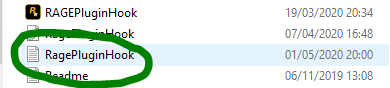
Please send your RagePluginHook.log picture below.
-
Sorry for the late response, go to the lspdfr config and create a new line and add them on. They won't be there normally.


