


FiTzLab
Members
-
Joined
-
Last visited
-
FiTzLab changed their profile photo
-
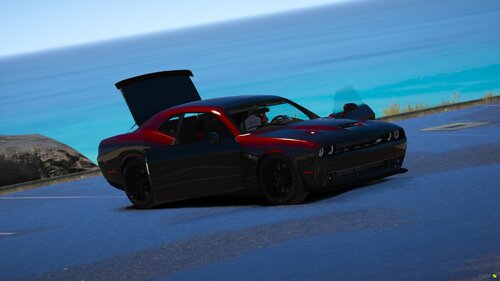 no I like red and blue lights thank you though
 -
does this have both red and blue lights
-
Thank you that helped and now it works, however now all my els cars their sirens are on as soon as i spawn them and i cant turn the siren
-
https://paste.ubuntu.com/p/V2sCRM62GB/ that is the log from lspdfr. when i try to run lspdfr is sometimes wont start so i keep trying it till it does start( usually takes one or two trys). when i go to the police station i would press e to enter the menu and hit go on duty and then the mods would load, then i hear a noise like something crashed and the menu to go to the dressing room, go to garage, or exit disappers and then i just see my character with a loading thing at the bottom left the just keep loading for ever. After that kept happening i tried to force duty and it would keep crashing while the extra lspdfr mods were loading. please help
-
 every time i put the pack in open iv and try to open it, it says it cant open its corrupt
- 485 comments
- 78 reviews
-
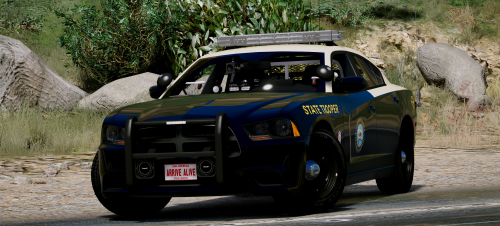 these are amazing, i love all of them. i like the red and yellow reflective tape on the silverado better than the black and grey reflective tape on the charger and explore. It would be awesome if you could change them all to the red and yellow tape. And can you please make a Tahoe version please
- 21 comments
- 28 reviews
-
 none of my added police call outs will work. not crazy call outs, wilderness call outs, assorted call outs. none of them will work and i dont know why
- 174 comments
- 46 reviews
-
.thumb.jpg.61de846de400ca98f85d205992527de1.jpg) when i try and use the package installer for open iv it says im missing a file called assembly.xml and ive tried redownloading it and i have the same problem can someone plz help
when i try and use the package installer for open iv it says im missing a file called assembly.xml and ive tried redownloading it and i have the same problem can someone plz help- 265 comments
- 83 reviews


.thumb.jpg.61de846de400ca98f85d205992527de1.jpg)