copest
Members
-
Joined
-
Last visited
Everything posted by copest
-
Yes, here it is. Its different compared to the latest logfile I added here. But this type of error codes, like was in the latest logfile, Im getting quite often. I mean these: [4/1/2021 3:11:45 PM.603] LSPD First Response: [TRACE] New cop added without cop data! [4/1/2021 3:11:45 PM.603] LSPD First Response: [TRACE] James Weismuller (S_M_Y_COP_01) was set as a cop RagePluginHook.log
-
Im using "Dont load any plugins at startup". I load RPH and then type ReloadAllPlugins to command line. Thats how I always used to play LSPDFR.
-
Hey, Im still struggling, getting these kind of error lines quite often. What to do? RagePluginHook.log
-
Seems like well but how to get my mods back in work?
-
Download the latest version of scripthookv.
-
Thanks for your reply, I’ll give it a try and let you know of the results.
-
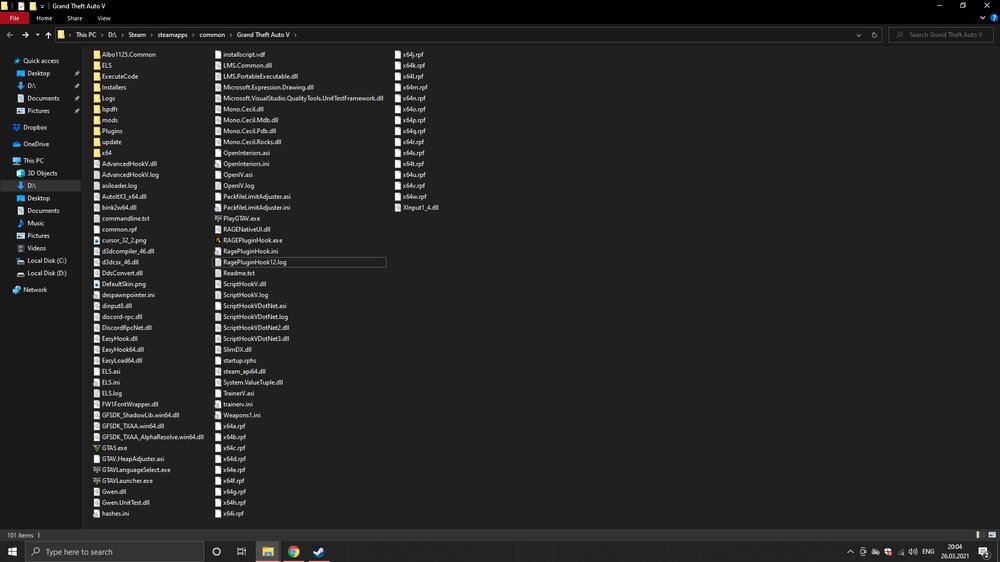
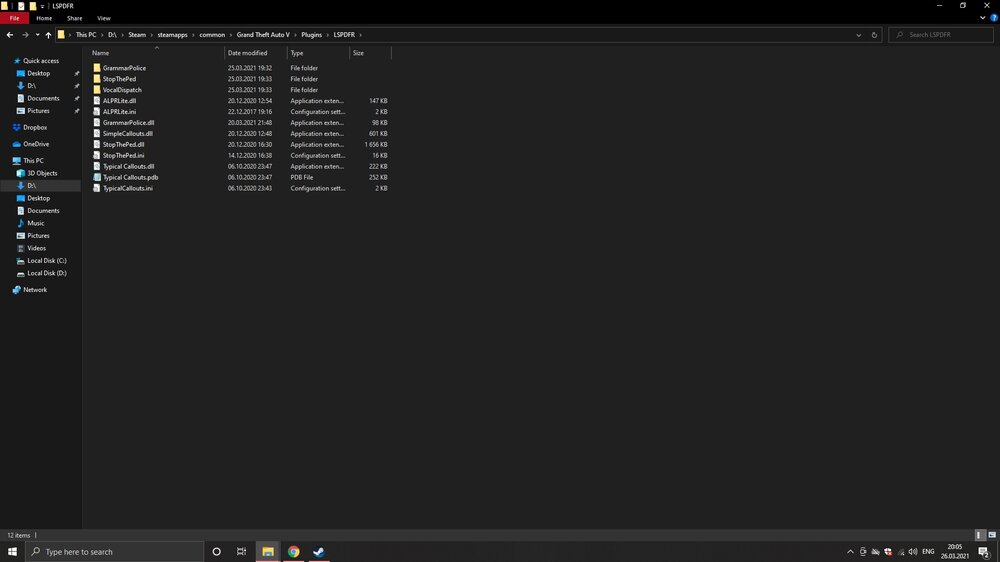
Hey! Im having issue with LSPDFR which keeps crashing after few minutes of being on duty. I have already installed my GTA again and downloaded only few plugins and callouts but after going on duty, LSPDFR crashes after few minutes. Every time it crashes I have read the log file and I havent noticed anything familiar, every time the last line of log file seems to be different, so I havent figured out what the problem is. I read that its not recommended to use Albos stuff so I already deleted Traffic policer and Assorted callouts, but still, crashing. I hook my thread up with two of my latest log files and screenshots of my GTA main directory and plugin folder. I really hope that somebody could lead me to get fixed my crashing problem 🙂 (Sorry for my so-so English) RagePluginHook11.log RagePluginHook12.log
-
I got it to work! Thank you very much, I really appreciate your help.
-
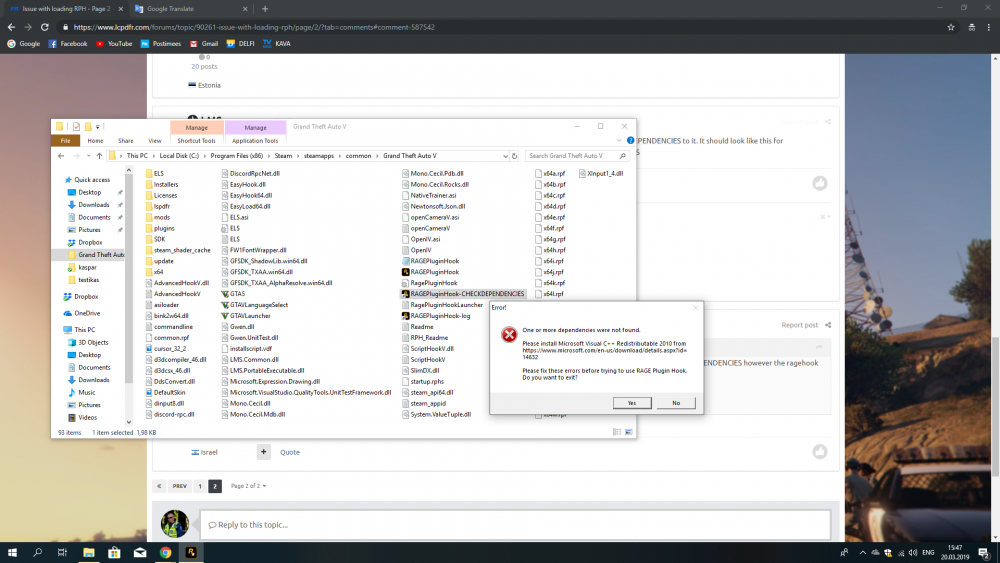
Thanks for explaining, I did it as you said and when I launch the shortcut I made I get error showed on screenshot.
-
How to exactly do that? Which shortcut?
-
Thanks for answering! I did it as you said and heres my logfile: RagePluginHookLauncher.log
-
Thanks for that, didn’t know. I can run GTAVLauncher.exe without any problems when Steam is also running. But when clicking RagePluginHook, only shows “Validating hook” and “validating system” and after that the launcher dissapears. My computer doesnt have any antivirus at all.
-
Do you have playGTAV.exe file in your main GTA folder?
-
bump
-
Look at my issue topic, I have exactly the same problem as you. I have figured out that the problem is because there is no “PlayGTAV.exe” file in main GTA folder. Why? i Dont know.. I tried to reinstall the game but issue remains and there is no playGTAV.exe file in folder on the second time..
-
So I find out that my system doesnt have “playgtaV.exe” file at all, I searched it from the whole computer. What to do or is playgtaV.exe legally downloadable anywhere? Reinstalling the game is not solution because I already tried it and as I said I can play GTA fom Steam or desktop launcher without any problems..
-
Thanks for answering! I will give it a try when I get back home. But is it possible that there is no playGTAV.exe at all in my version? As I said I can run the game fron desktop and Steam without any problems.
-
Forgot to add that reinstalling the game doesnt solve the problem. Already tried but it doesnt create any “playGTAV.exe” file to the main GTA folder. I can only play the game using Steam or from desktop icon.
-
How to validate game files if I have a Steam version? In main folder theres no playGTAV.exe file, theres only GTA5.exe and when I click on it it says "Please run Grand Theft Auto using playGTAV.exe"... Is it possible to download that playgtaV.exe file anywhere? Thats the reason why I cant run RPH and LSPDFR.
-
Up
-
Just tried but the issue remains... Clicking on RagePluginHook only shows “Validating Hook” and “Validating system” and after that the RPH launcher dissapears..
-
Bump
-
I cant even ger this far..
-
Yes, ofcourse, I know that and that’s the problem what im talking about. When I double click on RagePluginHook theres comes only “Validating hook” and “Validating system” and after that the RPH launcher dissappears..
-
bump