jayjay14
Members
-
Joined
-
Last visited
Everything posted by jayjay14
-
 Great Holster! I was just wondering though, I noticed that there was a holstered and unholstered version for the +taser model. What do I need to put into CopHolster to make it work? Tried using the steps in the copholster readme but no luck.
- 47 comments
- 14 reviews
-
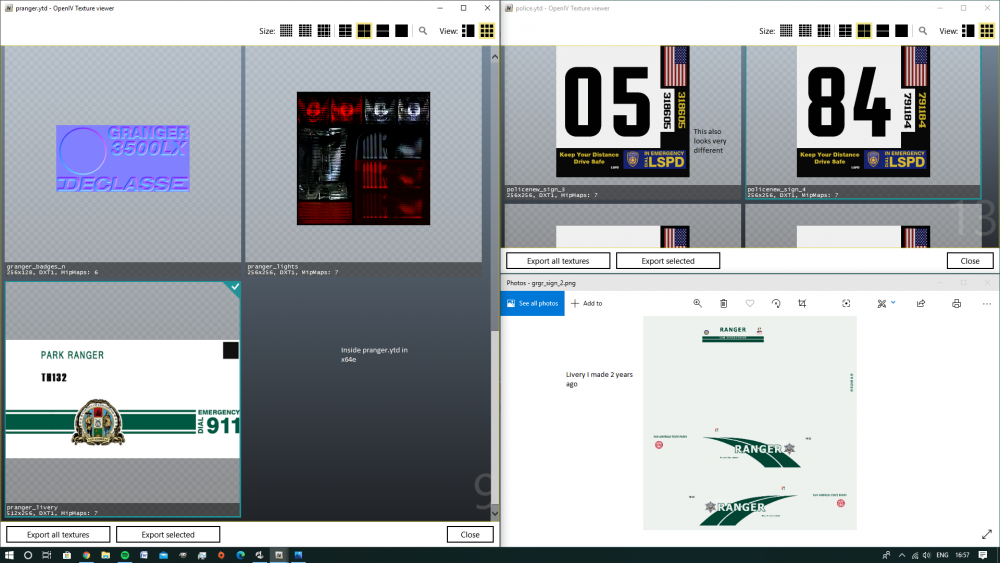
Hey guys, I did this before (almost 2 years ago) to make a custom livery for the Park Ranger Granger, but either something changed or I'm totally missing something. I decided to start playing again and got an itch to reskin the pack ranger after doing a clean install. Did this once so I don't remember a much/vaguely remember some things about how to do this properly. pranger.ytd and pranger.yft don't show up in any of the dlcpacks and only show up in x64e. I vaguely remember rekinning pranger through patchday3ng, but I feel like i'm definitely wrong because I can't find it. The livery I found in the x64e archive is also unfamilliar, I have the original liveries I made 2 years back using a template for the Granger, but inside the .ytd file looks nothing like what's there. What am I missing? If anyone can walk me through changing up the liveries for the vanilla cars that would be awesome!
-
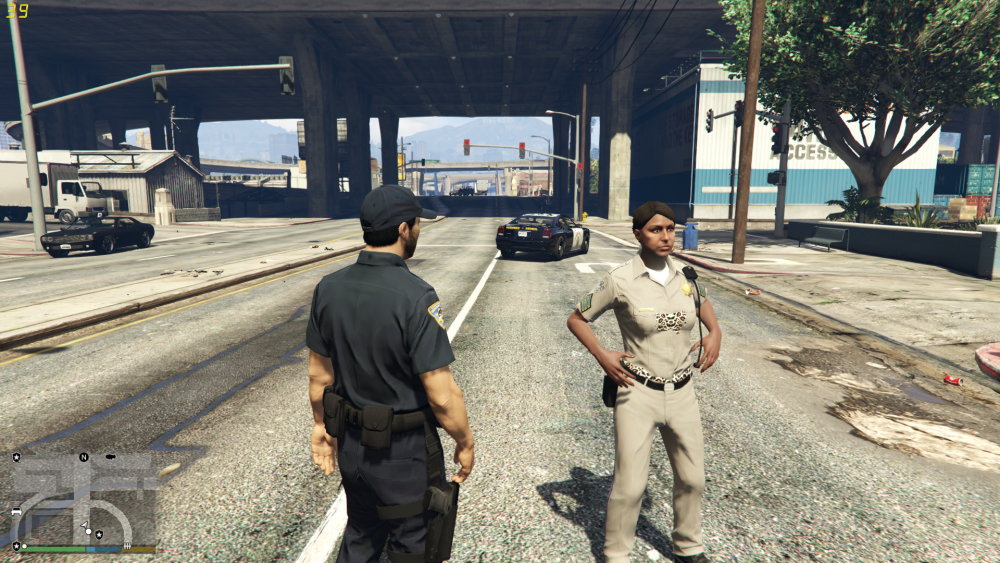
Sorry if this has been posted before! Not a crash, but noticed all the EUP Presets in the menu are wrong? I've got LSPD officers spawning wearing random clothes. The file that's up now for the current menu doesn't have the preset .ini and it's drawing from the old .ini for the previous version of EUP. Not very savvy when it comes to these configs but if anyone has a fix that would be appreciated!
-
Here's a picture I've got, not sure if it's just the SAHP female peds or all the female cops.
-
@UnknownBastionIt ended up working after reinstalling RAGE. Thanks though!
-
Hey guys, So I've got LSPDFR 0.4 installed as well as RDE (with the 0.4 integration XML configs) and EUP. It's otherwise working really well, however, I notice that the female SAHP npc's spawn with no belt and instead have this leopard print undercoat model that they spawn with instead of the duty belt. I was wondering if anyone has run into this issue or if anyone has any suggestions on how to fix this. Not really sure which file I have to edit in order to fix the issue. Any help is greatly appreciated!
-
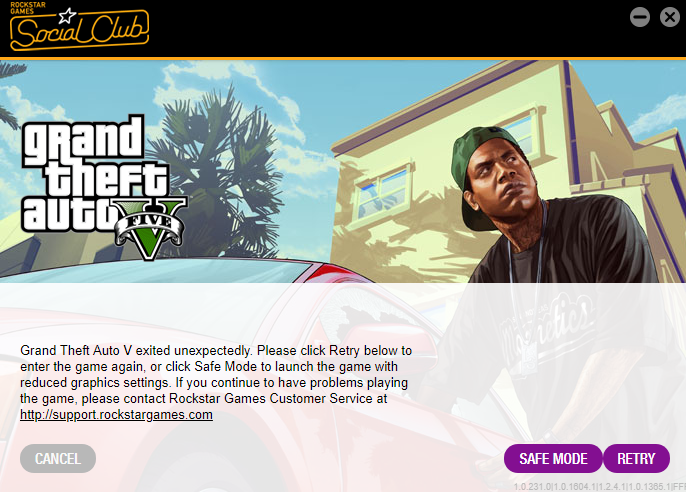
hey guys, new to the forum! I've been playing LSPDFR for a while but since 0.4 came out, I decided to do a clean install. The issue I'm having though is that when I start RPH, it loads, goes to a black screen, the RPH logo moves to the bottom left as usual, but then it exits after a few seconds and I get this message: The game starts if I don't use RPH no problem. I've tried loading the game then opening RPH but the second it 'hooks' GTA V I get that window again. I made sure that all my anti-virus have an exception for GTA V and RPH. Hope I can get some suggestions on how to fix this. Thanks!