GHOSThawK5
Members
-
Joined
-
Last visited
Everything posted by GHOSThawK5
-
Completely delete your 'mods' folder and try to launch it then
-
Before you do anything, make sure you have copied and pasted your update folder into a different folder that is called 'mods'. This is crucial to prevent your game from going corrupt. After you have done that, use open iv and browse to your update folder (the one inside your mods folder) Then use this pathway: OpenIV > GTA V > mods > update > x64 > dlcpacks > patchday20ng > dlc.rpf > x64 > levels > gta v > vehicles.rpf. drag your vehicle files into vehicles.rpf.
-
try launching the game with just rage hook and script hook v (no lspdfr)
-
Make sure you aren't under fire when you use the kit. You could try just reinstalling lspdfr or using a different trainer/menu (I recommend Menyoo)
-
Hi, I have had this problem previously. Go to steam and launch the game, when the social club window pops up, quickly click on the ragepluginhook. You have this problem because your game is not launching with rage hook correctly. If this solution doesn't work go to the ragepluginhook settings (hold shift when launching ragepluginhook), go to plugins, and make sure that lspdfr is selected.
-
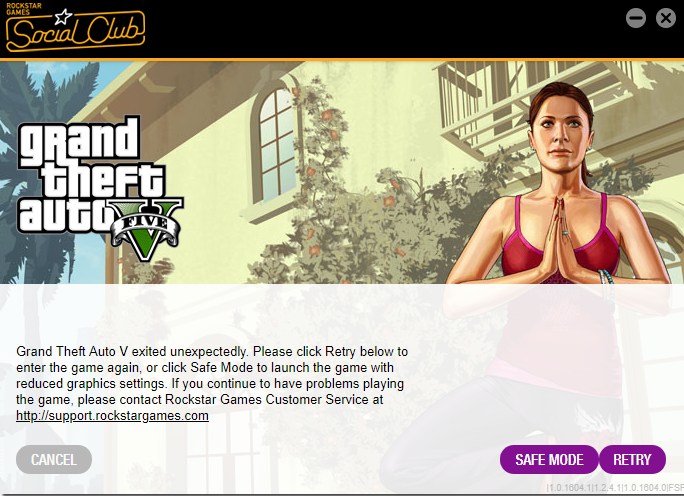
Hi, I love lspdfr and have been playing without problems for a while now. The other day, I thought I would give the rockstar editor a shot, and created a video. I then exported the video and ever since I exited rockstar editor that day, I have not been able to launch the game correctly. I click ragepluginhook and it does the normal startup. no difference in timing or words than before. Then it takes me to the black screen that you see just before the game starts loading, the rage sign goes down to the bottom left corner, and suddenly My game crashes and I get a message from gta v (see attached image). since then I have tried the following: completely reinstalled the game on steam reinstalled lspdfr 0.4 multiple times tried both lspdfr 0.4 manual install and normal install tried playing on different computer settings tried launching the game from steam and quickly clicking on ragepluginhook I have very recently tried launching the game with just ragehook and scripthook v and have concluded that the problem is with one of those two. I will soon post a video on youtube about the problem and will reply to this post with a link. Please, if you know anything about this, please reply with help. Cheers, GHOST-hawK