


GHOSThawK5
Members
-
Joined
-
Last visited
Everything posted by GHOSThawK5
-
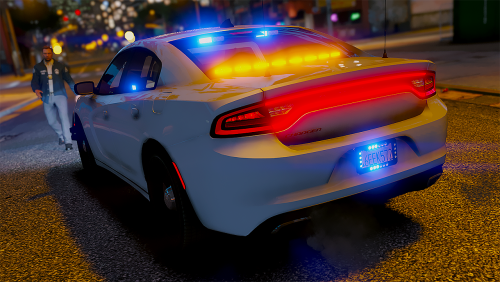 This is great! I love how the first lighting stage is code 3, it makes so much sense!
- 24 comments
- 9 reviews
-
I would suggest launching the game normally and then, whilst in-game, running RPH. Wait for it to launch and then press F4. Also, Open RagePluginHook.ini and make sure the console key is set to f4. And a few more questions if you wouldn't mind: Do you see the rage plugin hook launching screen? or does it launch how the normal game launches? also do you have your F4 set to something else? (does a menu or something pop up when yo press it?
-
A crash when you on duty is likely due to out of date plugins. update all your plugins and make sure they are for 0.4
-
Olá, Em primeiro lugar, você pode definitivamente ter mais de um plug-in de frase de destaque. Segundo, descreva em que ponto seu jogo trava. (por exemplo, lançamento, tela de carregamento, serviço, condução, etc.)
-
Your gonna wanna just reinstall all your callouts, and test them one by one. I would recommend re-downloading the callouts as well. Make sure they have been updated recently and they should be working. Some 0.3 callouts don't work with 0.4.
-
i can open this crash report just fine
-
What you have to do for this one is delete your mods folder and test it then. If it works then you can proceed to carefully reinstall stuff back to your mods folder.
-
A crash when you go on duty is likely due to out of date plugins in 0.4 refer Here for a list of mods compatible with 0.4
-
^an ambient event is causing this crash^ One of your plugins is trying to start an ambient event (StealCar/Runlights) so, if uninstalling traffic policer didn't work, uninstall all plugins and try then just to clarify this time i mean to uninstall not reinstall
-
lol np
-
Do you have the Latest Radiance V? if not download it. If that's not the problem, follow these steps carefully: 1. Do what i told you to do before. 2. In OpenIV navigate here: Grand Theft Auto V\mods\update\update.rpf\common\data 3. Drag the visualsettings.dat file to your desktop. 4. open the file and utilizing ctrl+f find 'car.def' 5. You should see these 2 lines: car.defaultlight.day.emissive.on car.defaultlight.night.emissive.on 6. Change the number after those lines to something such as 200.00 (decent) or 1000.00 (bright) or 2000.00 (very bright) 7. I would recommend making the .night. file a bit brighter. (maybe like 10% brighter) 8. save 9. drag this file back to: Grand Theft Auto V\mods\update\update.rpf\common\data
-
Do you have The ELS file from your GTA V main directory? also the files from vehicles.rpf
-
ELS only works on Custom vehicles. When you download a custom vehicle it should come with an XML file. put this in Grand Theft Auto Main directory>ELS>pack_default
-
^ this shows where each EUP L&O file has been installed to ^ Simpley navigate there using OPENiv and remove the files.Make sure you are launching the game by running RAGEPluginHook.exe and not the usual way you would run the game.The RPH log would help to find the core of the problem. But for now here is a much easier way to reload your plugins: 1. Press F4. 2. Unload the 'LSPD first response' plugin. 3. Load the 'LSPD first response' plugin. This will just reload your LSPD plugin and subsequently, the plugins.Just reinstall the latest version of scripthook V.That's Fine! Happy to help. The problem wasn't necessarily with you it just happens sometimes.Simple fix to this one, hold shift and launch RPH. This will open the RPH settings, from there set it to launch no plugins on startup. Then save and launch. Then in your f4 menu run loadplugin 'LSPD First Response' and the same with any other plugins such as EUP menu.Great! now you should create a new 'mods' folder and install things like EUP packs and Visual mods and custom cars, however make sure you follow the instructions on the 'read me's carefully. I would also suggest, if you use custom vehicles, not to install the same ones you had before.Delete the mods folder and launch it then.i believe this is a problem caused by the event of someone running a red light. I think this is part of traffic policer. So you should reinstall traffic policer.@Callam delete it and launch the game to see if it has fixed the problem. Then reinstall it.This is a problem with one of your plugins. I suggest reinstalling your plugins and every 5 you install launch the game and test it. This will nail it down to 5 plugins, from there you can test each one.

